

HR Portal App Templates

Teacher New Hire Onboarding App
Teacher New Hire Onboarding App is an app template for schools, districts, academies, and other educational organizations that need a central place to welcome and process newly hired educators. Human resources teams, school administrators, department leaders, and onboarding coordinators can collect teacher intake details, review onboarding records, receive required documents, and monitor review status from one organized experience. It replaces scattered emails and disconnected files with a clearer workflow, helping staff track each teacher’s progress while giving new hires convenient self-service access to essential onboarding actions.Jotform makes this app easy to adapt with a no-code app builder and an intuitive drag-and-drop interface. Start with one of the ready-made Jotform App Templates, then update pages, buttons, colors, fonts, and branding to match your institution. The app template can connect data collection forms, records, approval steps, and notifications to support a coordinated onboarding workflow. Publish it with a personalized link, share it by QR code, or provide mobile-friendly access so teachers and staff can complete tasks from nearly any device without installing additional software.
Go to Category:HR Portal Apps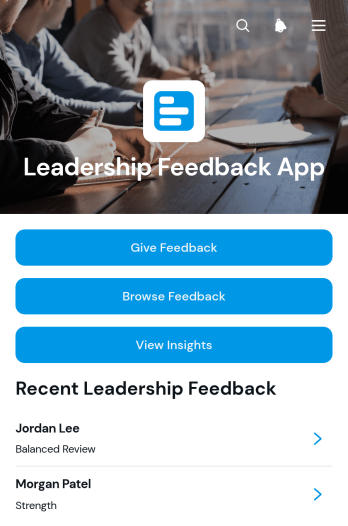
Leadership Feedback App
Leadership Feedback App gives employees, managers, human resources teams, and organizational development consultants a central place to collect and review constructive feedback about leaders. Team members can submit new feedback, browse existing records, and view insights that highlight strengths, recommendations, leadership areas, and priorities for improvement. It is well suited to leadership reviews, coaching programs, manager development initiatives, team health checks, and recurring feedback cycles. By bringing data collection and review into one accessible experience, organizations can reduce scattered responses, identify recurring themes, and support more focused development conversations.Jotform App Templates help teams create polished digital experiences without writing code. With Jotform’s no-code app builder and drag-and-drop interface, users can adapt the Leadership Feedback App to match internal processes, branding, and terminology. Forms, tables, notifications, approvals, and other workflow resources can be connected to support feedback collection and follow-up from one location. The finished app can be shared by a direct link or QR code, giving employees convenient mobile-friendly, self-service access while administrators maintain an organized view of connected records.
Go to Category:Human Resources Apps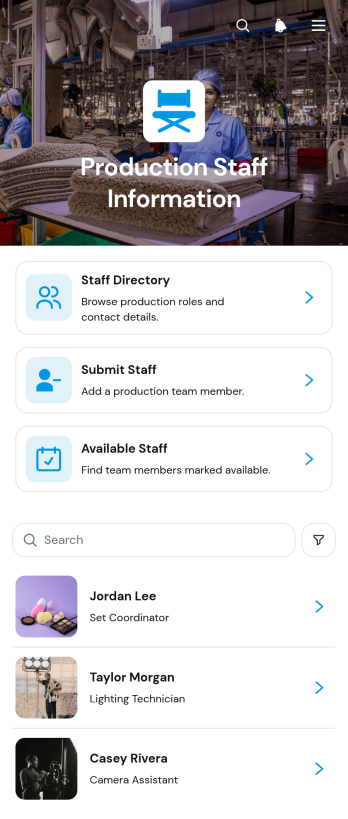
Production Staff Information App
The Production Staff Information App is a centralized resource for organizing crew details and helping production teams find the right people for upcoming work. Production coordinators, department leads, staffing managers, and operations teams can browse a staff directory, check availability, and contact team members by email or phone. It is useful for coordinating shoots, performances, events, and other projects where staffing needs can change quickly. Keeping department, shift, availability, contact information, and production notes in one accessible place reduces scattered records and makes crew planning more consistent.Jotform makes this app template easy to adapt to the way each production team operates. Using the no-code app builder and its drag-and-drop interface, teams can update pages, adjust branding, add navigation, and connect forms or other workflows without programming. New staff information can flow into an organized directory, giving coordinators a practical self-service resource for daily staffing decisions. Like other Jotform App Templates, the finished app can be shared through a direct link or QR code and accessed from phones, tablets, and computers.
Go to Category:HR Portal Apps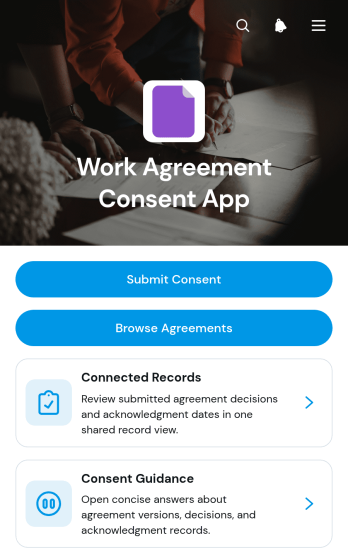
Work Agreement Consent App
The Work Agreement Consent App gives human resources teams, managers, contractors, and growing businesses a central place to present work agreements and document consent decisions. Staff members can submit consent, browse available agreements, review guidance, and view connected records showing details such as the agreement version and recorded decision. This app template is well suited to onboarding, policy updates, revised working arrangements, contractor engagement, and other situations where organizations need a clear record of who reviewed and responded to an agreement. It reduces scattered paperwork, makes information easier to find, and supports a more consistent internal process.Jotform Apps helps teams turn this process into a branded, mobile-friendly experience without writing code. Using the drag-and-drop app builder, organizations can adjust pages, navigation, colors, fonts, and content to match their internal workflow. Forms and connected records keep data collection organized, while links, cards, and buttons guide users toward the right action. The finished app can be shared by direct link or QR code, giving employees and contractors convenient self-service access from almost any device.
Go to Category:HR Portal Apps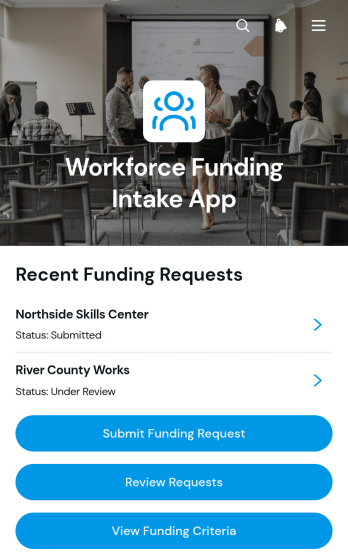
Workforce Funding Intake App
The Workforce Funding Intake App is a centralized application and review hub for organizations that receive requests supporting hiring, training, retention, or other workforce needs. Applicants can submit a funding request, reviewers can examine requests and their current status, and users can consult funding criteria before applying. The app helps economic development teams, workforce programs, nonprofits, educational institutions, grant administrators, and internal HR or finance departments replace scattered emails and disconnected documents with a consistent intake workflow. It also gives decision-makers clearer context around each organization, applicant, requested amount, workforce need, anticipated impact, and contact information.With Jotform, this app template can be adapted using a no-code app builder and an intuitive drag-and-drop interface. Teams can update the branding, arrange pages and navigation, connect forms and tables, and support data collection without writing code. Jotform App Templates also make it easier to bring application intake, resource navigation, and reviewer self-service into one mobile-friendly experience. Share the finished app by link or QR code so applicants and reviewers can access the right actions from almost any device while administrators maintain a more organized funding workflow.
Go to Category:HR Portal Apps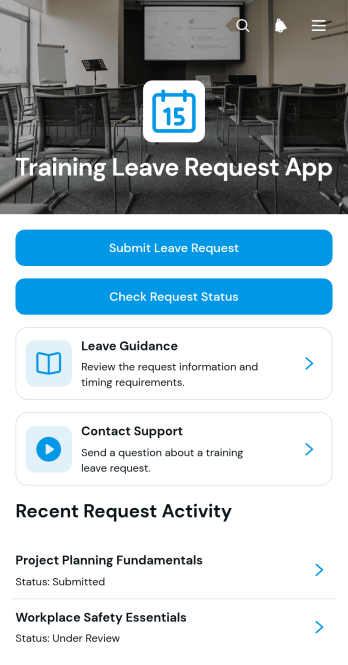
Training Leave Request App
The Training Leave Request App is an app template for employees who need time away from regular duties to attend courses, workshops, certifications, or other professional development activities. It gives staff a central place to submit a leave request, check its status, review leave guidance, and contact the appropriate support team. Employees can provide essential training information such as dates, format, provider, and business justification, helping managers and human resources teams evaluate requests with consistent details. The app is well suited to growing businesses, educational institutions, nonprofits, consulting firms, and distributed teams that want to replace scattered emails and incomplete requests with a clear employee self-service experience.Jotform Apps helps organizations turn related forms, resources, and processes into a mobile-friendly app without writing code. Start with this app template, then use the drag-and-drop app builder to adjust pages, branding, navigation, and connected workflows. Request information can flow into organized tables, trigger notifications, and support timely follow-up by the teams responsible for review. The finished app can be shared through a direct link or QR code, giving employees convenient access from a phone, tablet, or computer while keeping training leave activity easier to manage.
Go to Category:Employee Self Service Apps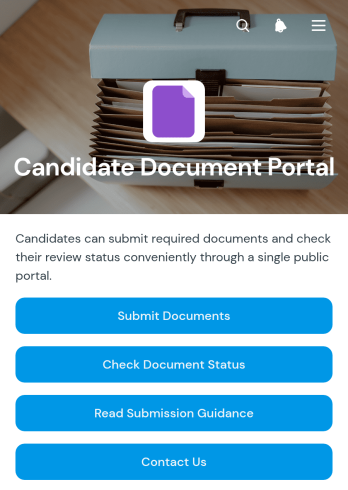
Candidate Document Portal App
The Candidate Document Portal App is a centralized recruitment resource for employers, hiring teams, recruiters, and staffing professionals who need a consistent way to receive and review candidate files. Candidates can submit requested documents, check review status, and read submission guidance from one accessible location. The app is useful during candidate screening, preemployment checks, role placement, and other document-heavy hiring stages. It reduces scattered email exchanges, gives applicants clearer next steps, and helps recruitment teams organize incoming information while maintaining a more consistent candidate experience.Jotform Apps makes it easy to adapt this app template to an organization’s hiring process without writing code. Using the no-code app builder and drag-and-drop interface, teams can update pages, adjust branding, connect forms and tables, and support data collection within a coordinated workflow. The finished portal can be shared through a direct link or quick response code for convenient mobile access. With customizable App Templates from Jotform, human resources teams can create a practical self-service destination that keeps candidate actions, guidance, and status information together.
Go to Category:HR Portal Apps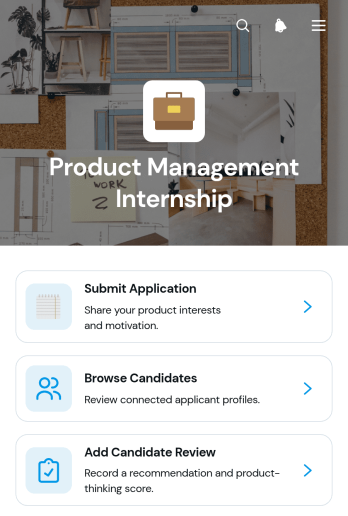
Product Management Internship App
The Product Management Internship App is an app template for collecting internship applications and helping hiring teams evaluate aspiring product management candidates. It gives applicants a clear place to submit their information while recruiters, product leaders, and human resources teams can browse candidate profiles, review resumes and portfolios, assess motivation and experience, and add internal feedback. A visible application pipeline supports consistent progress tracking from initial submission through review. Startups, technology teams, educational programs, and growing businesses can use it to keep internship recruitment organized, reduce scattered records, and give reviewers shared access to relevant candidate details.Jotform App Templates make it easy to adapt this experience to an organization’s hiring process without coding. Using Jotform’s no-code app builder and drag-and-drop interface, teams can update pages, navigation, branding, and connected forms while keeping data collection and workflow resources in one mobile-friendly location. The finished app can be shared through a direct link or QR code, helping applicants submit materials and authorized team members review candidates from their preferred devices. It offers a practical foundation for building a polished recruitment experience with less manual setup.
Go to Category:Job Apps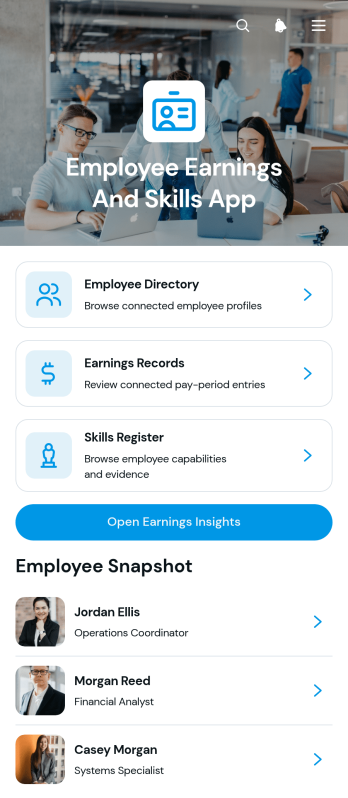
Employee Earnings and Skills App
The Employee Earnings and Skills App brings workforce profiles, earnings records, and skill information into one accessible resource for human resources teams, managers, payroll coordinators, and department leaders. Users can browse an employee directory, review individual earnings details, maintain a skills register, and open earnings insights without switching between disconnected records. It supports workforce planning, compensation reviews, project staffing, internal mobility, training decisions, and skills gap analysis. By keeping relevant employee information organized, the app helps teams find qualified staff, understand experience levels, document supporting evidence, and make better-informed workforce decisions.Jotform offers customizable App Templates that help organizations turn routine processes into convenient digital experiences. With its no-code app builder and drag-and-drop interface, teams can adapt the Employee Earnings and Skills App to their structure, branding, and workflow. Connected forms support data collection for employee profiles, earnings entries, and skill records, while organized pages make information easier to navigate. The finished app can be shared by a direct link or QR code and accessed from phones, tablets, or computers, giving approved users a practical self-service destination for current workforce information.
Go to Category:HR Portal Apps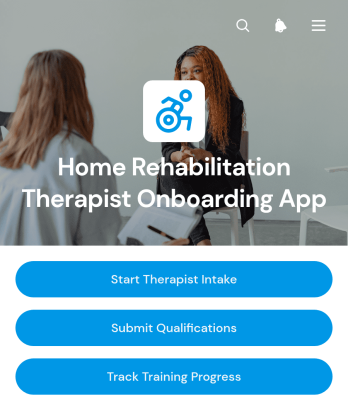
Home Rehabilitation Therapist Onboarding App
The Home Rehabilitation Therapist Onboarding App gives home rehabilitation providers and human resources teams a central place to welcome and prepare newly recruited therapists. It supports therapist intake, qualification submission, and training progress tracking without scattering onboarding activities across separate channels. Clinics, home care organizations, staffing coordinators, therapy managers, and growing healthcare teams can use it to collect essential professional information, review readiness, and help each therapist complete required onboarding steps. Clear navigation also helps new team members understand what to do next before beginning home-based assignments.Jotform makes this app template easy to adapt with a no-code app builder and an intuitive drag-and-drop interface. Teams can adjust pages, branding, instructions, and connected forms to reflect their own onboarding workflow, then organize data collection and employee self-service in one mobile-friendly experience. The app can connect with tables, approvals, notifications, and other Jotform workflows to support internal reviews and timely follow-up. Once customized, it can be shared through a direct link or QR code, giving therapists convenient access from almost any device.
Go to Category:HR Portal Apps
Employee Credentials Portal App
Employee Credentials Portal App provides HR teams, operations managers, administrators, and department supervisors with a central place to organize workforce credential records. Employees can submit credential details and supporting documents, while authorized staff can browse entries and maintain records as information changes. Issue and expiry dates help teams monitor time-sensitive qualifications without relying on scattered files or email threads. The app template is useful for companies, contractors, service providers, and other organizations that need a consistent credential data collection process and convenient employee self-service access.With Jotform Apps, teams can adapt this Employee Credentials Portal App through a no-code app builder and an intuitive drag-and-drop interface. Pages, navigation, branding, forms, and connected tables can be updated to match internal processes without writing code. Organizations can connect the app to approvals, notifications, and other workflow steps, then share it by direct link or QR code for mobile-friendly access. Jotform App Templates offer a practical starting point for bringing credential intake, record navigation, and ongoing updates into one interactive experience.
Go to Category:HR Portal Apps
Employee Pairing App
The Employee Pairing App is a ready-to-use app template for HR teams, people managers, team leads, and organizations that coordinate mentoring, peer learning, onboarding buddies, or cross-functional partnerships. Employees can submit pairing preferences, review profiles based on strengths, preferred focus, and availability, and view recorded pairs with their current status and shared focus. This central resource helps coordinators make informed matches, maintain visibility across active pairings, and replace scattered messages or spreadsheets with a consistent process. It works well for recurring development programs, new-hire support, knowledge sharing, and collaboration initiatives.Jotform app templates make it easy to turn this process into a branded, mobile-friendly experience without writing code. Use the no-code app builder and drag-and-drop interface to adjust pages, cards, navigation, fonts, and colors to suit your organization. You can connect forms for data collection, organize employee information, support related workflows, and update resources as the program changes. Once the Employee Pairing App is ready, share it through a direct link or QR code so participants and coordinators can access the same self-service destination from any device.
Go to Category:Employee Self Service Apps
Employee Timecard Approval App
Employee Timecard Approval App gives employees, supervisors, HR teams, and payroll administrators a central place to submit, review, and monitor timecards. Employees can record their hours and work period through a connected form, while reviewers can browse submitted timecards, inspect individual records, and document approval decisions. Status visibility helps staff confirm whether a timecard is awaiting review or has already been processed. This app template is useful for offices, service businesses, field teams, contractors, and growing organizations that want to reduce scattered time records, clarify review responsibilities, and maintain a more consistent approval workflow before payroll preparation.Jotform makes it easy to customize this app template with a no-code app builder and an intuitive drag-and-drop interface. Teams can adjust pages, buttons, colors, fonts, and navigation to reflect their internal process, then connect forms, tables, approvals, and notifications for coordinated data collection. The app can be shared by a direct link or QR code, giving employees and managers mobile-friendly self-service access from nearly any device. Start with one of Jotform’s App Templates, adapt the experience to your organization, and publish a branded resource that keeps timecard activity and approval information accessible in one place.
Go to Category:HR Portal Apps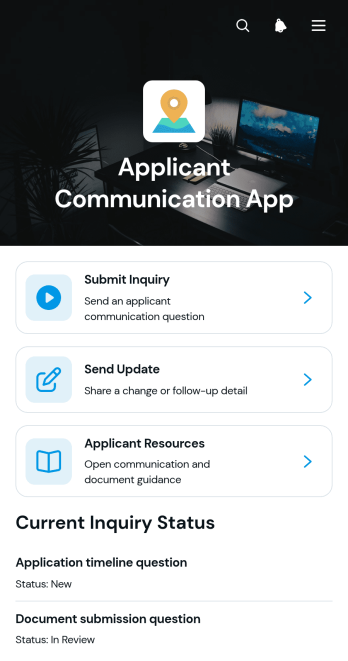
Applicant Communication App
The Applicant Communication App is a ready-to-use communication hub for recruitment teams, hiring managers, staffing coordinators, and organizations that need a consistent way to engage candidates. Applicants can submit inquiries, receive relevant updates, and browse helpful resources from one accessible location. Organized communication records give teams clearer visibility into questions, messages, and update types without relying on scattered email threads. This app template is useful throughout recruitment, enrollment, screening, and selection processes where timely information can improve the applicant experience and help staff maintain consistent communication.Jotform Apps makes it easy to turn this Applicant Communication App into a branded self-service experience without writing code. Use the no-code app builder and drag-and-drop interface to adjust pages, navigation, colors, fonts, and content to match your process. Connected forms support data collection, while organized records and automated notifications can strengthen the communication workflow. Like other customizable App Templates from Jotform, the app can be shared through a direct link or QR code and accessed from phones, tablets, or computers. Teams can publish updates, revise resources, and expand the experience as applicant needs evolve.
Go to Category:Job Apps
Superannuation Choice Form App
Superannuation Choice Form App gives employees a central place to submit a preferred fund choice while helping HR and payroll teams organize the information needed for contribution setup. Employers, workforce administrators, financial service teams, and contractors can use this app template during onboarding, after an employee changes funds, or when existing choice details need updating. Users can submit fund information, review recorded choices, and browse or compare fund references without relying on disconnected documents and email threads. This supports clearer data collection, easier record review, and a more convenient self-service experience for employees.Jotform Apps helps organizations turn processes like fund choice collection into accessible digital experiences without writing code. Start with this template from Jotform App Templates, then use the no-code app builder and drag-and-drop interface to adjust pages, navigation, colors, and branding. Forms, tables, notifications, approvals, and other workflow resources can be connected to keep information moving between employees and internal teams. Once the Superannuation Choice Form App is ready, publish it through a direct link or QR code so users can open it from a phone, tablet, or computer.
Go to Category:Employee Self Service Apps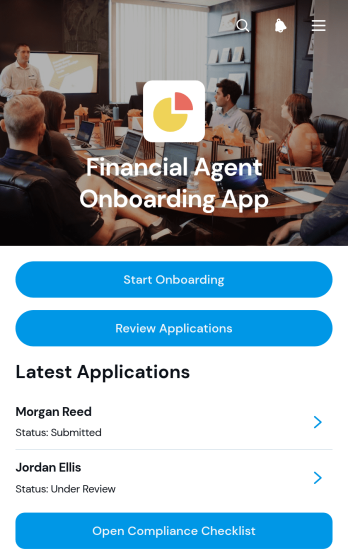
Financial Agent Onboarding App
Financial Agent Onboarding App is an app template for financial services firms, agency managers, recruiting teams, and operations staff who need a central place to bring new agents into their organization. It supports candidate intake, application review, profile browsing, and checklist tracking without scattering records across emails and separate documents. Reviewers can access professional background, contact details, service focus, license information, and internal notes while moving applicants through new, under-review, and follow-up stages. This organized experience helps teams maintain consistent onboarding procedures, understand each applicant’s progress, and give staff convenient access to the information needed for timely decisions.With Jotform Apps, teams can adapt this Financial Agent Onboarding App using a no-code app builder and an intuitive drag-and-drop interface. Pages, navigation, forms, guidance, and connected workflows can be updated to reflect internal processes and branding. Jotform App Templates also connect with forms, tables, approvals, and notifications, helping teams coordinate data collection and routine follow-up from one mobile-friendly location. Once ready, the app can be shared by a direct link, QR code, or embedded experience, giving recruiters and reviewers practical access wherever work takes place.
Go to Category:HR Portal Apps
Employee Promotion Request App
Employee Promotion Request App is an internal HR app template for managers, department leaders, and people operations teams that need a consistent way to propose and assess employee promotions. It brings promotion request submission, request browsing, and review guidance into one accessible experience, helping teams replace scattered emails and disconnected documents. Managers can present the promotion case, qualifications, department details, requested effective date, and supporting information, while reviewers can compare requests and monitor their status. The app is useful during review cycles, workforce planning, succession discussions, or individual advancement decisions. By keeping the process visible and organized, it supports clearer handoffs, more complete data collection, and dependable internal records.Jotform Apps lets HR teams adapt this Employee Promotion Request App without coding. Using the no-code app builder and drag-and-drop interface, you can update pages, navigation, colors, fonts, and branding, then connect forms, tables, approval steps, and notifications to match your workflow. Publish the finished app with a direct link, custom URL, or QR code so authorized managers and reviewers can reach it from a phone, tablet, or computer. Jotform App Templates provide a ready-made foundation for an employee self-service resource or focused management hub, reducing setup time while keeping promotion materials and actions easy to find.
Go to Category:Human Resources Apps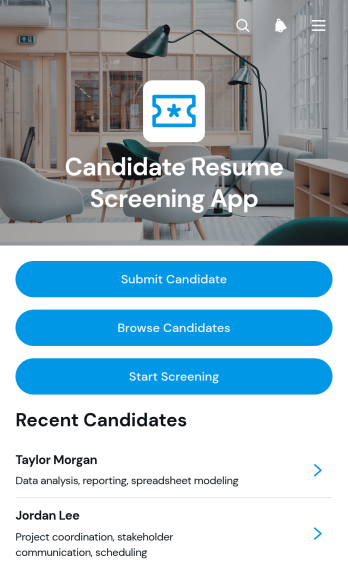
Candidate Resume Screening App
Candidate Resume Screening App gives recruiters, hiring managers, staffing teams, and growing businesses a central place to collect and review applicant information. Teams can submit candidates, browse candidate profiles, examine resumes, skills, contact details, and experience, then begin a screening process based on defined resume criteria. It is useful when several reviewers need consistent access to candidate records or when resumes are arriving through disconnected channels. By organizing candidate intake and initial evaluation in one accessible experience, the app helps reduce manual searching, clarify screening steps, and keep early hiring decisions focused on relevant qualifications.Jotform makes this app template easy to adapt without coding. Use the no-code app builder and drag-and-drop interface to update pages, navigation, colors, fonts, and screening resources for different roles or departments. Connected forms support structured data collection, while tables, notifications, approvals, and workflows can help teams manage candidate updates and internal review. Once customized, the Candidate Resume Screening App can be shared through a direct link or QR code for mobile-friendly access, giving authorized team members a convenient way to review applicants and complete screening tasks wherever hiring work takes place.
Go to Category:Human Resources Apps
Workplace Dispute Case App
The Workplace Dispute Case App provides employees, human resources teams, employee relations specialists, and managers with a central place to document and manage workplace concerns. It supports case submission, record review, guidance browsing, and follow-up communication without scattering information across separate channels. Organizations can use this app template for interpersonal conflicts, communication problems, disagreements about workplace practices, or other matters that require internal review. Clear case context, information about involved parties, requested resolutions, and related resources help reviewers understand each concern and determine appropriate next steps.With Jotform, teams can adapt this app using a no-code app builder and an intuitive drag-and-drop interface. Pages, cards, buttons, forms, and resource links can be updated to reflect internal terminology and processes. Connected forms support consistent data collection, while tables and workflows can help authorized teams organize case records and coordinate follow-ups. The app can be shared through a direct link or QR code for convenient mobile access, giving employees a practical self-service route for submitting concerns and finding guidance. Start with this app template, apply organization branding, and publish a focused experience without writing code.
Go to Category:HR Portal Apps
Flexible Work Opportunities App
Flexible Work Opportunities App is an app template for organizations that want to present remote, hybrid, part-time, contract, or flexible-schedule roles in one accessible destination. HR teams, recruiters, staffing groups, nonprofits, and growing businesses can use its focused single-page layout as a starting point for opportunity browsing, interest collection, and resource navigation. It helps potential applicants understand available work arrangements and find a suitable next step without searching across disconnected channels. Teams can tailor the content for internal mobility programs, return-to-work initiatives, project-based assignments, seasonal hiring, or public job outreach.Jotform makes it easy to turn this starting layout into a branded experience with a no-code app builder and drag-and-drop interface. Add pages, cards, buttons, forms, approval steps, and connected workflows as needs evolve, then organize data collection and follow-up from one place. This app template can support self-service access while reducing repetitive inquiries for hiring teams. Like other App Templates from Jotform, it can be customized without programming and shared through a direct link, QR code, or embedded experience for convenient access on computers and mobile devices.
Go to Category:Job Apps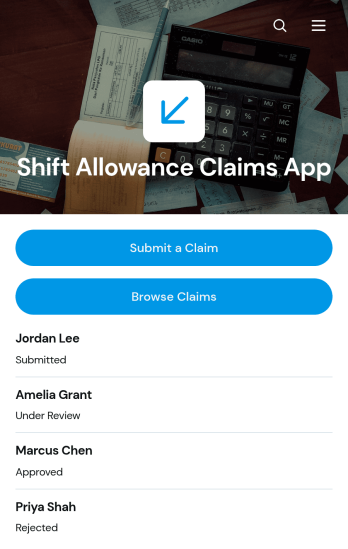
Shift Allowance Claims App
Shift Allowance Claims App is an app template for employees who need to submit allowance requests for eligible shifts and for HR, payroll, finance, and operations teams that review those claims. Staff can submit a claim, browse previous claims, and view key details such as shift dates, hours worked, allowance types, claimed amounts, and current status. It is well suited to businesses with evening, overnight, weekend, holiday, or other qualifying shifts, including hospitality, healthcare, manufacturing, transport, security, and field service organizations. By keeping records in one accessible location, the app reduces scattered paperwork, improves claim visibility, and helps teams prepare accurate information for internal review and payroll processing.Jotform Apps makes this Shift Allowance Claims App easy to adapt without coding. Use the drag-and-drop app builder to update pages, buttons, colors, fonts, and branding, then connect forms, tables, approvals, notifications, and other workflow steps. The mobile-friendly experience gives employees convenient self-service access from any device, while administrators can organize collected data and monitor requests centrally. Start with this ready-to-use app template, tailor it to your allowance policy and review process, and share it through a direct link, QR code, or embedded experience.
Go to Category:Employee Self Service Apps
Employee Wellbeing Pulse App
The Employee Wellbeing Pulse App gives HR teams, people managers, and growing organizations a practical way to gather recurring employee wellbeing updates and identify where support may be needed. Employees can submit a pulse covering overall wellbeing, energy level, support needs, and optional comments. Authorized users can review pulse insights, while employees can browse relevant wellbeing resources from the same mobile-friendly destination. This app template is useful for regular check-ins, distributed teams, workplace wellness initiatives, and periods of organizational change when leaders need timely feedback to guide thoughtful action.Jotform makes the Employee Wellbeing Pulse App easy to tailor with a no-code app builder and an intuitive drag-and-drop interface. Organizations can update pages, branding, questions, navigation, and resource links to reflect their workforce and internal processes. Connected forms support data collection, while tables, notifications, approvals, and other workflow tools can help teams organize responses and coordinate follow-up. Publish the app with a shareable link or QR code to create a convenient self-service experience without building software from scratch.
Go to Category:HR Portal Apps
Employee Group Management App
The Employee Group Management App gives HR teams, department leaders, office managers, and growing businesses a central place to organize employee records, workplace groups, and assignments. Users can browse an employee directory with contact, job title, and location details, create groups with coordinator and meeting information, and access open assignments. It is well suited to companies managing committees, project teams, regional staff, working groups, or cross-functional initiatives. By keeping people and group information together, this app template reduces scattered records, clarifies team membership, and helps coordinators find the details they need for day-to-day planning.Jotform makes this Employee Group Management App easy to adapt without coding. Use the drag-and-drop app builder to update pages, cards, buttons, colors, and branding, then connect forms and tables to support data collection and related workflows. The mobile-friendly interface gives employees and managers convenient self-service access from nearly any device. Once the app is ready, publish it with a direct link, custom app URL, or QR code so authorized staff can reach shared resources wherever work happens. Jotform App Templates also provide a practical starting point that can grow alongside changing teams and responsibilities.
Go to Category:HR Portal Apps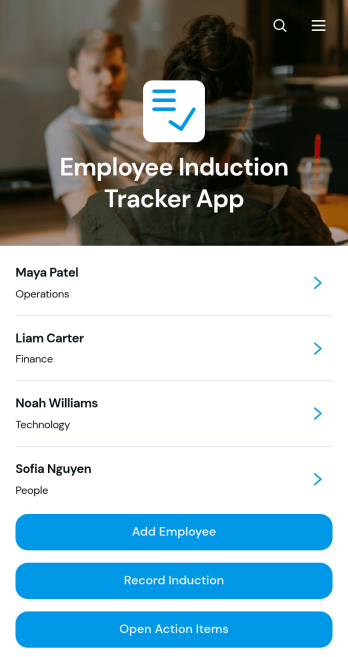
Employee Induction Tracker App
Employee Induction Tracker App gives HR teams, managers, and growing organizations a central place to coordinate new employee inductions from initial setup through follow-up. Teams can maintain employee records, record completed induction activities, and monitor open action items without relying on scattered documents or email threads. It is well suited to businesses onboarding multiple employees, distributed workplaces, contractors entering new environments, and departments that need a clear view of induction progress. Accessible resources also help employees and supervisors find relevant materials during the process, while organized records make it easier to identify outstanding work and keep each induction moving.With Jotform, this app template can be adapted to match an organization’s induction workflow, branding, roles, and internal terminology. The no-code app builder and drag-and-drop interface make it easy to update pages, buttons, resource links, and connected forms without programming. Teams can connect data collection, approvals, tables, and automated processes to create a practical employee self-service experience. Once customized, the app can be shared by a direct link or QR code for convenient mobile access, giving HR staff and managers one interactive location for induction records, resources, and follow-up tasks.
Go to Category:Human Resources Apps