

Operations & Logistics Portal Apps

Printable Form Workflow App
Printable Form Workflow App provides operations teams, administrators, office managers, and shared-service groups with one place to receive printable form requests and move them through a defined process. Requesters can submit a form with a due date and supporting file, while staff can review request details, open the print queue, and update workflow status as work progresses. This app template helps organizations replace scattered emails and informal handoffs with a visible queue, clearer ownership, and more consistent request tracking. It is useful for offices, schools, nonprofits, service teams, and facilities that regularly prepare printed documents for employees, customers, students, or community members.Jotform App Templates make it easy to adapt this experience without writing code. Using Jotform’s no-code app builder and drag-and-drop interface, teams can revise pages, buttons, forms, colors, fonts, and navigation to match their process and visual identity. Connected forms support data collection, while workflow tools help organize updates and keep requests moving. Publish the finished app with a direct link or QR code so requesters and staff can access it from a phone, tablet, or computer. The result is a practical self-service destination that brings form intake, queue access, attached files, due dates, and status management into a single mobile-friendly experience.
Go to Category:Task Management Apps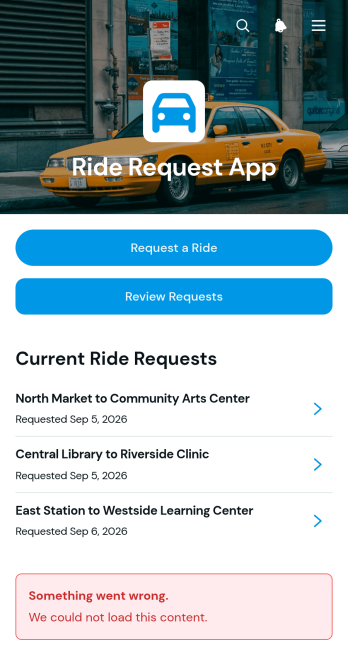
Ride Request App
Ride Request App gives transportation coordinators, community programs, care teams, campuses, hospitality providers, and workplace operations teams a central place to receive and review trip requests. Riders can submit pickup and destination details, passenger counts, contact information, accessibility needs, and additional notes. Coordinators can then browse requests, open individual trip information, and check each request’s status. This app template reduces scattered messages, makes important ride details easier to find, and supports more consistent scheduling for courtesy transport, community rides, employee travel, guest pickups, and other arranged transportation services.Jotform Apps helps organizations turn ride coordination into an accessible digital workflow without writing code. Start with this template, adjust its pages and navigation using the drag-and-drop interface, and connect forms or tables for organized data collection. Teams can apply their own colors, fonts, and visual identity, then share the finished app through a direct link or QR code for convenient mobile access. Jotform App Templates also make it easy to expand the experience with approval steps, notifications, and other self-service resources as transportation needs evolve.
Go to Category:Transportation Apps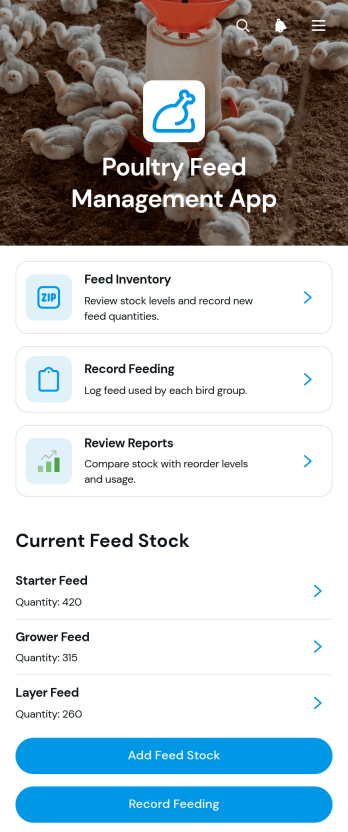
Poultry Feed Management App
The Poultry Feed Management App is a ready-to-use app template for poultry farmers, farm managers, feed coordinators, and agricultural teams that need a clearer view of feed usage and stock. It brings feed inventory, feeding records, supplier information, and operational reports into one accessible space. Users can monitor available quantities and reorder levels, record feed given to each bird group, and review supplier prices and contact details. Keeping these records together helps farms avoid unexpected shortages, maintain consistent feeding routines, compare purchasing options, and make better-informed decisions about feed costs.Jotform makes this Poultry Feed Management App easy to adapt with a no-code app builder and a flexible drag-and-drop interface. Connect forms and tables to support data collection, organize records, and create a practical workflow for daily farm operations. Teams can update the layout, add branded visual elements, adjust navigation, and share the finished app through a direct link or QR code. Jotform App Templates also support mobile-friendly self-service access, giving authorized farm staff a convenient way to enter feeding activity, check inventory, and find current supplier records from almost any device.
Go to Category:Inventory Management Apps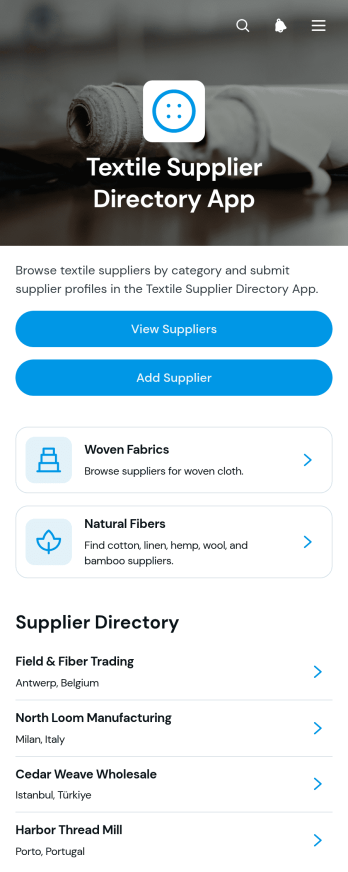
Textile Supplier Directory App
The Textile Supplier Directory App gives apparel businesses, sourcing teams, designers, manufacturers, and purchasing departments a central place to discover and organize textile suppliers. Users can browse suppliers by textile category, review focused supplier profiles, and submit new vendors for inclusion through a connected form. It helps teams compare sourcing options using practical details such as available materials, minimum orders, lead times, and contact information. This app template is useful for building an internal purchasing resource, an industry directory, or a self-service sourcing experience that reduces scattered spreadsheets and makes supplier information easier to find.Jotform makes this directory easy to adapt without coding. Use the drag-and-drop app builder to update pages, navigation, cards, fonts, colors, and branding, then connect forms and tables to support data collection and workflow management. Teams can maintain supplier records from one organized workspace while giving users a mobile-friendly browsing experience. Like other Jotform App Templates, the app can be shared through a direct link, QR code, or embedded experience, making it suitable for employees, partners, buyers, and approved industry audiences.
Go to Category:Inventory Apps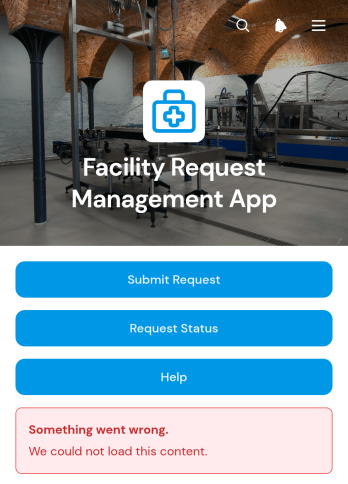
Facility Request Management App
The Facility Request Management App is an app template for submitting, organizing, and monitoring workplace facility requests from one accessible location. It gives employees, tenants, property teams, office managers, and maintenance coordinators a clear way to report issues and request services. Users can submit a new request, check its status, and review key request records without relying on scattered emails or informal messages. This setup is useful for offices, schools, residential properties, warehouses, hospitality venues, and shared workspaces that need better visibility into repairs, maintenance needs, and facility support tasks.Jotform makes this Facility Request Management App easy to adapt with a no-code app builder and an intuitive drag-and-drop interface. Teams can customize pages, buttons, colors, and branding, then connect forms and tables to support data collection and workflow management. The app can be shared through a direct link or QR code, giving users mobile-friendly self-service access wherever facility issues occur. Starting with one of Jotform’s App Templates also reduces setup time while leaving room to shape the experience around internal processes, locations, and service priorities.
Go to Category:Operations & Logistics Portal Apps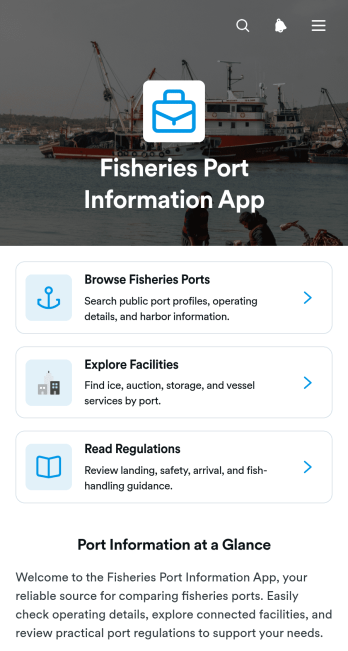
Fisheries Port Information App
The Fisheries Port Information App is a centralized resource for browsing fisheries ports, reviewing connected facilities, and accessing practical port guidance. It serves vessel operators, fishing cooperatives, seafood businesses, logistics teams, harbor personnel, government departments, and maritime organizations that need clear port information in one place. Users can compare locations and view essential details such as region, operating hours, harbor depth, contact information, facility availability, and relevant regulations. By replacing scattered documents and disconnected web pages with an organized self-service experience, this app template helps people prepare for port visits, identify suitable facilities, and make better-informed operational decisions.Jotform makes this Fisheries Port Information App easy to adapt without writing code. Use the no-code app builder and drag-and-drop interface to update port profiles, organize resource navigation, add inquiry forms, and connect collected data with tables and workflows. Teams can apply their own branding, rearrange content, and publish updates from a single workspace. Like other Jotform App Templates, it can be shared through a direct link, QR code, or embedded experience, giving crews and partners convenient mobile access wherever their work takes them.
Go to Category:Operations & Logistics Portal Apps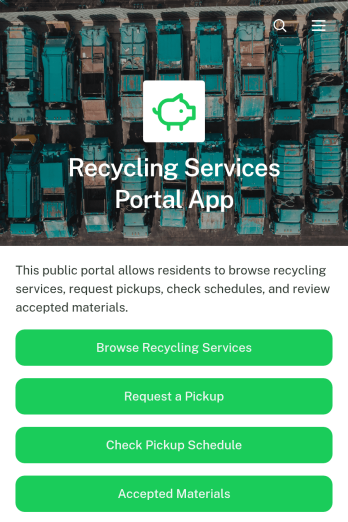
Recycling Services Portal App
Recycling Services Portal App provides residents, customers, property managers, and community partners with one convenient place to access local recycling support. Municipal departments, waste management teams, recycling centers, and private collection providers can use it to help people find available services, arrange pickups, and prepare materials correctly with clear schedule and acceptance guidance. Bringing these actions together reduces missed collections, incomplete requests, and uncertainty about what can be recycled. It also gives service teams a consistent customer-facing resource for routine inquiries and pickup coordination.Jotform App Templates make it easy to adapt this app template to a neighborhood program, commercial collection service, or regional recycling initiative. With Jotform’s no-code app builder and drag-and-drop interface, teams can update branding, organize resource navigation, connect data collection forms, and support service workflows without programming. The finished portal can be shared through a direct link or QR code for mobile-friendly self-service. Connected forms, tables, notifications, and approvals can also help staff manage incoming requests while keeping essential recycling information accessible.
Go to Category:Customer Portal Apps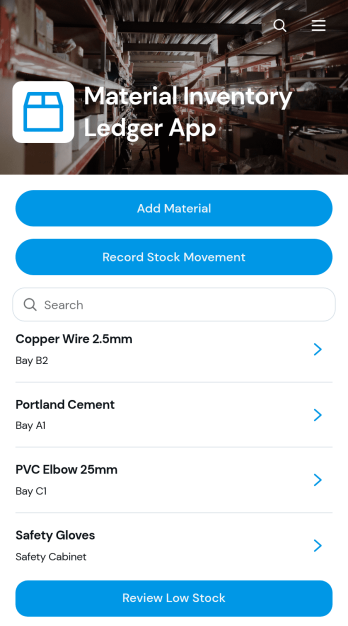
Material Inventory Ledger App
Material Inventory Ledger App gives warehouse teams, purchasing staff, contractors, manufacturers, and facilities managers a central place to monitor materials and their availability. Users can add material records, log incoming or outgoing stock movements, browse inventory details, and review items that have reached low-stock levels. This app template supports day-to-day inventory control across warehouses, workshops, construction sites, production facilities, and storerooms. By keeping quantities, reorder points, storage information, and movement activity accessible in one app, it helps teams reduce missing records, identify replenishment needs sooner, and maintain a clearer account of materials used in operations.Jotform Apps makes it easy to adapt this Material Inventory Ledger App without writing code. Use the drag-and-drop app builder to update pages, adjust navigation, apply company branding, and connect forms or tables to your workflow. The mobile-friendly experience lets authorized team members record data and find inventory information from a phone, tablet, or computer. You can also share the finished app through a direct link or QR code, giving staff convenient self-service access wherever materials are received, stored, or used.
Go to Category:Inventory Management Apps
Crop Activity Scheduling App
Crop Activity Scheduling App helps farm owners, crop managers, agronomists, and field crews plan agricultural work across fields and growing cycles. Teams can add crop activities, schedule work using preferred start times, and review an open schedule from one accessible location. Key activity details such as field location, estimated duration, crew size, and notes give supervisors the context needed to coordinate planting, irrigation, fertilization, crop protection, harvesting, and other recurring tasks. This app template supports clearer priorities, more consistent field communication, and better visibility into upcoming work.With Jotform Apps, agricultural teams can customize this Crop Activity Scheduling App through a no-code app builder and an intuitive drag-and-drop interface. Add branded pages, update navigation, connect forms and tables, or adapt the workflow as farm operations change. Collected data can feed connected processes and help teams organize requests without relying on scattered documents. Publish the finished app with a direct link or QR code so workers can access schedules and submit activity information from phones, tablets, or computers. Jotform App Templates make it easier to create a practical self-service resource while keeping crop planning in one mobile-friendly experience.
Go to Category:Scheduling and Planning Apps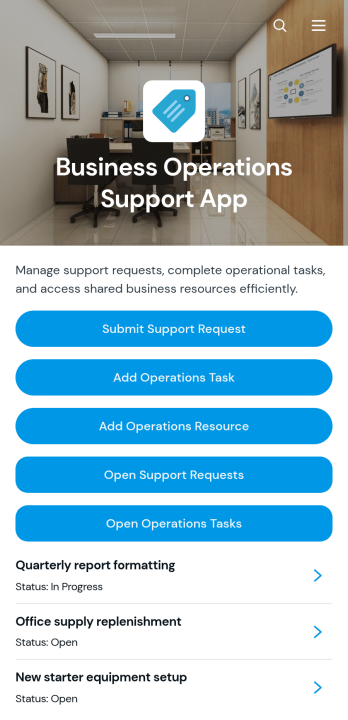
Business Operations Support App
Business Operations Support App gives operations teams a central workspace for handling internal support needs, coordinating tasks, and organizing useful resources. It suits small and midsize businesses, service departments, office administrators, operations managers, and cross-functional teams that need clearer visibility into day-to-day work. Employees can submit support requests, review request details and statuses, add operational tasks with assigned owners, and access shared resource links. Bringing these activities together helps reduce scattered communication, clarify responsibility, and keep recurring operational needs from being overlooked.With Jotform Apps, organizations can turn this app template into a branded, mobile-friendly experience without writing code. The drag-and-drop App Builder makes it easy to adjust pages, buttons, cards, navigation, colors, and fonts while maintaining a modern layout with rounded visual elements. Teams can connect forms, tables, notifications, approvals, and other workflow tools to support data collection and self-service from one location. Start with one of Jotform’s ready-made App Templates, tailor it to existing processes, and share it through a direct link, QR code, or embedded experience.
Go to Category:Operations & Logistics Portal Apps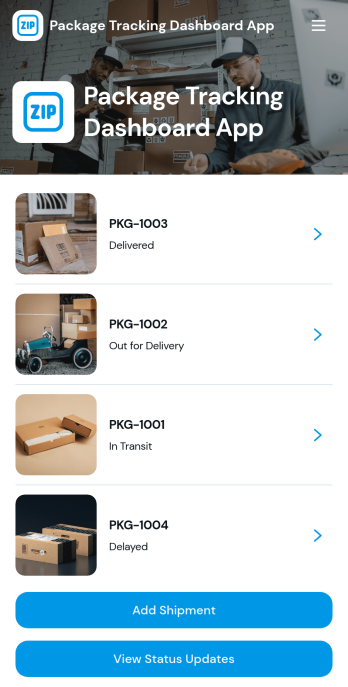
Package Tracking Dashboard App
Package Tracking Dashboard App gives logistics teams, online retailers, warehouses, and customer service staff a central place to organize shipments and monitor package progress. Users can browse shipment records by tracking number, add a new shipment, view status updates, and open package details covering the route and recipient. This focused dashboard reduces time spent searching across scattered records and makes delivery information easier to review during fulfillment, dispatch, and customer support. It is well suited to businesses managing outbound orders, internal deliveries, or recurring shipments that need a clear and accessible tracking experience.Jotform helps teams turn shipment processes into an interactive app without writing code. Start with this app template, then use the no-code app builder and drag-and-drop interface to adjust pages, buttons, visual elements, and navigation to match your operation. Connected forms and tables can support data collection, record organization, and workflow updates from one mobile-friendly location. You can apply your branding, share the dashboard through a direct link or QR code, and give authorized staff a convenient self-service resource. Jotform App Templates make it easy to publish a polished package tracking workspace and adapt it as shipping needs evolve.
Go to Category:Order & Shipping Portal Apps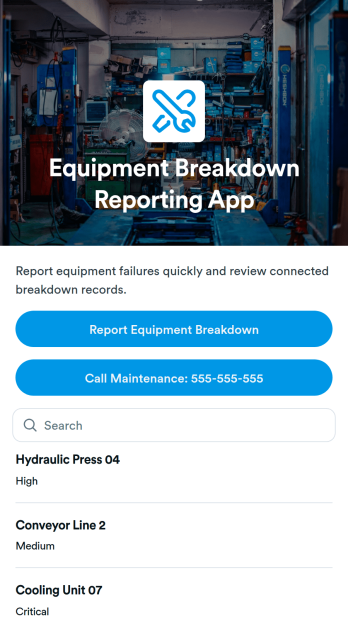
Equipment Breakdown Reporting App
Equipment Breakdown Reporting App helps teams report equipment failures quickly and keep maintenance responses organized in one place. It’s a practical fit for manufacturing floors, warehouses, construction sites, facilities teams, and field operations where downtime needs to be logged fast and routed to the right people. With a dedicated button for reporting a breakdown, a one-tap option to call maintenance, and a simple list view that surfaces equipment names, staff can capture issues as they happen and reduce missed details during busy shifts.Built with Jotform, this app template makes it easy to centralize breakdown reporting without coding. Customize the drag-and-drop layout, connect the report button to your form for consistent data collection, and use linked records to review recurring problems over time. Share the app with a link or QR code so employees can access it on-site, then expand the workflow by connecting notifications, approvals, or tables to keep everyone aligned from the first report to resolution.
Go to Category:Equipment Maintenance Software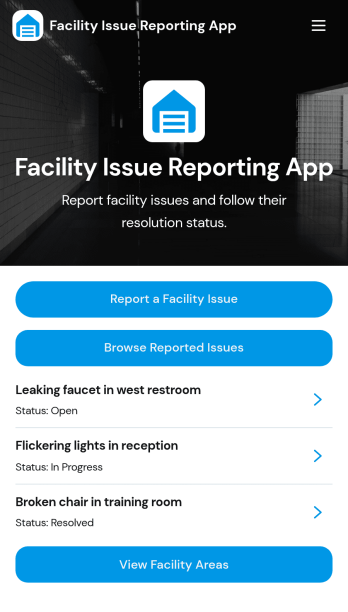
Facility Issue Reporting App
Facility Issue Reporting App helps organizations capture and manage building-related problems in one place, so teams can respond faster and keep spaces safe and functional. It’s useful for offices, schools, property managers, warehouses, and hospitality teams that need a simple way for employees, tenants, or visitors to report issues like leaks, broken fixtures, lighting problems, or cleanliness concerns. With a focused, form-first experience, people can submit a report quickly, while facilities and operations teams get clearer intake that supports consistent follow-up.Jotform makes it easy to turn this app template into a branded reporting experience with a no-code app builder and a drag-and-drop interface. Connect the app to Jotform forms and workflows for data collection, routing, and status updates, then share it with a link or QR code for convenient self-service reporting. As needs change, you can adjust the layout, add steps, and organize processes without relying on developers.
Go to Category:Report Apps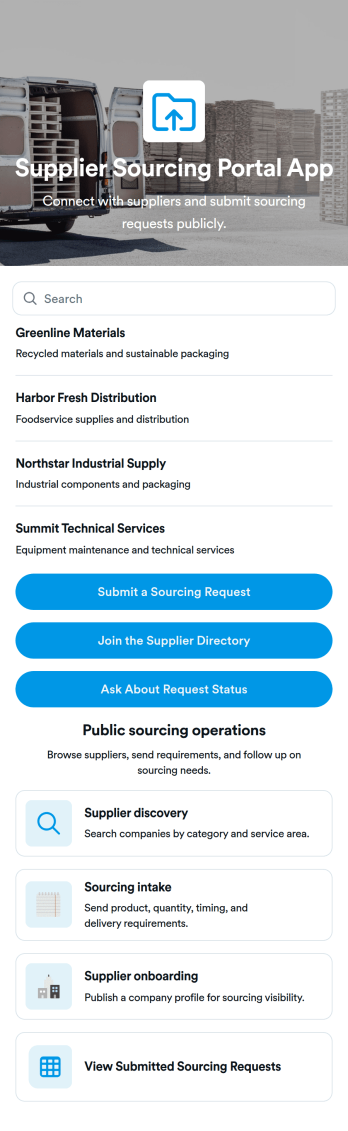
Supplier Sourcing Portal App
Supplier Sourcing Portal App helps procurement and operations teams centralize how they discover suppliers, collect sourcing needs, and review active requests in one place. Use it to browse supplier profiles, capture key vendor details like lead time, minimum order, and certifications, and give stakeholders a simple way to submit sourcing requests without chasing updates across email threads. It’s a practical fit for manufacturers, retailers, e-commerce brands, and growing businesses that need clearer visibility into current sourcing activity and faster vendor shortlisting.With Jotform, you can turn this app template into a branded self-service portal using a no-code app builder and a drag-and-drop interface. Connect forms and data collection to keep supplier profiles and sourcing requests organized, then share a single link so teams can browse, submit requests, and follow progress. As your workflow evolves, you can update pages, buttons, and navigation in minutes while keeping sourcing information easy to access on any device.
Go to Category:Operations & Logistics Portal Apps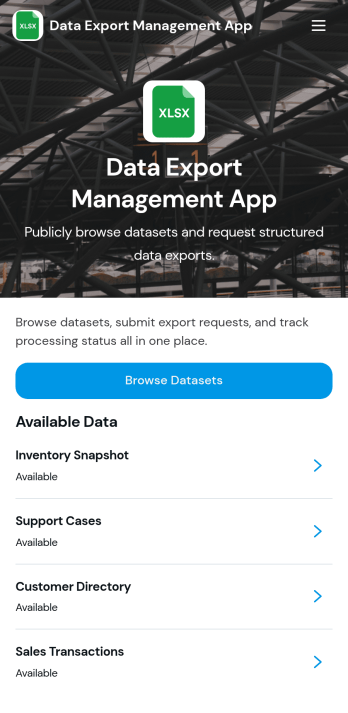
Data Export Management App
Data Export Management App helps teams coordinate and document recurring data exports so nothing gets missed when reports, backups, or datasets need to be delivered on time. Use it to centralize export responsibilities, clarify what needs to be shared, and keep stakeholders aligned across departments like operations, finance, analytics, IT, and customer support. It works well for agencies sending client data extracts, product teams preparing usage reports, and internal teams handling scheduled exports for audits, leadership updates, or vendor requests.With Jotform, you can turn this app template into a simple self-service experience that guides users to the right place to manage export tasks. Customize the content with Jotform’s no-code app builder and drag-and-drop interface, then connect it to workflows for data collection, updates, and follow-ups as your process evolves. Share it with a link or QR code so teams can access the latest export guidelines from anywhere and keep your workflow consistent.
Go to Category:Information Technology Apps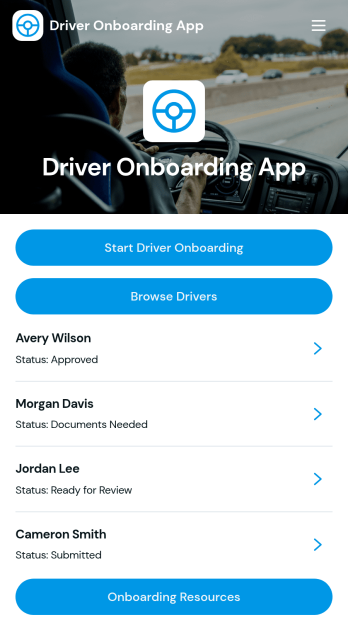
Driver Onboarding App
Driver Onboarding App helps transportation teams collect driver details, organize records, and guide new hires through a consistent onboarding process. Use it to start driver onboarding from a single entry point, capture driver information through a connected form, and let coordinators browse drivers and open individual profiles to review key details like license, license expiry, experience, and emergency contact. It fits fleets, delivery providers, logistics companies, and owner-operator networks that want a clear way to track who has completed intake and what information is still missing.With Jotform, you can turn this app template into a branded self-service experience for drivers and an internal workspace for dispatch or operations. Customize pages with a drag-and-drop interface, connect the app to your data collection workflow, and keep driver records organized in one place. Share the app by link or QR code, update content as your process changes, and create a smoother onboarding flow without relying on custom development.
Go to Category:Transportation Apps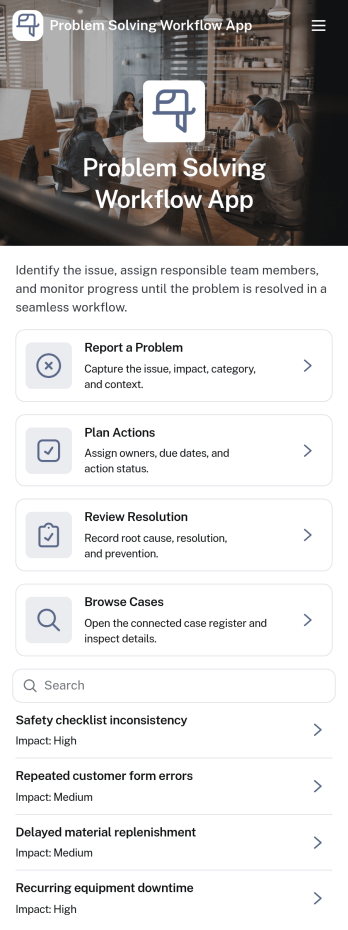
Problem Solving Workflow App
Problem Solving Workflow App helps teams capture issues, turn them into clear action plans, and confirm resolutions in a consistent way. It’s built for operations leaders, IT and service desks, facility teams, quality groups, and any department that needs a reliable process for handling recurring problems. With guided steps to report a problem, plan actions, and review resolution, everyone follows the same path from intake to follow-up. Cases are easy to browse so managers can spot trends, prioritize by impact, and keep ownership visible across locations and categories.Jotform makes it simple to publish this kind of self-service workflow without code. Using a drag-and-drop app builder, you can customize pages, buttons, and case views to match how your team works, then connect the app to the forms and data collection you already use. Share it with a link or QR code, keep information organized in one place, and automate updates so the right people stay informed as cases move forward.
Go to Category:Task Management Apps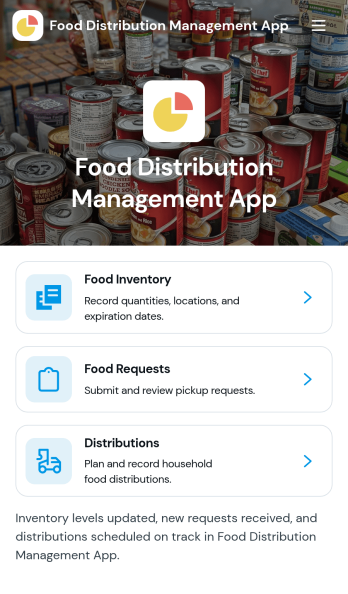
Food Distribution Management App
Food Distribution Management App helps organizations coordinate food supply listings and incoming requests in one place, so distribution teams can publish available items, share pickup details, and route people to the right next step. It’s a practical fit for food banks, community fridges, mutual aid groups, churches, shelters, school programs, and municipal teams that need a clear way to browse distributions, accept requests, and keep day-to-day operations organized across staff and volunteers.Built with Jotform, this app template can be customized with a no-code app builder and a drag-and-drop interface, making it easy to tailor pages for public supply browsing, internal distribution details, and request intake. Connect the app to your Jotform forms and workflows to support self-service access, centralize data collection, and share a mobile-friendly link or QR code with the communities you serve.
Go to Category:Operations & Logistics Portal Apps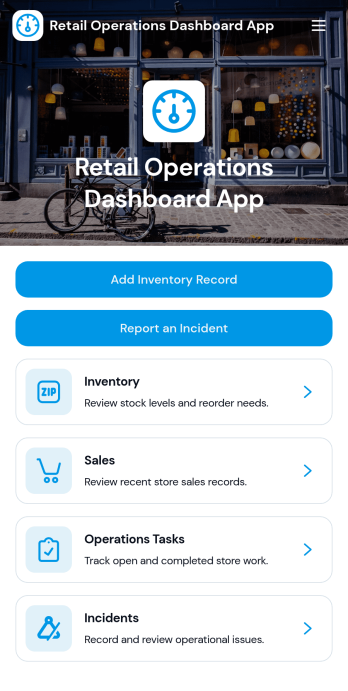
Retail Operations Dashboard App
Retail Operations Dashboard App centralizes day-to-day store oversight so managers and ops teams can keep inventory and incident activity visible in one place. Use it to review inventory records across locations, capture quick inventory updates, and log incidents as they happen, making it easier to spot low stock, monitor reorder points, and follow priority and status for reported issues. It’s a strong fit for multi-store retailers, franchise operators, store supervisors, and loss prevention or facilities teams that need consistent reporting without chasing updates through email threads or spreadsheets.Built with Jotform, this app template can be tailored with a drag-and-drop interface and connected to your existing data collection and workflow needs. Link buttons to forms for inventory updates, incident reporting, and operations report requests, then view entries in organized lists that support self-service access for staff in the field or on the sales floor. Share the app by link or QR code, keep information current, and turn operational routines into a simpler, trackable experience with Jotform’s no-code app builder and App Templates.
Go to Category:Retail Apps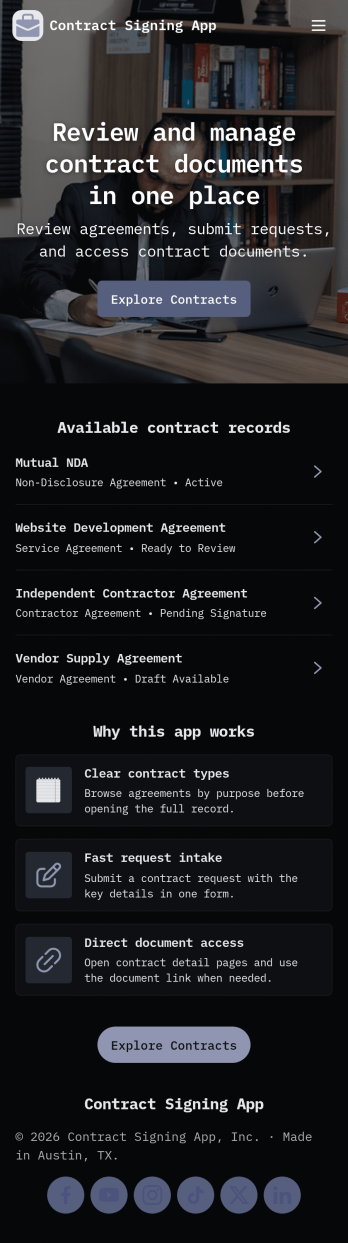
Contract Signing App
Contract Signing App keeps contract requests and signatures organized in one place, so teams can move agreements forward without losing track of who needs to sign what. Use it to start a new contract request, browse existing contracts, and guide recipients to the right signing step with clear navigation and simple actions. It works well for sales teams sending service agreements, HR sharing onboarding documents, real estate professionals collecting signatures, and operations teams managing vendor paperwork across locations.With Jotform, you can build and publish polished App Templates using a no-code app builder and a drag-and-drop interface that’s easy to update as your process evolves. Connect your app template to forms for data collection, route steps through a workflow, and give clients or internal staff a self-service experience they can access from anywhere. Keep records consistent, reduce manual follow-ups, and maintain a reliable place to review requests and signed contracts.
Go to Category:Customer Portal Apps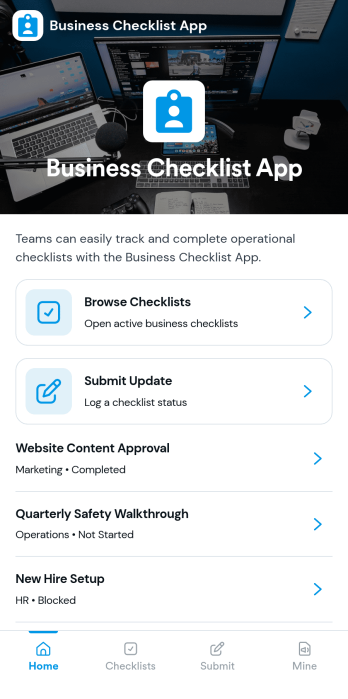
Business Checklist App
Business Checklist App helps teams keep recurring work consistent by organizing checklists in one place and making updates easy to capture as work gets done. Use it to share standard operating procedures, opening and closing routines, quality checks, onboarding steps, inventory spot checks, or project handoffs across locations and departments. With simple navigation to browse checklists, submit an update, and view records, it supports managers and frontline staff who need clarity on what to do next and visibility into what has already been completed.Jotform makes it simple to build and publish app templates like this one with a no-code app builder and a drag-and-drop interface. Connect your checklist update form to your records so data collection happens in real time and teams can track activity without chasing messages or spreadsheets. Customize pages, buttons, and branding, then share the app through a link or QR code to provide a reliable self-service workflow for day-to-day operations.
Go to Category:Checklist Apps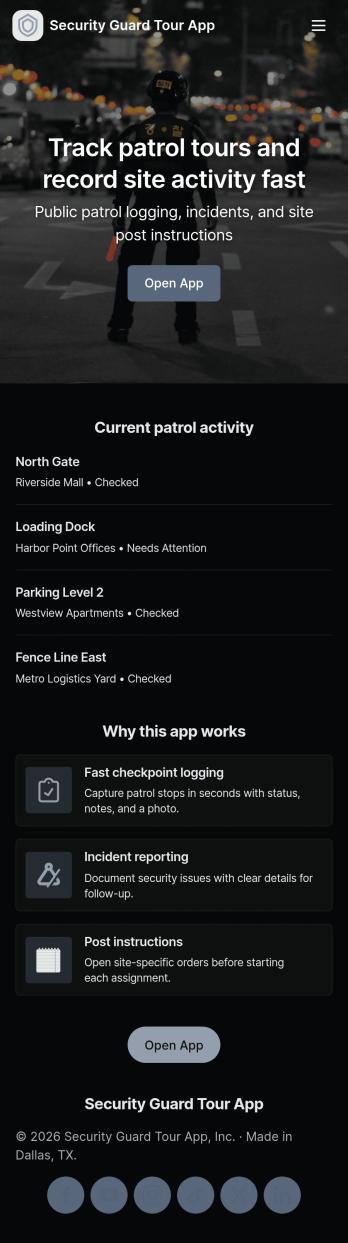
Security Guard Tour App
Security Guard Tour App helps security teams run patrols with more consistency across sites, checkpoints, and shifts. Use it to view active tours, log checkpoint activity during rounds, and capture incident reports as they happen. It fits private security companies, building management teams, warehouses, campuses, and any organization that needs clear visibility into patrol coverage and on-the-ground issues without relying on scattered notes or missed calls.Jotform makes it easy to tailor this app template to your post orders and reporting needs using a no-code app builder with a drag-and-drop interface. Connect buttons and pages to forms for fast data collection, route information into a workflow your supervisors can review, and publish a self-service experience your guards can open on mobile while on duty. With Jotform, you can update tours, checkpoints, and site contact access in one place and share the app by link or QR code.
Go to Category:Safety Inspection Apps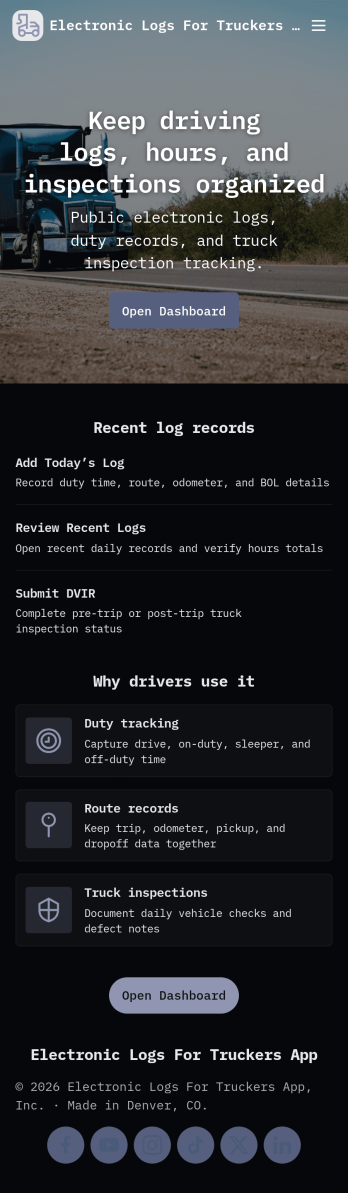
Electronic Logs for Truckers App
Electronic Logs for Truckers App helps drivers and fleet teams keep day-to-day records organized in one place, without relying on paper binders or scattered notes. Use it to capture daily logs, record hours of service, and complete vehicle inspection reports so dispatch and operations can quickly review what happened on the road. It’s a practical fit for owner-operators, small fleets, and transportation managers who want a consistent way to document trips, driver activity, and truck details across multiple routes and drivers.With Jotform, you can turn this app template into a branded, mobile-friendly self-service experience using a no-code app builder and a drag-and-drop interface. Connect the app to forms and tables for fast data collection, keep records easy to browse by driver or truck, and build a workflow that supports reviews and follow-ups when something needs attention. Share the app by link or QR code so your team can log information from anywhere and keep operations moving.
Go to Category:Transportation Apps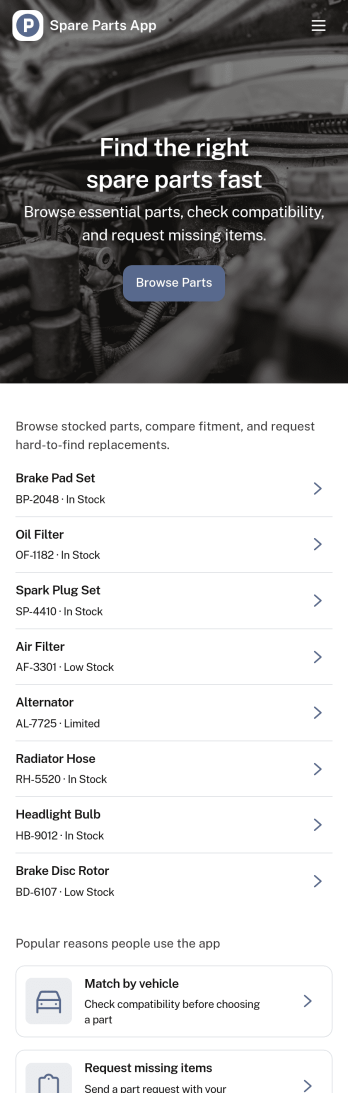
Spare Parts App
Spare Parts App gives customers, technicians, and internal teams a simple way to find parts and request what they need without phone calls or scattered emails. Use it to let users browse a parts list, open a part detail view, and take action right away with requests for availability, part orders, or quote inquiries. It’s a strong fit for auto shops, equipment repair teams, dealers, distributors, and service departments that want one place to handle common parts questions and keep requests organized.With Jotform, you can turn this spare parts workflow into a branded self-service experience using a no-code app builder and a drag-and-drop interface. Connect the app to your existing forms and data collection, route requests through the right workflow, and keep everything consistent across teams. Share the app through a link or QR code so customers and staff can submit part requests, ask for quotes, and check order status from any device.
Go to Category:Inventory Apps