

Engineering Apps

Transformer Asset Management App
Transformer Asset Management App gives utility operators, engineering teams, field technicians, and maintenance coordinators one place to organize transformer records and service activity. Users can browse transformer assets, review key details such as location, condition, capacity, and recent inspection information, and submit inspections from the field. They can also report service needs, create maintenance requests, and view work details and priorities. This app template supports routine asset monitoring, preventive maintenance, issue reporting, and coordination across facilities or service territories. It helps teams replace scattered records with accessible information, improve visibility into asset history, and respond to equipment needs with clearer context.Jotform Apps makes it easy to adapt this template to an organization’s equipment management workflow without writing code. The drag-and-drop app builder can be used to update pages, navigation, buttons, branding, and connected forms while Jotform Tables helps keep collected data organized. Teams can add approval steps, notifications, or other connected processes as their operations evolve. Once the app is ready, it can be shared through a direct link, personalized URL, or QR code for convenient mobile access. Jotform App Templates provide a practical starting point for building a self-service resource that connects data collection, maintenance reporting, and asset information in a unified experience.
Go to Category:Equipment Maintenance Software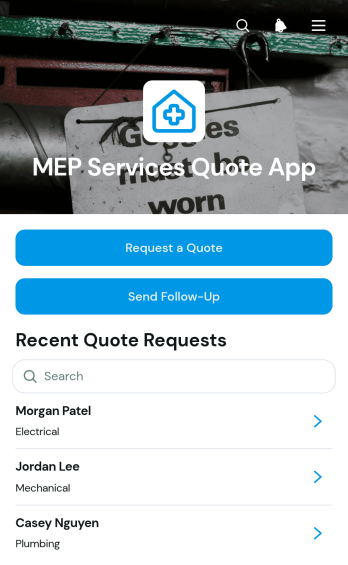
MEP Services Quote App
The MEP Services Quote App is a ready-to-use app template for mechanical, electrical, and plumbing contractors seeking a more organized way to manage service quote inquiries. Engineering firms, construction teams, field service providers, and facilities specialists can use it to accept quote requests, review project and contact information, and send timely follow-ups. By keeping prospective client details and requested start dates accessible in one place, the app helps teams prioritize opportunities, maintain consistent communication, and reduce the risk of inquiries being overlooked. It is especially useful for businesses handling multiple residential, commercial, or maintenance project requests.Jotform Apps helps teams turn this template into a branded quote management experience without writing code. Use the drag-and-drop App Builder to adjust pages, navigation, colors, and content, then connect forms and workflows that support data collection and follow-up activities. Jotform App Templates are mobile-friendly and easy to share through a direct link or QR code, giving office and field teams convenient access wherever work takes place. The app can be updated as services evolve, providing a flexible self-service entry point for prospective clients and a practical resource for staff.
Go to Category:Estimation Apps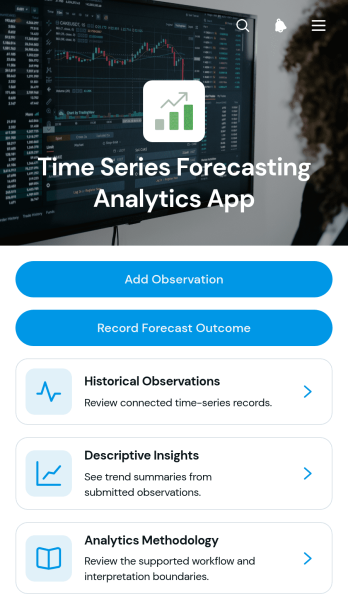
Time Series Forecasting Analytics App
Time Series Forecasting Analytics App provides analysts, operations teams, consultants, researchers, and business planners with a central place to document historical observations and review forecast outcomes over time. Users can add dated observations, browse individual series, capture the method used for each analysis, and record forecast summaries with confidence notes. Descriptive insights and methodology guidance help teams preserve context around their findings instead of separating data collection from analysis records. This app template is well suited to demand planning, financial projections, resource forecasting, performance monitoring, and other scenarios where teams need an accessible history of observed values and analytical conclusions.Jotform Apps helps organizations turn this template into a branded, interactive workspace without writing code. Its drag-and-drop interface makes it easy to adjust pages, navigation, cards, and buttons while connecting forms and tables to the wider workflow. Teams can organize high-volume records, provide mobile-friendly access, and share the app through a direct link or scannable code. Starting with Jotform App Templates also reduces setup time, giving users a flexible foundation for consistent data collection, collaborative analysis, and convenient self-service access to forecasting information.
Go to Category:Report Apps
Product Requirements Management App
The Product Requirements Management App is a centralized workspace for capturing, reviewing, and monitoring product requirements throughout their lifecycle. It serves product managers, engineering teams, project leads, business analysts, and cross-functional stakeholders who need a consistent way to turn identified problems into actionable requirements. Team members can submit new requirements, browse existing entries, and track essential details such as desired outcomes, priorities, owners, lifecycle stages, and progress. Keeping this information accessible in one app reduces scattered requests, clarifies accountability, supports prioritization discussions, and gives contributors a shared view of planned product work.Jotform makes this app template easy to adapt with a no-code app builder and a flexible drag-and-drop interface. Teams can customize pages, navigation, visual styling, and connected forms to match their requirement management workflow. Data collection can feed organized records and trigger notifications or approval steps, while self-service access helps stakeholders submit and review information without relying on separate channels. Among Jotform App Templates, this option provides a practical starting point that can be shared by link or QR code and accessed on mobile devices, giving growing teams a convenient way to support collaborative product planning.
Go to Category:Project Management Apps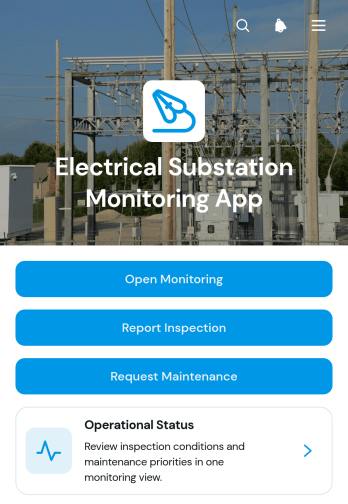
Electrical Substation Monitoring App
The Electrical Substation Monitoring App is an operational resource for engineering teams, electrical contractors, inspectors, and maintenance personnel who oversee substation conditions and equipment. It brings operational status information, inspection reporting, and maintenance requests into one accessible location. Teams can document voltage and temperature readings, record findings and inspector notes, review entries by substation, and identify equipment areas requiring attention. This app template supports routine field inspections, condition monitoring, issue escalation, and maintenance planning while reducing reliance on disconnected paperwork and scattered messages.With Jotform Apps, organizations can adapt App Templates to their processes without writing code. The no-code app builder provides a drag-and-drop interface for updating pages, navigation, buttons, visual elements, and connected forms. Inspection reports and maintenance requests can feed organized data collection and workflow activities, giving office and field teams a shared view of submitted information. Customize the Electrical Substation Monitoring App with relevant instructions and branding, then publish it for mobile-friendly access through a direct link or QR code. It creates a practical self-service experience for reporting conditions and coordinating follow-up work.
Go to Category:Engineering Apps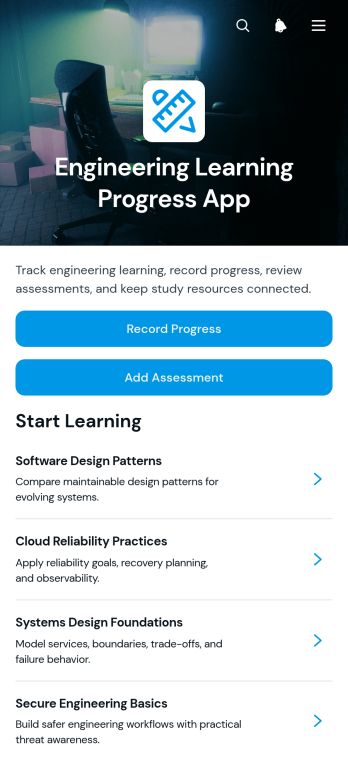
Engineering Learning Progress App
The Engineering Learning Progress App is a focused app template for students, trainees, instructors, mentors, and engineering teams that need a clear view of ongoing technical development. It brings learning activities, progress updates, assessments, and supporting resources into one accessible workspace. Learners can record progress, open study materials, and attach or review evidence of completed work, while educators and supervisors can add assessments and follow development over time. The template suits engineering courses, workplace training, apprenticeship programs, professional development initiatives, and independent study plans. By replacing scattered notes and disconnected resources with a consistent process, it helps users recognize completed work, identify learning gaps, prepare for reviews, and keep development goals visible.Jotform makes this Engineering Learning Progress App easy to adapt with a no-code app builder and an intuitive drag-and-drop interface. Customize pages, cards, buttons, fonts, colors, and navigation to match a curriculum or internal training program, then connect forms and workflows for organized data collection. Jotform App Templates can be shared through a direct link or QR code, giving learners convenient mobile access and supporting self-service progress reporting from almost anywhere. Teams can also connect related records, notifications, approvals, and other learning processes, creating an interactive experience that is simple to update as requirements change.
Go to Category:Engineering Apps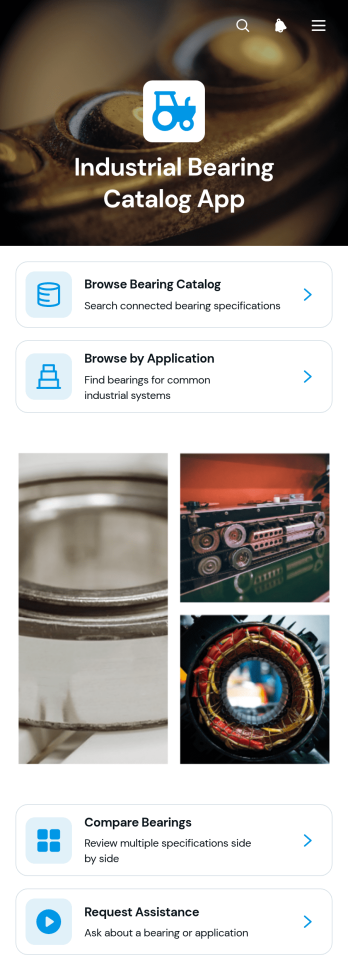
Industrial Bearing Catalog App
The Industrial Bearing Catalog App is a mobile-friendly product reference and inquiry experience for bearing manufacturers, distributors, engineering suppliers, maintenance teams, purchasing departments, and industrial customers. It brings product discovery into one organized destination where users can browse bearings by application, compare key specifications, and request assistance when they need help selecting an option. Sales teams can guide prospects through available products, while engineers and maintenance personnel can review relevant details for electric motors, conveyor systems, heavy equipment, and machine tools. By reducing reliance on scattered documents and repetitive product questions, this app template supports faster research, clearer conversations, and more useful self-service during sourcing and equipment maintenance.Jotform Apps gives teams a no-code app builder for turning product information and connected workflows into a branded, easy-to-navigate experience. Start with this Industrial Bearing Catalog App from Jotform App Templates, then tailor pages, cards, navigation, and visual styling through a drag-and-drop interface. Connect a request form for data collection, organize records for ongoing updates, and share the finished app by link or QR code so customers and staff can open it on phones, tablets, or computers. The app builder helps businesses publish a polished catalog without coding and keep inquiry paths close to the information users are already reviewing.
Go to Category:Engineering Apps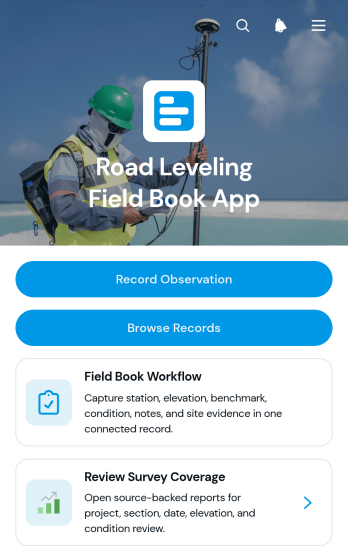
Road Leveling Field Book App
The Road Leveling Field Book App is a digital field record template for documenting elevation observations, benchmarks, survey stations, surface conditions, dates, and notes during road leveling work. It supports surveyors, civil engineers, construction crews, inspectors, and project managers who need consistent records from active sites. Team members can record observations, browse previous entries, review individual station details, and check survey coverage from one organized location. This reduces reliance on paper field books, makes project information easier to retrieve, and helps office and field teams maintain a clearer record of completed survey work.With Jotform Apps, organizations can adapt this app template to their own field procedures without writing code. The no-code app builder provides a drag-and-drop interface for updating pages, buttons, navigation, forms, and visual styling. Connected forms and tables support data collection and keep leveling records available for review as part of a broader workflow. Teams can publish the app for mobile-friendly access, share it through a direct link or QR code, and create a practical self-service resource for field personnel. Jotform App Templates also make it easy to add approval steps, notifications, supporting resources, or other project processes as operational needs change.
Go to Category:Engineering Apps
Field Measurement Survey App
Field Measurement Survey App is an app template for surveyors, field technicians, engineers, contractors, construction teams, and property professionals who need to capture and review measurements from job sites. Users can start a new survey, browse previous survey records, and open measurement insights from one mobile-friendly location. Each record brings together essential context such as the site, survey date, surveyor, location, measured and reference values, variance, and notes. This helps teams compare results, identify discrepancies, maintain consistent field records, and reduce the time spent searching through separate files. It is well suited to site assessments, installation checks, quality reviews, project estimates, and recurring measurement work.Jotform provides a no-code app builder that makes this app template easy to adapt without programming. Use the drag-and-drop interface to update pages, navigation, colors, and branding, then connect forms, tables, notifications, approvals, or other workflow steps as operations evolve. Teams can centralize data collection, give field personnel convenient self-service access, and share the finished app through a direct link or QR code. Jotform App Templates also provide a practical starting point for creating a polished field experience that works across phones, tablets, and computers.
Go to Category:Field Service Apps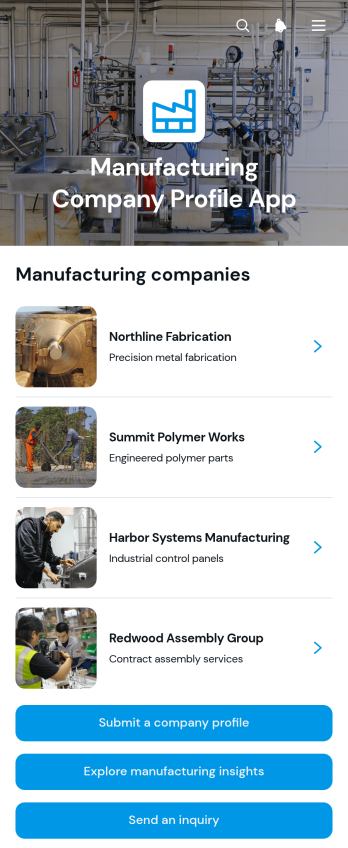
Manufacturing Company Profile App
The Manufacturing Company Profile App presents manufacturers in a browsable company directory where buyers, suppliers, industry partners, and trade organizations can discover relevant businesses. Visitors can review company overviews and operational context, access contact options, and send inquiries from one central experience. A profile submission pathway also gives manufacturers a convenient way to provide their information for review and publication. This app template is well suited to manufacturing associations, industrial networks, sourcing teams, regional business groups, and organizations that need to make supplier or member information easier to find. It reduces scattered company records, supports business discovery, and creates a consistent route for new profile submissions and commercial interest.Jotform helps teams turn this template into a polished, mobile-friendly resource without writing code. Its no-code app builder and drag-and-drop interface make it easy to adjust pages, cards, buttons, visual styling, and navigation to match organizational needs. Teams can connect forms for data collection, organize profile details, support self-service browsing, and link related workflows from the same app. The finished experience can be shared through a direct link or QR code, giving prospective customers, partners, and internal teams convenient access from nearly any device.
Go to Category:Company Portal Apps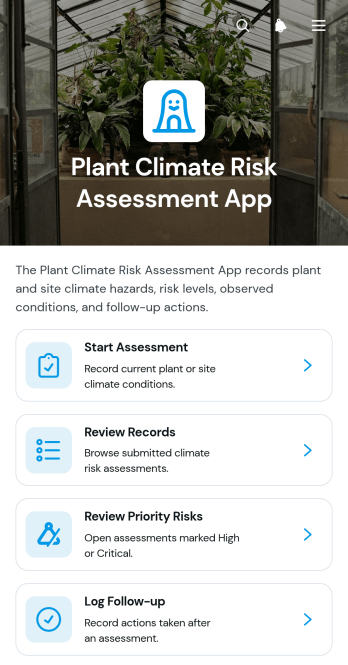
Plant Climate Risk Assessment App
The Plant Climate Risk Assessment App helps facility managers, engineering teams, risk consultants, and operations leaders evaluate how climate hazards may affect individual plants or sites. Teams can start assessments, review past records, identify priority risks, and log follow-up work from one organized location. Recommended responses connect identified hazards with practical actions, making findings easier to review and address. This app template is useful for manufacturers, utilities, property operators, infrastructure teams, and other organizations that need consistent site-level evaluations. It improves visibility across locations, supports informed planning, and helps responsible teams maintain a clear history of assessments and follow-up activities.Jotform App Templates provide a flexible starting point for turning assessments and related workflows into accessible digital experiences. With Jotform’s no-code app builder and drag-and-drop interface, users can customize pages, navigation, branding, and connected forms without programming. Assessment data can be organized through linked resources, while notifications and workflow connections help teams respond to new entries. Publish the Plant Climate Risk Assessment App for mobile-friendly access, then share it with authorized staff, consultants, or site personnel using a direct link or QR code. It can support data collection, team collaboration, and self-service access across recurring assessment programs.
Go to Category:Safety Inspection Apps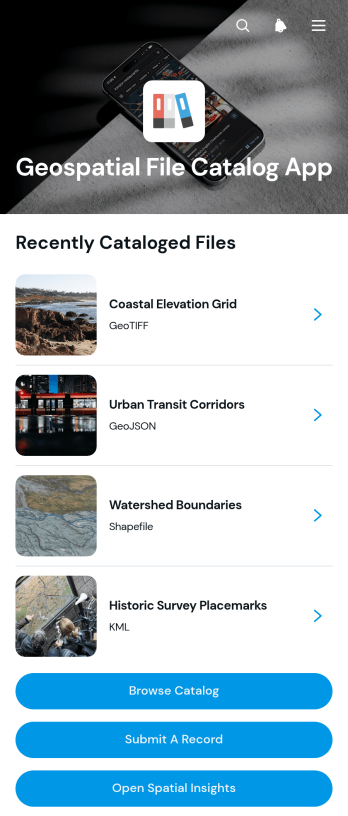
Geospatial File Catalog App
Geospatial File Catalog App gives mapping teams, engineering firms, public agencies, research groups, and field operations staff a central place to organize and find location-based files. Users can browse a visual catalog, review essential information such as geographic coverage and publication status, submit new records, and open available file links. This app template reduces time spent searching across disconnected folders, spreadsheets, and messages while helping contributors document resources consistently. It is well suited to spatial data inventories, mapping projects, environmental studies, infrastructure planning, land management, and other work that depends on discoverable geographic information.With Jotform Apps, teams can turn App Templates into branded, mobile-friendly resources without writing code. The no-code app builder and drag-and-drop interface make it easy to adjust pages, navigation, buttons, colors, and content for a particular organization or project. Connect forms and tables to support data collection, notifications, and workflow updates from one experience. The finished catalog can be shared by link or QR code, giving staff, partners, and approved audiences convenient self-service access wherever their work takes place.
Go to Category:Engineering Apps
Mechanical Drawing Management App
The Mechanical Drawing Management App is a central workspace for submitting, reviewing, and maintaining mechanical drawings throughout a project. Engineering teams, manufacturers, contractors, technical reviewers, and project managers can use it to organize drawing submissions, record revisions, and monitor review outcomes without relying on scattered files or disconnected messages. Drawing numbers, project context, review status, revision codes, and technical notes help users understand the current state of each record. This app template supports clearer version history, faster review cycles, and better coordination when several contributors work on technical documentation.Jotform makes this Mechanical Drawing Management App easy to adapt with a no-code app builder and a flexible drag-and-drop interface. Teams can customize pages, branding, navigation, and connected forms to reflect their drawing management workflow. Collected data can feed organized tables and trigger notifications, helping reviewers respond to new drawings or revisions promptly. Like other App Templates from Jotform, the app can be shared through a direct link or QR code for convenient mobile access. It gives internal teams and external collaborators a practical self-service destination for finding drawing details, submitting updates, and completing review actions.
Go to Category:Engineering Apps
Invention Project Management App
The Invention Project Management App helps inventors, engineering teams, product developers, research groups, and innovation managers organize invention projects from early concepts through key development milestones. Users can add projects, record target dates and project notes, create milestones with due dates, browse active work, and open reports from one central location. This focused structure makes it easier to monitor progress, keep priorities visible, document essential project information, and give collaborators a shared view of ongoing invention work. It is well suited to internal innovation programs, product development initiatives, academic projects, design teams, and independent inventors managing multiple ideas.Jotform App Templates give teams a practical starting point that can be adapted without coding. With Jotform’s no-code app builder and drag-and-drop interface, users can update pages, navigation, buttons, colors, fonts, and branding to match their process. Connected forms support consistent data collection, while tables, notifications, approvals, and other workflow tools can help organize incoming updates and follow-up tasks. Once customized, the Invention Project Management App can be shared by link or QR code for convenient mobile access, creating a clear self-service workspace for contributors and project leaders.
Go to Category:Project Management Apps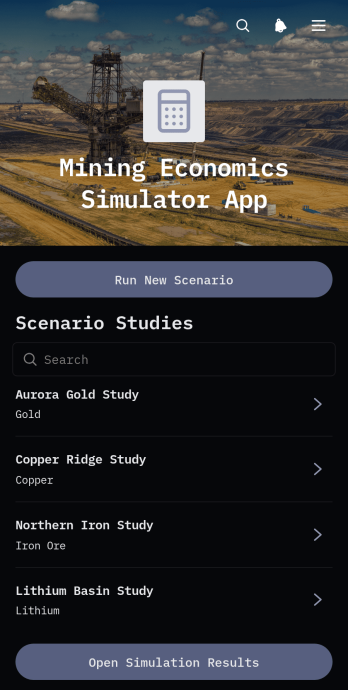
Mining Economics Simulator App
The Mining Economics Simulator App helps mining engineers, project evaluators, consultants, finance teams, and operational planners compare the economic potential of proposed or active mining projects. Users can run new scenarios, browse project simulations, and review key outputs such as net present value, internal rate of return, and payback period alongside production rates and capital costs. This app template brings assumptions and results into one accessible location, making it useful for early project screening, investment discussions, budgeting exercises, sensitivity reviews, and comparisons between development options. It also creates a consistent process for collecting scenario inputs and presenting findings to technical and financial stakeholders.Jotform Apps makes the template easy to adapt with a no-code app builder and an intuitive drag-and-drop interface. Teams can revise pages, navigation, branding, and connected forms to reflect their evaluation process without writing code. Simulation inputs can support organized data collection, while linked tables and workflows help teams maintain scenario records and share updated information. Publish the app through a direct link or QR code to give authorized colleagues convenient self-service access on computers, tablets, and mobile devices. Starting with Jotform App Templates saves setup time while leaving room to tailor the experience to different project stages, commodities, and internal review practices.
Go to Category:Engineering Apps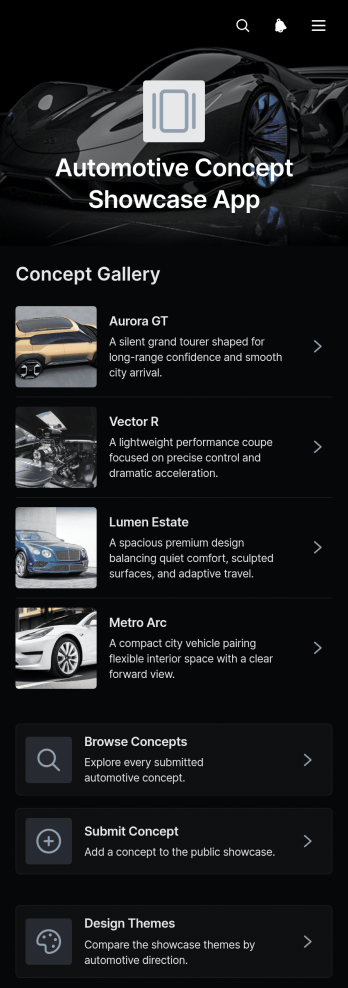
Automotive Concept Showcase App
Automotive Concept Showcase App is a digital presentation and feedback experience for design studios, engineering teams, automotive educators, manufacturers, and mobility innovators. It brings early-stage vehicle ideas into one organized destination where viewers can browse electric, performance, and luxury concepts, review specifications and design summaries, and submit evaluations. Teams can also invite designers or contributors to share new concepts for consideration. This app template helps replace scattered presentations and disconnected feedback channels with a clear showcase that supports design reviews, internal discussions, classroom critiques, stakeholder research, and public engagement.Jotform App Templates make it easy to adapt this experience without writing code. Using Jotform’s no-code app builder and drag-and-drop interface, teams can update pages, images, navigation, forms, colors, and typography to fit a project or organization. Connected forms support data collection for concept submissions and evaluations, while organized pages create a convenient self-service browsing experience. Publish the finished app through a direct link or QR code so reviewers can explore ideas on phones, tablets, or computers. Jotform can also connect collected responses with tables, notifications, approvals, and other workflow steps, helping teams move feedback and concept records into their existing review process.
Go to Category:Automotive Apps
CAD Project Management App
The CAD Project Management App helps engineering teams, design consultancies, contractors, and technical project leads coordinate computer-aided design projects from one accessible workspace. Users can create projects, review client or contact details, monitor schedules and statuses, assign tasks with due dates, and report issues with supporting attachments. This focused setup keeps project notes, responsibilities, and design-related concerns connected to the relevant work, helping teams reduce scattered communication and maintain visibility from initial planning through delivery. It is especially useful for small and medium-sized organizations managing multiple drafting, modeling, or design projects at once.Jotform makes this app template easy to adapt with a no-code app builder and a flexible drag-and-drop interface. Teams can adjust pages, cards, buttons, branding, and navigation to match their project workflow without programming. Connected forms support consistent data collection for new projects, tasks, and reported issues, while tables and notifications can help organize records and alert collaborators to new activity. As part of Jotform App Templates, the app can be shared through a direct link or QR code for mobile-friendly access, giving office and field teams a convenient self-service resource for project updates and action requests.
Go to Category:Engineering Apps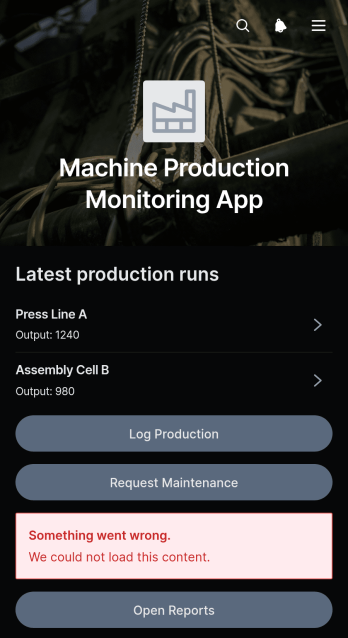
Machine Production Monitoring App
The Machine Production Monitoring App gives manufacturing teams a central place to record production runs, review machine performance, and initiate maintenance requests. Production managers, shift supervisors, machine operators, quality teams, and maintenance personnel can use it across factories, workshops, and assembly facilities. Staff can log production data, view run details such as output, downtime, and quality results, and report equipment issues according to priority and status. This shared view reduces fragmented records, makes recurring interruptions easier to identify, and helps teams respond to production or maintenance concerns with better operational context.Jotform makes this app template easy to adapt to different machines, shifts, facilities, and reporting practices without coding. Its drag-and-drop app builder lets teams update pages, navigation, buttons, branding, and connected forms through an intuitive interface. Production entries and maintenance requests can connect with tables, notifications, approvals, and other workflow steps for organized data collection and timely follow-up. Once configured, the app can be shared by direct link or QR code, giving authorized employees a mobile-friendly self-service resource on the production floor or at a workstation.
Go to Category:Engineering Apps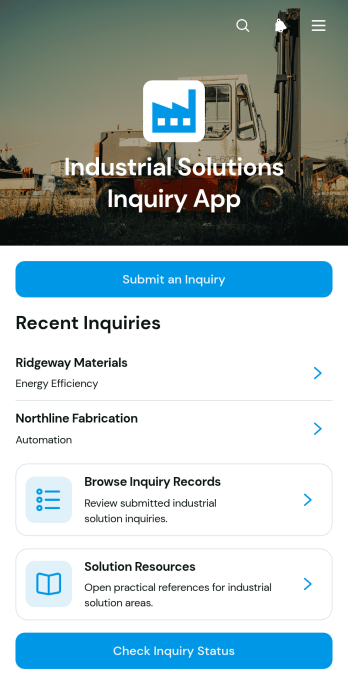
Industrial Solutions Inquiry App
Industrial Solutions Inquiry App is an app template for manufacturers, engineering firms, industrial consultants, and service teams that need a central place to receive and manage solution requests. Prospective customers can submit an inquiry with their organization, industry, operational requirements, and preferred contact details. Internal teams can browse inquiry records, review request details, and help contacts check an inquiry’s status. Curated resources also give users a direct path to information about automation, energy efficiency, process improvement, and equipment modernization. This organized experience helps sales, engineering, and customer service teams understand industrial needs, prioritize follow-up, and reduce scattered communication.Jotform App Templates make it easy to adapt this app template to an organization’s inquiry process without coding. Using the no-code app builder and its drag-and-drop interface, teams can update pages, buttons, branding, resources, and navigation from one workspace. The app can connect data collection forms with tables, notifications, approvals, and other workflow steps, creating a convenient self-service destination for prospects and staff. Once configured, it can be published for mobile-friendly access and shared through a direct link, QR code, or embedded experience.
Go to Category:Engineering Apps
Surveying Tape Correction App
The Surveying Tape Correction App helps surveyors, field engineers, construction teams, and students account for conditions that can affect taped distance measurements. It provides a focused place to enter measurement inputs, calculate a corrected distance, save correction records, and review earlier results. Built-in guidance supports consistent field procedures and gives users a convenient reference when documenting measurements for site surveys, engineering work, construction layout, or practical training. Keeping calculations and records together reduces reliance on scattered notes and makes completed work easier to revisit.Jotform turns this app template into a customizable digital experience without requiring coding knowledge. Using the drag-and-drop app builder, teams can adjust pages, wording, visual styling, and navigation to suit their surveying workflow. Connected forms and tables support data collection and organized recordkeeping, while direct links and QR codes make the app easy to share with field crews or learners. The mobile-friendly layout also enables convenient access from phones, tablets, and computers, giving organizations a practical way to build self-service tools from ready-made app templates.
Go to Category:Engineering Apps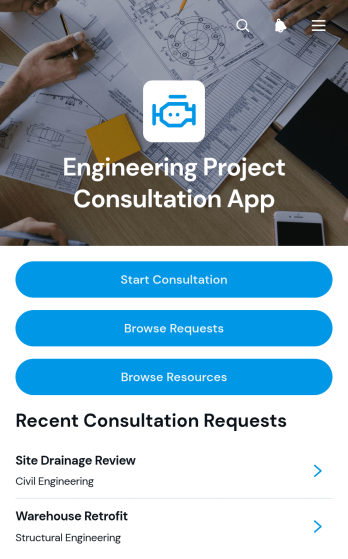
Engineering Project Consultation App
The Engineering Project Consultation App gives engineering consultants, project managers, contractors, and technical teams a central place to receive and review consultation requests. Clients can start a consultation, browse submitted requests, view key contact details, and review project scope information without relying on scattered messages or documents. A dedicated resource area also helps users find relevant technical guidance and project materials. This app template is well suited to early project discussions, feasibility reviews, design consultations, construction planning, and ongoing advisory work. It supports clearer communication while helping teams organize client needs and prepare for productive consultations.Jotform App Templates make it easy to turn consultation processes into accessible digital experiences. With Jotform’s no-code app builder and drag-and-drop interface, teams can customize pages, buttons, content, colors, and branding without programming. Forms and connected data collection workflows keep project requests organized, while links and resources provide convenient self-service access. Publish the app with a shareable link or QR code so clients and team members can open it from any device. As needs change, update the Engineering Project Consultation App to reflect new services, resources, and consultation procedures.
Go to Category:Engineering Apps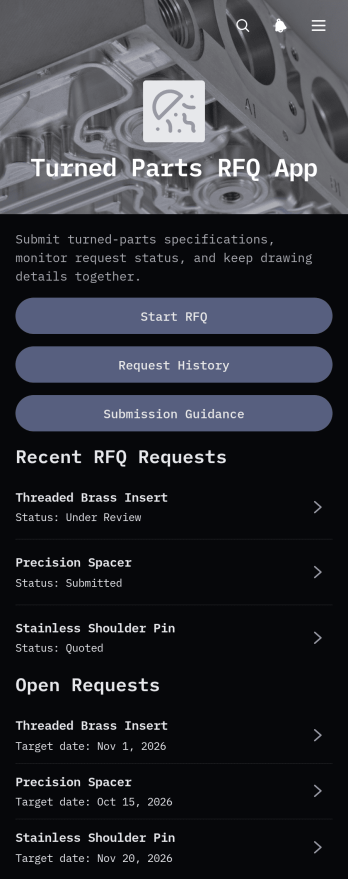
Turned Parts RFQ App
The Turned Parts RFQ App gives manufacturers, machine shops, procurement teams, engineers, and component buyers a central place to prepare and review requests for quotes on turned parts. Users can submit key production requirements, attach drawings or specifications, and revisit request history without relying on scattered emails or files. Details such as part name, material, quantity, target date, contact information, and supporting notes help suppliers understand each request. This app template supports consistent data collection for prototype work, repeat orders, supplier sourcing, and production planning.Jotform App Templates make it easy to adapt this experience to an organization’s sourcing workflow. With Jotform’s no-code app builder and drag-and-drop interface, teams can update pages, buttons, visual elements, and navigation without programming. The App Builder can connect the request form with tables, notifications, approvals, and other workflows so staff can organize incoming RFQs and collaborate on next steps. Once published, the app can be shared through a direct link or QR code, giving buyers and internal teams convenient mobile-friendly self-service access.
Go to Category:Engineering Apps
Power Grid Monitoring App
The Power Grid Monitoring App gives utility operations teams, field technicians, engineers, and maintenance coordinators a central place to document grid inspections and act on equipment concerns. Teams can submit monitoring reports, review recorded readings and report statuses, and send maintenance requests with priority and issue details. It is useful for routine site checks, condition reviews, fault escalation, and coordination between field and office personnel. By keeping observations, requests, and operational guidance together, the app reduces scattered records, supports consistent reporting, and helps teams identify which assets require closer attention or service.Jotform App Templates make it easier to turn operational processes into accessible digital experiences without writing code. Customize this app template with Jotform’s no-code app builder and drag-and-drop interface, then connect forms, tables, approvals, notifications, and other workflow steps as needed. You can adjust the pages, branding, navigation, and content to match your monitoring procedures. Publish the finished app through a direct link or QR code so authorized personnel can access resources, complete data collection tasks, and request support from a phone, tablet, or computer.
Go to Category:Engineering Apps
Signal Measurement Tracker App
Signal Measurement Tracker App is a ready-to-use app template for recording, reviewing, and comparing signal readings across locations. It suits field technicians, engineering teams, information technology staff, contractors, inspectors, and operations managers who need a consistent record of measurement activity. Users can add measurements with signal strength, units, locations, and field notes, then review saved records and monitor their review status. Measurement summaries and practical guidance help teams identify inconsistent readings, revisit weak areas, document site conditions, and maintain a clearer history of fieldwork. The app supports recurring surveys, equipment checks, installation assessments, troubleshooting visits, and other work where dependable signal data informs operational decisions.Jotform turns this app template into a customizable experience without requiring coding knowledge. Its no-code app builder and drag-and-drop interface make it easy to update pages, organize navigation, apply visual branding, and connect data collection with related workflows. Teams can share the app through a direct link or QR code, provide mobile-friendly access in the field, and connect forms, tables, notifications, and approvals when additional review is needed. Start with one of Jotform’s App Templates, tailor it to your measurement process, and publish a practical self-service resource for staff and project partners.
Go to Category:Engineering Apps