

Safety Inspection Apps

Cdl Pre Trip Inspection App
Cdl Pre Trip Inspection App helps drivers and fleet teams run consistent pre-trip checks, document findings, and keep a clear record of vehicle condition before heading out. From the home screen, drivers can quickly start an inspection, review inspection history, or submit defect reports when something needs attention. This app works well for owner-operators, dispatch-led fleets, and safety managers who want fewer missed steps, clearer handoffs between shifts, and faster follow-up on reported issues.With Jotform, you can turn these routines into a mobile-friendly self-service experience using a no-code app builder and a drag-and-drop interface. Connect buttons and pages to the forms behind your inspection and defect workflows, centralize records for easy lookup, and share the app with your team using a link or QR code. As responses come in, Jotform supports dependable data collection and keeps your workflow organized so inspections, history, and defect reporting stay in one place.
Go to Category:Vehicle Inspection Apps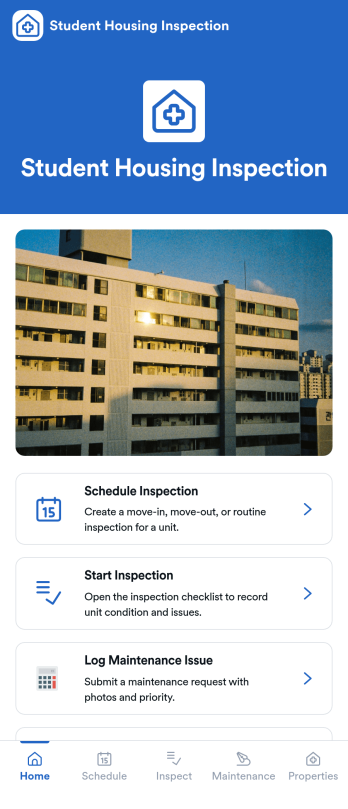
Student Housing Inspection App
Student Housing Inspection App helps housing teams coordinate unit inspections across student residences while keeping schedules, inspection activity, and maintenance follow-ups in one place. Use it to schedule upcoming inspections, start an inspection on-site, and log maintenance issues the moment they’re found, so campus housing staff, property managers, and contracted inspectors can stay aligned across multiple properties and units. It’s a practical fit for routine move-in and move-out checks, semester walkthroughs, safety spot checks, and recurring condition reporting when you need consistency without juggling emails or scattered notes.With Jotform App Templates, you can publish a mobile-friendly, self-service experience powered by a no-code app builder and a drag-and-drop interface. Add or rearrange pages, tailor navigation for your inspection workflow, and connect actions to forms for fast data collection that supports day-to-day operations. Share the app with your team using a link or QR code, then keep updates flowing as inspections are scheduled, completed, and routed into your broader workflow.
Go to Category:Inspection Apps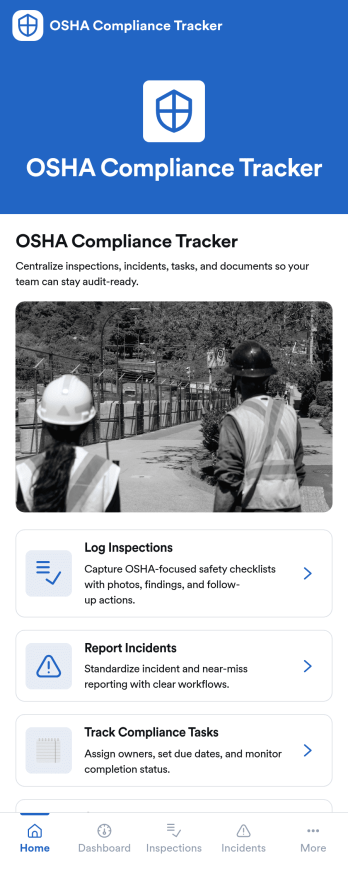
OSHA Compliance Tracker App
OSHA Compliance Tracker App is an app template designed to optimize the management of safety regulations in the workplace. Primarily, the app provides a centralized platform for construction companies, manufacturing teams, and businesses that are mandated to adhere to OSHA safety regulations. It is particularly beneficial to safety managers, compliance officers, site supervisors, and HR teams who are responsible for maintaining workplace safety. The app simplifies the compliance process, offering a way for small to mid-sized businesses to stay compliant without the need for complex systems. It allows teams to manage safety inspections, track compliance tasks, and maintain all necessary documentation in a single location, making it a preferred choice for organizations seeking an efficient way to manage their safety responsibilities. Users can conveniently complete checklists, report incidents, upload documents, and collect signatures for compliance records. The app's table and report views offer a straightforward way to review inspection history and assess compliance status.With Jotform's OSHA Compliance Tracker App, users can leverage the power of its no-code, drag-and-drop app builder to customize the app to their unique requirements. The builder allows users to easily modify forms, choose fonts and colors, and upload logos, ensuring the app aligns with their branding without the need for coding. The app is designed with cross-platform compatibility, enabling users to access and download it onto any smartphone, tablet, or desktop via a shareable link. This makes the process of maintaining compliance records and managing safety inspections not only more straightforward but also more flexible. The OSHA Compliance Tracker App streamlines the complex task of managing workplace safety, saving time and resources while ensuring a safer work environment.
Go to Category:Safety Inspection Apps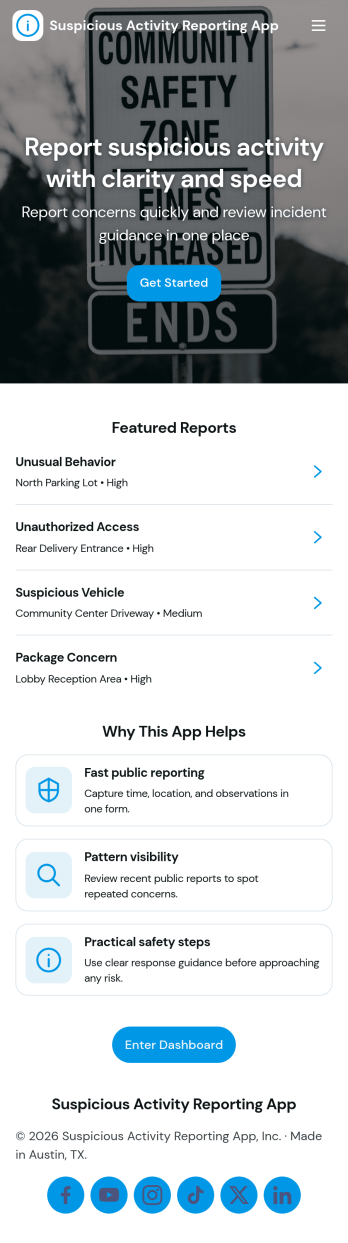
Suspicious Activity Reporting App
Suspicious Activity Reporting App helps teams and communities capture, organize, and review incident tips in one place. It gives people a clear path to submit a report, then makes it easy for coordinators to browse reports by category and follow up without losing context. Use it in workplaces, schools, residential buildings, events, or public-facing programs where you need consistent reporting, quicker triage, and a reliable record of what was observed and when.With Jotform, you can turn this app template into a branded self-service experience using a no-code app builder and a drag-and-drop interface. Connect the Submit Report button to your form, route entries into tables for structured data collection, and keep review work moving with a simple workflow for sorting, searching, and sharing updates. Publish with a link or QR code so reporting and oversight stay accessible on any device.
Go to Category:Safety Inspection Apps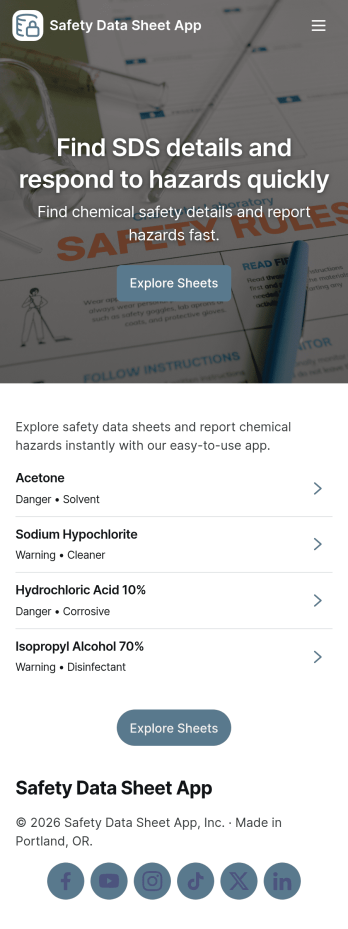
Safety Data Sheet App
A Safety Data Sheet App gives teams a single place to browse safety data sheets, search records, and submit new SDS entries when products are added or updated. It’s useful for safety managers, operations leads, EHS coordinators, lab teams, facilities crews, and contractors who need quick access to chemical and product documentation during daily work, audits, onboarding, or incident follow-ups. With an SDS library view and simple navigation, staff can find the right sheet by product and open key record details without hunting through emails or shared drives.Built with Jotform, this app template pairs a self-service experience with connected data collection so your SDS information stays current. Use the no-code app builder and drag-and-drop interface to tailor pages, update labels, and match your internal process. Link the app to your form and data table to capture new SDS records, centralize updates, and keep workflows moving with shareable access for the right teams.
Go to Category:Safety Inspection Apps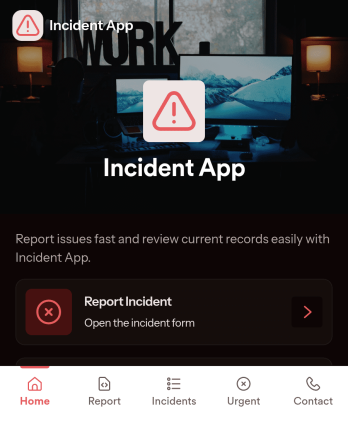
Incident App
Incident App helps teams capture, review, and follow up on workplace or service-related incidents in one place. Use it to submit a new incident from a simple reporting page, browse a list of reported incidents, and open individual records when you need context for investigation, coaching, or corrective action. It’s a practical fit for operations, facilities, HR, field teams, schools, nonprofits, and customer-facing organizations that need consistent incident reporting without relying on scattered emails or verbal handoffs.With Jotform, you can turn incident reporting into a clear, mobile-friendly self-service experience. Use the no-code app builder and drag-and-drop interface to tailor pages, add navigation cards, and connect the app to your Jotform form for data collection. As your workflow evolves, you can update the app’s structure, keep incident records organized, and share a single link so the right people can report and view incidents quickly.
Go to Category:Safety Inspection Apps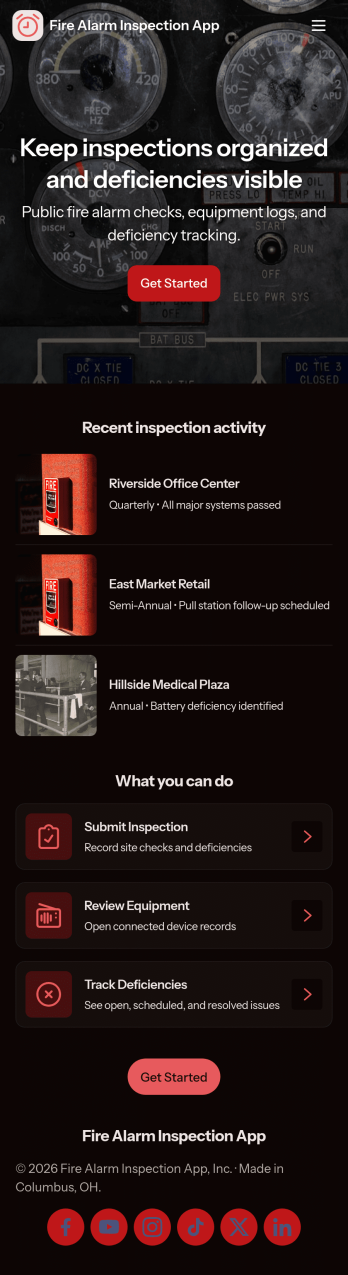
Fire Alarm Inspection App
Fire Alarm Inspection App helps safety teams and service providers document routine fire alarm checks, keep an organized equipment log, and stay on top of open issues across multiple sites. Use it to start a new inspection from the field, review past inspection entries, and flag problems the moment they’re found so nothing gets missed. It’s a practical fit for facility managers, property management teams, contractors, and maintenance crews who need a consistent way to record inspection activity, track assets by location, and follow up on outstanding items.Jotform makes it easy to turn this app template into a branded, mobile-friendly experience with a no-code app builder and a drag-and-drop interface. Connect buttons and lists to your forms so teams can collect data on inspections, equipment records, and issue reports in one place, then share the app by link or QR code for fast self-service access. As your workflow evolves, you can adjust pages, update fields, and keep information organized without relying on developers.
Go to Category:Safety Inspection Apps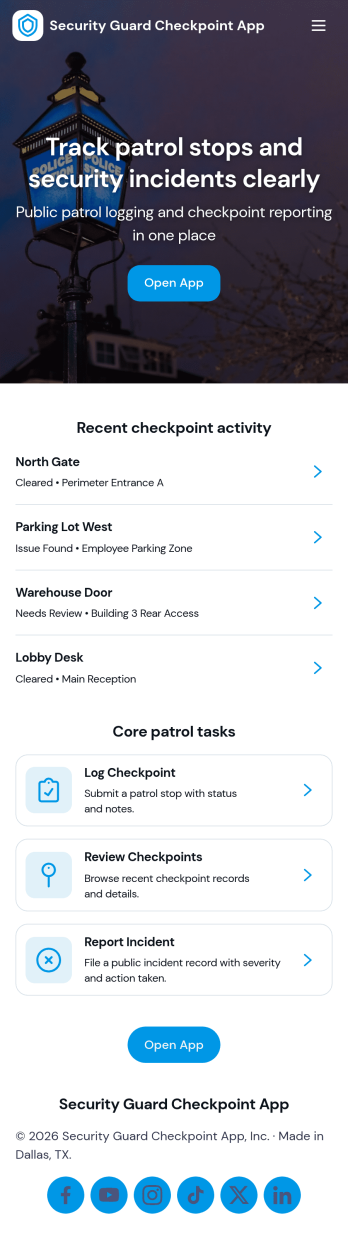
Security Guard Checkpoint App
A security guard checkpoint app helps guards document patrol activity across assigned locations, confirm visits, and keep supervisors informed during a shift. This template makes it easy to record a checkpoint on the spot, browse a list of checkpoints, report an incident when something looks off, and quickly reach shift contacts when escalation is needed. It fits private security teams, property managers, construction sites, hospitals, campuses, warehouses, and any facility that relies on consistent rounds and clear visibility into what happened and when.With Jotform, you can turn this workflow into a mobile-friendly experience using App Templates and a no-code app builder that’s simple to tailor for your sites and policies. Update pages with a drag-and-drop interface, connect forms and tables for reliable data collection, and keep your workflow organized so teams can use self-service tools without hunting for links or paperwork. Share the app with a single link or QR code so guards can use it from the field and admins can standardize reporting across locations.
Go to Category:Safety Inspection Apps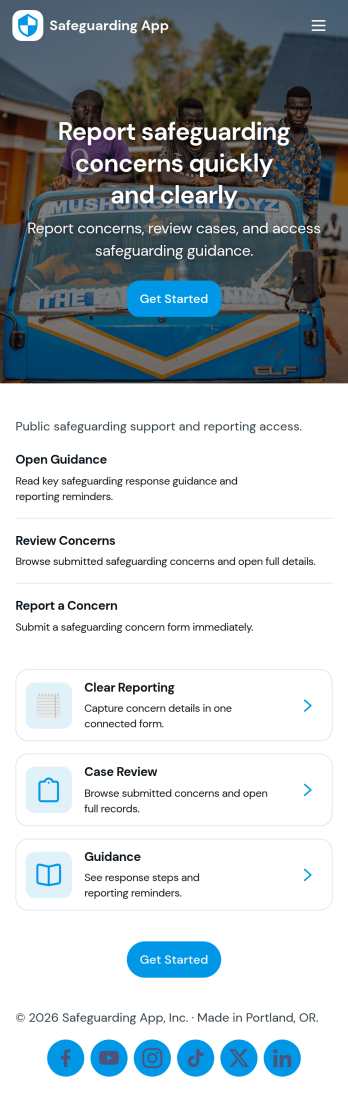
Safeguarding App
Safeguarding App helps organizations capture safeguarding concerns, guide people through what to do next, and keep case activity organized in one place. It’s a practical fit for schools, youth programs, charities, healthcare and social care teams, community organizations, and any workplace that needs a clear way to report incidents, review cases, access emergency contacts, and follow a consistent reporting guide. With quick navigation cards for reporting, case review, resources, and history, the app supports timely action while reducing confusion for staff and volunteers who may not handle safeguarding issues every day.With Jotform, you can build and publish tailored App Templates that connect reporting and recordkeeping into a mobile-friendly self-service experience. Use the no-code app builder and drag-and-drop interface to adjust pages, add instructions, and link buttons to your incident report forms and case lists. As information is collected, your workflow stays organized for the right people to review, follow up, and reference past activity, all while keeping your branding consistent across the app.
Go to Category:Safety Inspection Apps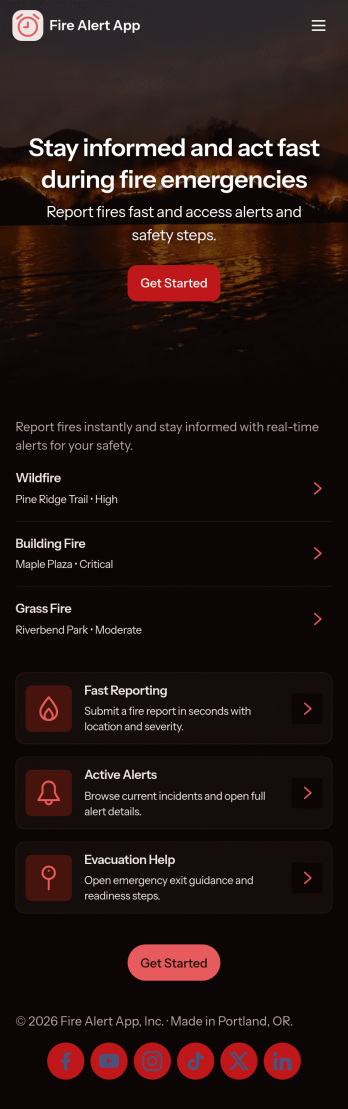
Fire Alert App
Fire Alert App brings fire incident reporting, active alert visibility, and safety resources into one place so teams can react quickly and keep people informed. It’s ideal for property managers, schools, warehouses, event venues, and community organizations that need a clear process for reporting a fire, reviewing locations with ongoing alerts, and sharing guidance during an emergency. With quick links to report a new incident and view alert details by location, the app helps reduce confusion and keeps updates organized when time matters.Built with Jotform App Templates, this app template can be customized in minutes using Jotform’s no-code app builder and drag-and-drop interface. Connect the app to Jotform forms and tables for reliable data collection, then share it as a self-service experience for staff, tenants, volunteers, or visitors. As reports come in, your workflow can stay consistent across devices, making it easier to track what’s happening, follow up on reports, and keep critical information accessible.
Go to Category:Safety Inspection Apps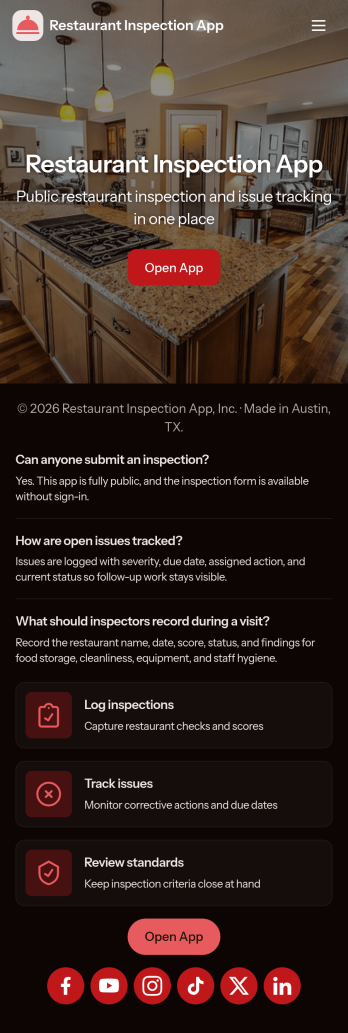
Restaurant Inspection App
Restaurant Inspection App helps food service teams document on-site checks, open and follow up on active issues, and keep a clear record of past visits in one place. It’s a practical fit for restaurant groups, franchise operators, hospitality managers, and independent owners who need a consistent way to run inspections across locations without relying on scattered paper checklists or disconnected notes. With quick access to start a new inspection, review open cases, and look up inspection history, staff can stay aligned on what was found, what needs attention, and what has already been resolved.Built with Jotform, this app template turns your inspection workflow into a guided, self-service experience that works on mobile and desktop. Use the no-code app builder and drag-and-drop interface to adjust pages, update navigation, and connect your inspection form for reliable data collection. As your operations grow, Jotform makes it easy to standardize processes, share the app by link, and keep inspection records organized for day-to-day oversight.
Go to Category:Inspection Apps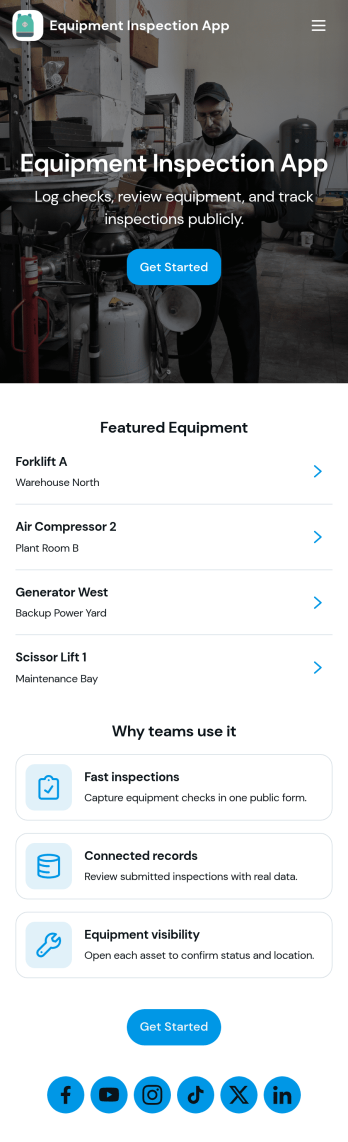
Equipment Inspection App
Equipment Inspection App helps teams record inspections, maintain an equipment directory, and keep a clear inspection log with open issues tied to the right asset. Use it to standardize checks across sites, reduce missed maintenance, and give technicians a fast way to capture findings while they’re in the field. It’s a strong fit for construction crews, facilities and operations teams, warehouses, manufacturing floors, rental companies, and any organization that relies on shared equipment and needs consistent documentation.Built with Jotform, this app template can be tailored with a no-code app builder and a drag-and-drop interface so you can match your real inspection workflow without developer help. Link your inspection and equipment records to keep data collection organized, guide staff through repeatable processes, and share a self-service experience through a simple link or QR code for faster reporting and better visibility.
Go to Category:Equipment Maintenance Software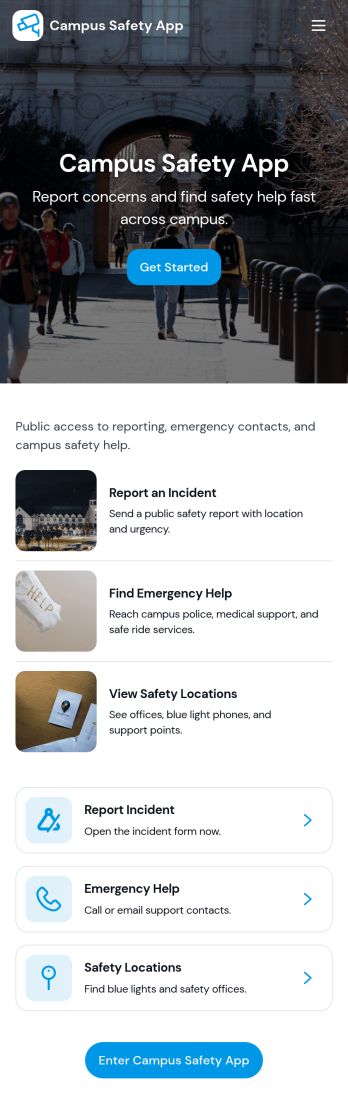
Campus Safety App
Campus Safety App gives schools a central place to support safer day-to-day operations by making it simple for students, staff, and visitors to report concerns and find help fast. It brings together incident reporting, a view into open incidents, and an organized set of safety resources so the right information is available when it matters. Whether you manage a university, community college, or K–12 campus, this app helps standardize how issues are raised, logged, and followed up while keeping key contacts and services within easy reach.With Jotform, you can tailor this app template to match your campus workflows using a no-code app builder and a drag-and-drop interface. Connect the app to forms and tables for consistent data collection, route updates through internal workflow steps, and publish a self-service experience you can share by link or QR code. From collecting incident details to guiding users toward resources and safety requests, Jotform makes it easier to keep information organized and accessible across your campus community.
Go to Category:Education Apps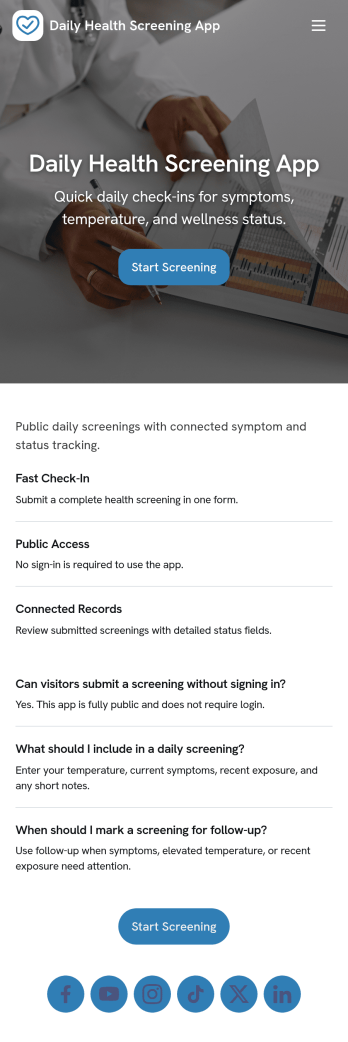
Daily Health Screening App
Daily Health Screening App helps organizations collect quick, consistent wellness check-ins from employees, students, visitors, or contractors before they arrive on-site. With a prominent Start Screening entry point and simple guidance like Stay Home If Unwell, it supports daily routines where people need a clear place to complete a check and review what they have already submitted. It also fits teams running multiple locations, rotating shifts, or recurring programs that need a reliable way to capture the same screening information each day without confusion.Jotform makes it easy to publish this type of self-service experience using ready-to-use app templates and a no-code app builder. Customize pages with a drag-and-drop interface, connect the screening form to a table for organized recordkeeping, and let users open the screening flow or view My Checks from any device. You can share the app with a link or QR code, update messaging as policies change, and keep the workflow consistent while your team focuses on follow-up and day-to-day operations.
Go to Category:Healthcare Apps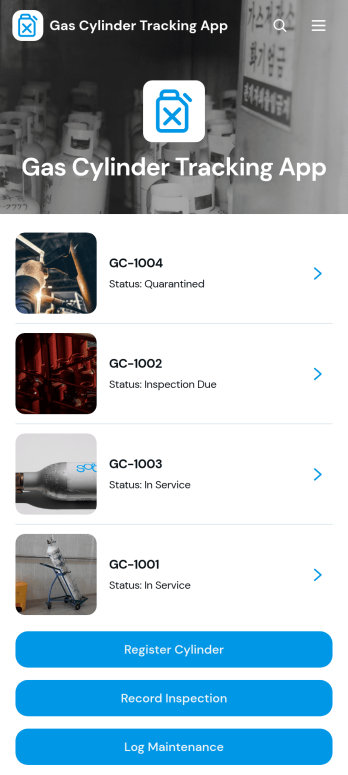
Gas Cylinder Tracking App
Gas Cylinder Tracking App is an app template for monitoring cylinder inventory, locations, ownership, inspection schedules, and maintenance activity from one accessible workspace. It helps warehouse teams, industrial suppliers, maintenance providers, field service crews, laboratories, and facilities managers maintain clearer records as cylinders move between storage areas, job sites, and responsible users. Staff can register cylinders, review individual cylinder details, record inspections, and log maintenance without relying on scattered spreadsheets or paper logs. Centralized information makes it easier to identify each cylinder, confirm where it is stored, plan upcoming checks, and review operational activity when coordinating daily work.Jotform App Templates provide a practical starting point for creating purpose-built business tools without coding. With Jotform’s no-code app builder and drag-and-drop interface, teams can customize the Gas Cylinder Tracking App with branded pages, navigation, forms, and connected workflows. Collected data can be organized through Jotform Tables, while notifications and related processes help teams respond to new records and updates. Publish the finished app with a direct link or QR code to give authorized staff convenient mobile access and support consistent data collection across warehouses, facilities, and field locations.
Go to Category:Inventory Management Apps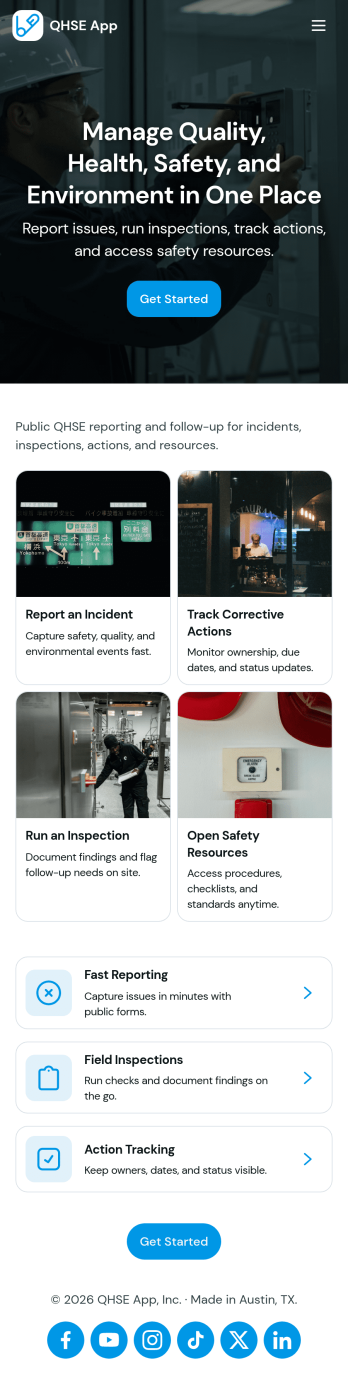
QHSE App
The QHSE app brings quality, health, safety, and environmental reporting into one place so teams can record incidents, run field inspections, and follow corrective actions from start to finish. It’s built for safety managers, operations leads, site supervisors, and contractors who need a practical way to capture what happened, document immediate actions, and keep visibility on severity, status, and follow-up needs across locations and shifts.With Jotform, you can turn this app template into a mobile-friendly workspace without coding, using a drag-and-drop interface to tailor pages, buttons, and navigation to your process. Connect forms to your workflow for consistent data collection, route updates to the right people, and share a self-service experience by link or QR code so reporting and inspections are easy to complete in the field.
Go to Category:Inspection Apps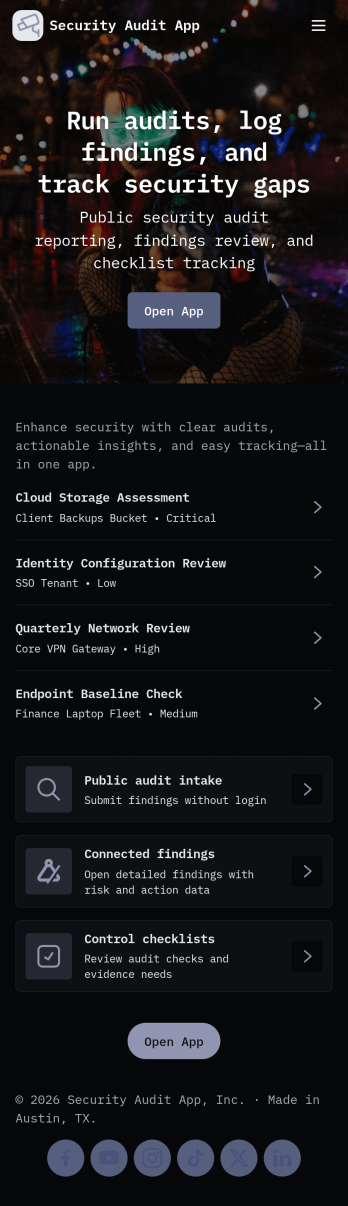
Security Audit App
Security Audit App helps teams plan, run, and document security audits across multiple sites while keeping audit activity easy to follow. Use it to start new audits, capture findings as they’re discovered, and organize locations so your audits stay consistent from one engagement to the next. It’s a practical fit for IT and security teams, consultants, internal audit groups, and operations leaders who need a clear way to track audit status, recurring issues, and what’s happening at each site without relying on scattered notes or spreadsheets.Jotform makes it simple to turn this workflow into a shareable self-service experience with a no-code app template you can tailor to your process. With a drag-and-drop interface, you can adjust pages, add your branding, and connect the app to the forms that collect audit details, findings, and site information. As updates come in, your team can review data in one place, monitor progress with an insights dashboard, and keep stakeholders aligned with a smoother workflow from kickoff to final reporting.
Go to Category:Information Technology Apps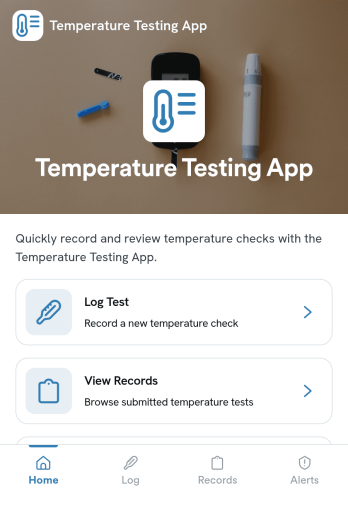
Temperature Testing App
Temperature Testing App helps teams log temperature checks, review past entries, and spot readings that may need follow-up. It’s a practical fit for workplaces that want a consistent way to document routine screening, including offices, warehouses, schools, clinics, gyms, and event teams. Staff can quickly start a new temperature test, revisit their own test submissions, and use the records view to look up entries by person or date when questions come up.With Jotform, you can turn this temperature testing app template into a branded, mobile-friendly experience without coding. Use the no-code app builder and drag-and-drop interface to adjust pages, connect the test form to your data collection workflow, and organize records so supervisors can review alerts and trends in one place. Share the app by link for self-service logging, keep information centralized, and update the process anytime as your screening routine evolves.
Go to Category:Safety Inspection Apps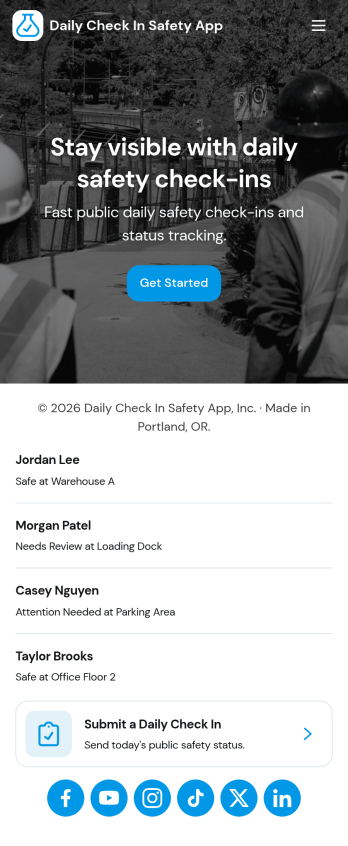
Daily Check In Safety App
Daily Check In Safety App helps teams collect a quick, consistent safety check-in from employees at the start of the day or shift. Staff can launch a new check-in in seconds, follow clear safety steps, and access an emergency call option when needed. Supervisors can also review records to confirm everyone checked in, spot missing responses, and keep a simple history of daily safety activity for field crews, construction teams, warehouses, transportation groups, and any workplace that needs routine status updates.Built with Jotform, this app template turns daily safety routines into a mobile-friendly self-service experience. Use Jotform’s no-code app builder and drag-and-drop interface to tailor pages, adjust the check-in flow, and connect the app to your data collection form and record list for fast tracking. Share the app by link or QR code so employees can check in from anywhere while your team keeps the workflow organized and easy to manage.
Go to Category:Safety Inspection Apps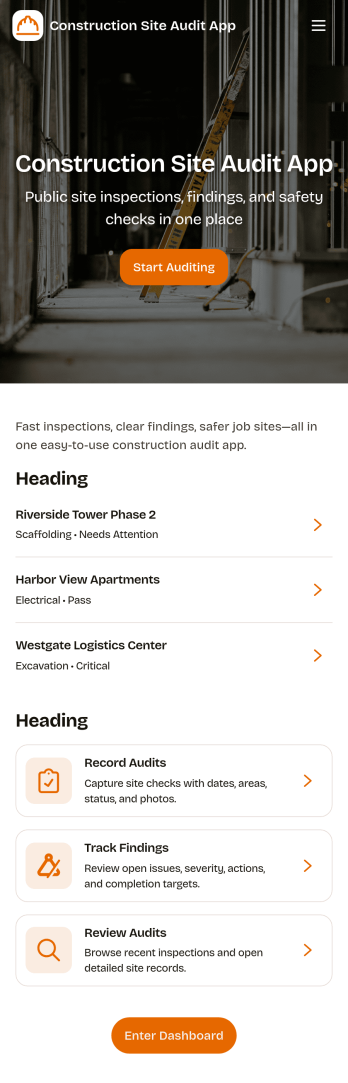
Construction Site Audit App
Construction Site Audit App helps crews document site inspections, record observations, and keep audit history organized across multiple jobsites. Use it to start a new audit, capture key notes for a specific site name, and create a consistent record that supervisors, safety leads, and project managers can review later. It’s a practical fit for general contractors, subcontractors, and construction firms that want a clear way to log findings, follow up on issues, and keep field reporting consistent from one project to the next.With Jotform, you can turn this app template into a mobile-friendly workflow that’s easy to share with field teams. Customize pages and navigation with a drag-and-drop interface, connect the audit form to your data collection process, and keep records organized for faster review. Jotform’s no-code app builder makes it simple to publish updates quickly, maintain a reliable inspection workflow, and support self-service reporting from the jobsite.
Go to Category:Construction Apps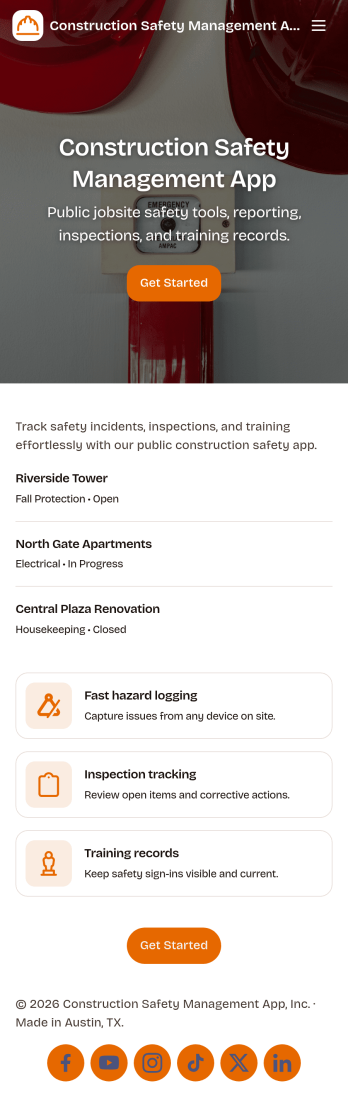
Construction Safety Management App
Construction Safety Management App brings your site safety process into one place so crews and supervisors can report incidents, complete safety inspections, document hazards, and request PPE from a phone or tablet. It works well for general contractors, subcontractors, safety managers, and foremen who need consistent reporting across multiple job sites and want clearer visibility into what is happening in the field without relying on scattered paperwork or hallway conversations.With Jotform, you can turn this app template into a branded, mobile-friendly self-service experience using a no-code app builder and a drag-and-drop interface. Connect the app to forms and tables for fast data collection, route updates through the right workflow steps, and keep teams aligned with simple navigation that makes it easy to take action on site and review safety activity from a central dashboard.
Go to Category:Construction Apps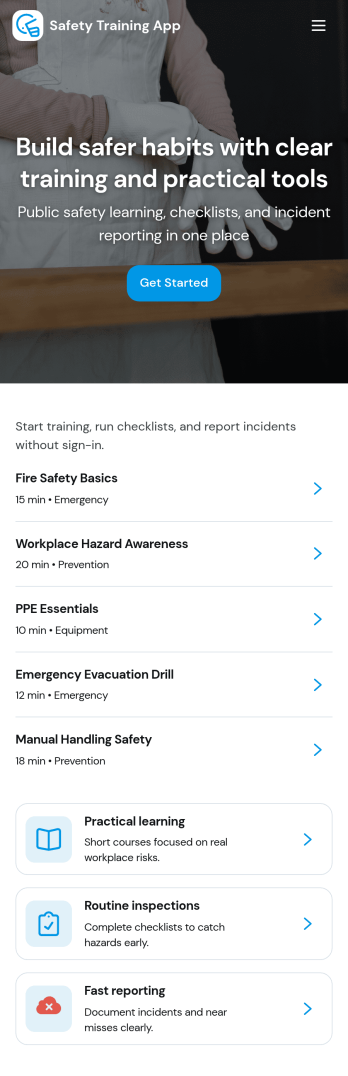
Safety Training App
Safety Training App helps teams organize safety courses, track learning progress, and keep personal training records in one place. Use it to publish a clear course library employees can browse, provide a simple way to log completed training, and give staff a self-service view of their progress over time. It’s a strong fit for operations leaders, HR teams, site supervisors, and safety coordinators who need training information to be easy to find, easy to update, and consistent across locations and roles.With Jotform, you can turn this app template into a branded training experience using a no-code app builder and a drag-and-drop interface. Connect the app to your training workflows by linking it to forms and tables for data collection, progress tracking, and admin oversight, then share it with your workforce using a link or QR code. As your program grows, you can adjust pages, navigation, and records management so the app keeps supporting everyday self-service and internal workflow needs.
Go to Category:HR Portal Apps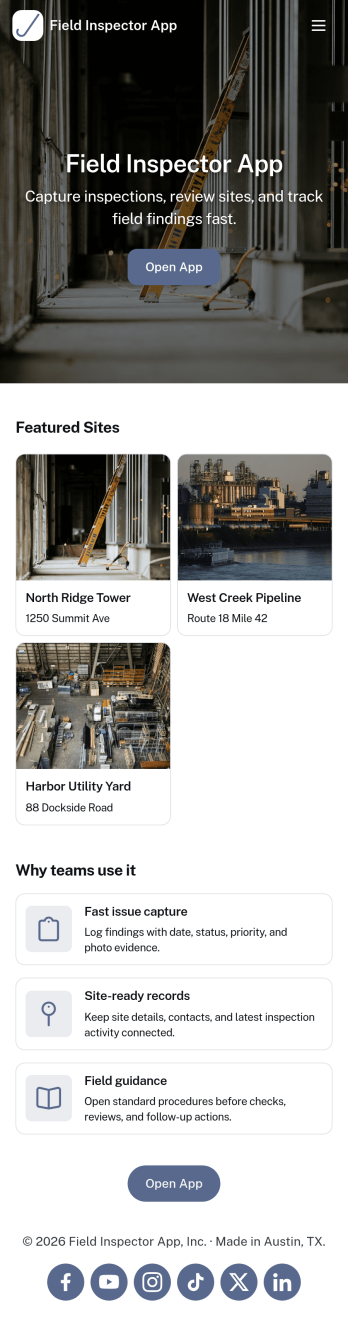
Field Inspector App
Field Inspector App helps teams complete on-site inspections, record findings, and keep follow-ups moving without losing track of details. From property checks and facility walkthroughs to jobsite observations and routine audits, this app brings key actions into one place so inspectors can start a new inspection, log an issue as soon as it’s spotted, and monitor progress through a clear status view. It’s a practical fit for construction, maintenance, operations, safety, and service organizations that need consistent documentation across multiple locations and inspectors.Built with Jotform, this app template pairs a mobile-friendly experience with structured data collection and connected workflows. Use Jotform’s no-code app builder and drag-and-drop interface to adjust pages, add your branding, and link your inspection records, issue logs, and follow-up tracking to the way your team actually works. Share the app by link or QR code for fast self-service access in the field, and keep inspection activity organized with centralized records that are easy to review and act on.
Go to Category:Inspection Apps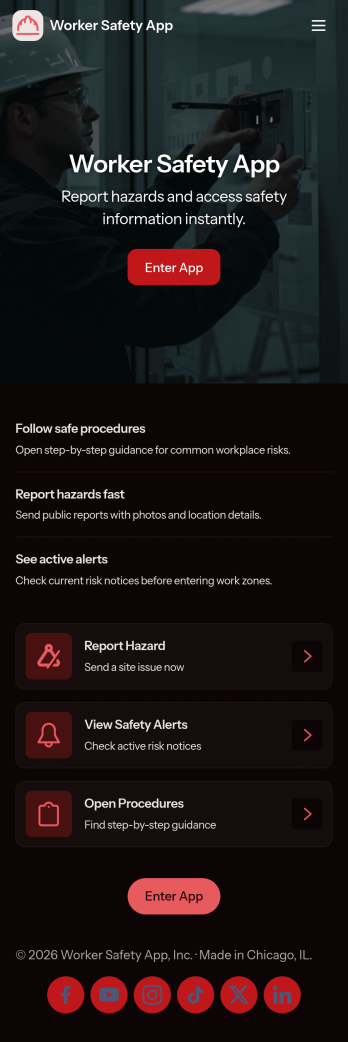
Worker Safety App
Worker Safety App brings incident reporting and routine inspections into one mobile-friendly place so teams can act fast when something goes wrong and stay consistent with day-to-day safety checks. It works well for construction crews, warehouses, manufacturing floors, field service teams, and any workplace that needs a simple way for employees to report issues, run inspections on-site, and review past activity by alert, incident type, or area.With Jotform App Templates, you can turn your safety workflow into a shareable, branded experience without coding. Use Jotform’s no-code app builder and drag-and-drop interface to customize pages, connect your inspection and incident forms, and keep data collection organized for supervisors and admins. Publish the app in minutes, share it by link or QR code, and give teams a self-service hub they can use from the job site or the office.
Go to Category:Construction Apps