

Operations & Logistics Portal Apps

Truck Tracking App
Truck Tracking App helps fleet teams keep a clear, shared view of where trucks are, what they’re doing, and what needs attention. Use it to review truck records, check a route board for active runs, and capture issue reports from drivers or dispatch without chasing updates across calls and spreadsheets. It’s a practical fit for delivery companies, contractors with multiple vehicles, logistics coordinators, and operations managers who need day-to-day visibility into truck status and route progress.With Jotform, you can turn this truck tracking app template into a branded, mobile-friendly experience using a no-code app builder and a drag-and-drop interface. Connect the app to your data collection forms for status updates and issue reporting, keep information organized in connected tables, and create a workflow that’s easy for teams to follow in the field or at the office. Share the app in seconds so dispatchers, supervisors, and drivers can work from the same up-to-date information.
Go to Category:Transportation Apps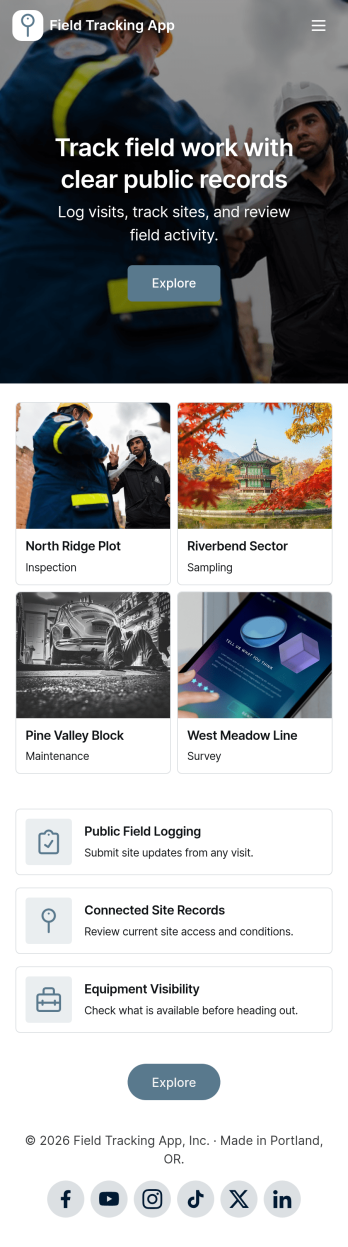
Field Tracking App
Field Tracking App helps field teams record site activity and stay on top of what’s happening in the field without relying on scattered notes or texts. Use it to log visits as they happen, flag problems the moment they’re found, and review open reports by location so nothing gets missed. It’s a practical fit for operations managers, supervisors, and technicians working across multiple sites who need a consistent way to document work, track issues, and keep visits organized for follow-up.With Jotform, you can turn this app template into a branded, mobile-friendly self-service experience for your team using a no-code app builder and a drag-and-drop interface. Connect visit logs and issue reports to your data collection workflow, route updates to the right people, and keep your records organized as activity grows across sites. When your process changes, you can adjust pages, navigation, and linked forms in minutes and share the app instantly with a simple link or QR code.
Go to Category:Tracker Apps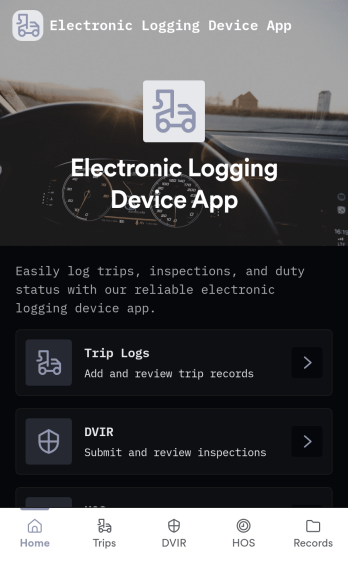
Electronic Logging Device App
Electronic Logging Device App helps drivers and fleet teams keep a clear record of daily driving activity in one place. Use it to support internal dispatch routines, organize shift details, and maintain consistent logs across vehicles, routes, or terminals. It fits owner-operators, small carriers, and transportation teams who want a simple way to capture essential information, review entries, and reduce missed or inconsistent logging when days get busy.Jotform makes it easy to publish app templates like this with a no-code app builder and a drag-and-drop interface. Customize the layout to match your process, connect the app to the forms and workflows you already use for data collection, and share a single link with your team for fast self-service access on the road or at the office.
Go to Category:Transportation Apps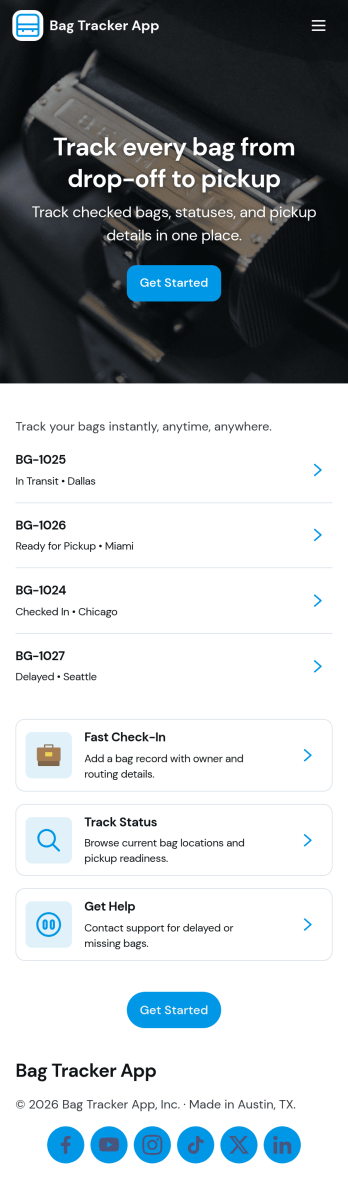
Bag Tracker App
Bag Tracker App helps airlines, baggage services teams, and travel operators log bag records, monitor basic tracking details, and route travelers to the right place when something goes wrong. Use it to keep bag tags organized, capture key flight and passenger context, and give staff a simple way to add new bag records as updates come in. When issues occur, the app supports issue reporting and provides an easy path to view open items, making it useful for busy desks where speed and consistency matter.Jotform makes it easy to turn this app template into a branded, shareable experience using a no-code app builder with a drag-and-drop interface. Connect buttons and pages to forms and workflows so teams can collect data, keep records in one place, and support self-service access from a single link. Customize the layout, permissions, and connected tools to match how your baggage process works, then publish and share the app across devices.
Go to Category:Transportation Apps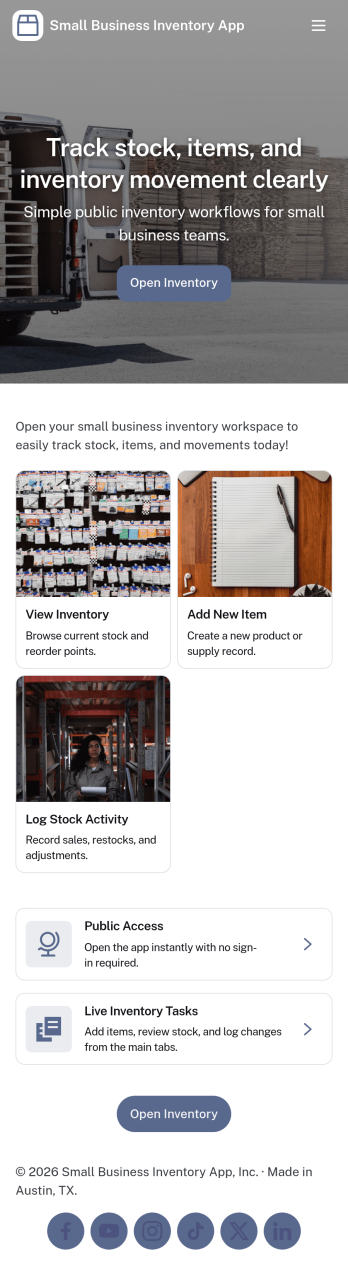
Small Business Inventory App
Small Business Inventory App helps local shops and growing teams keep stock, sales, and replenishment in one place. Use it to add inventory items, browse what’s on hand, and spot what needs attention before it becomes an emergency. With dedicated areas for Inventory, Sales, and Reorder, it fits retail counters, pop-up sellers, workshops, and small warehouses that need a clear view of products without relying on messy spreadsheets or scattered notes. Staff can log sales as they happen and create restock requests when quantities run low, so owners and managers can stay in control of availability and avoid missed revenue.Jotform makes it easy to turn this app template into a branded, shareable experience using a no-code app builder and a drag-and-drop interface. Connect buttons to forms for data collection, organize records in lists for quick lookup, and keep everyday workflow steps like adding items, logging sales, and requesting restocks accessible from any device. Publish with a simple link for self-service use across your team and update the app anytime as your inventory process evolves.
Go to Category:Inventory Apps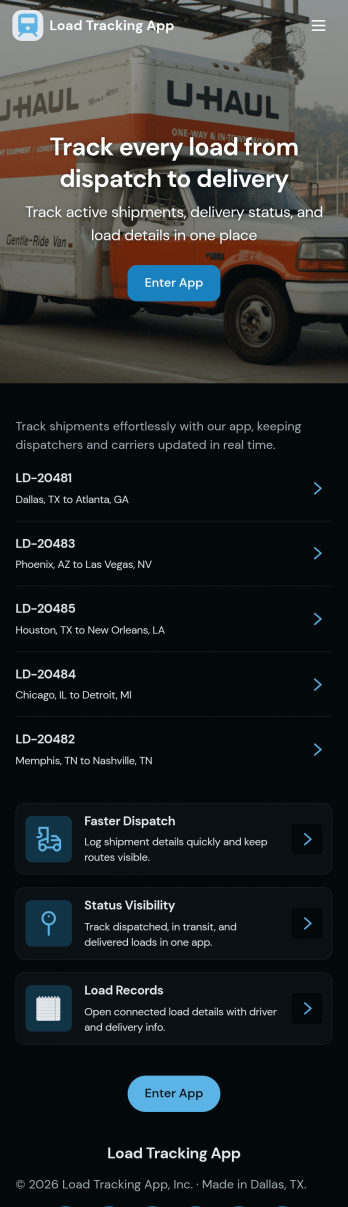
Load Tracking App
Load Tracking App keeps dispatch and fleet activity organized in one place so logistics teams can follow what’s moving, what’s next, and what needs attention. Use it to review active loads, open a load board, and create a new dispatch when a driver, vehicle, and route are confirmed. It works well for trucking companies, freight brokers, delivery operators, and owner-operators who want a clear view of load IDs, routes, and notes without digging through messages or spreadsheets.With Jotform, you can turn this app template into a branded, mobile-friendly workspace using a no-code app builder and a drag-and-drop interface. Connect the app to forms and tables for data collection, keep fleet updates flowing in from the field, and create a workflow that helps your team stay aligned across dispatchers, drivers, and operations. Share the app by link or QR code so everyone has the latest load and fleet status at their fingertips.
Go to Category:Transportation Apps
Real Inventory App
Real Inventory App helps teams keep a clear, up-to-date view of what’s in stock and what’s changing day to day. Use it to add new items, make quick stock entries as counts shift, and log updates so everyone works from the same source of truth. It’s a practical fit for retail counters, warehouses, storerooms, studios, field teams, and small manufacturers that need simple inventory visibility without juggling spreadsheets. With dedicated areas for Stock, Updates, and Insights, it supports faster replenishment decisions, fewer stockouts, and cleaner handoffs between people who receive, sell, and restock items.Jotform makes it easy to turn this app template into a branded, shareable inventory experience using a no-code app builder and a drag-and-drop interface. Connect buttons to forms to collect data, organize item lists for quick browsing, and keep inventory information accessible from one place for staff and managers. Publish with a link for self-service access, update the layout as your process evolves, and route records into connected workflows so inventory stays accurate as your operation grows.
Go to Category:Inventory Apps
Process Management App
Process Management App brings your team’s recurring workflows into one place so people can find the right process, follow consistent steps, and report problems as they happen. Use it to centralize SOPs for operations, IT, HR, facilities, or service teams who need a clear way to browse processes, open a process form, add notes, and log issues tied to specific work. It’s especially useful for growing organizations where updates get lost across docs and chats and where visibility into process health and common issues matters.Built with Jotform, this app template helps you publish a guided self-service experience without code. Customize pages with a drag-and-drop interface, connect the app to forms and lists for data collection, and keep information organized for quick access on any device. Share the app with your team using a link or QR code, then refine your workflow over time by updating processes, tracking reported issues, and keeping everyone aligned from a single hub.
Go to Category:Management Apps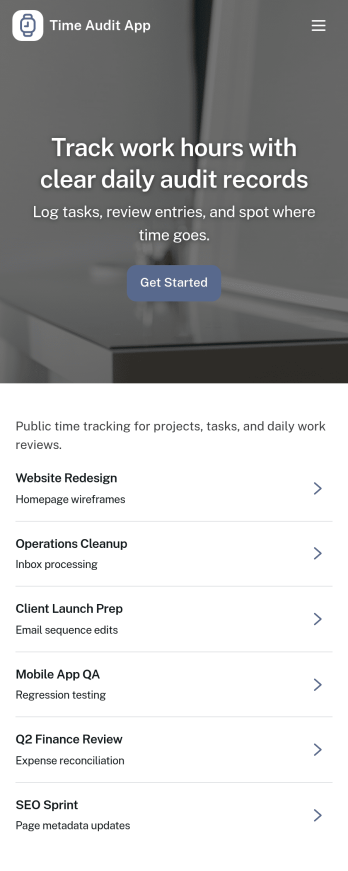
Time Audit App
Time Audit App helps individuals and teams capture how work hours are actually spent, so it’s easier to spot time leaks, rebalance workloads, and build better routines. Use it for weekly personal productivity audits, agency and consulting time reviews, internal operations check-ins, or project retrospectives where you need real entries instead of guesses. With a simple way to log a time audit, review records, and track your own submissions, it supports consistent time tracking without turning the process into a complicated system.Jotform makes it easy to turn this Time Audit App into a polished self-service experience using its app templates and no-code app builder. Customize pages with a drag-and-drop interface, connect the app to a form and records list for ongoing data collection, and share it through a link for fast adoption across a department or client-facing program. As your workflow evolves, you can update the layout, add navigation, and keep time audit records organized in one place.
Go to Category:Activity Tracking Apps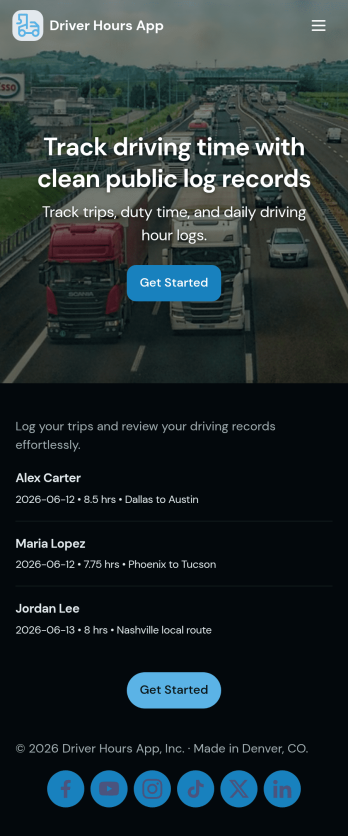
Driver Hours App
Driver Hours App helps fleets and transportation teams track driver time with less manual follow-up. Use it to add drivers, log working hours, and keep daily notes in one place, so dispatchers and operations leads can confirm who worked when and spot gaps early. It fits delivery services, field service crews, shuttle operators, and any business that needs a clear record of driver activity across multiple people and routes.With Jotform’s app templates and no-code app builder, you can tailor pages like Drivers, Log, Records, and Summary to match your workflow, then connect buttons to the forms that capture driver details and hours. Customize the drag-and-drop interface, share the app as a self-service link for supervisors or drivers, and keep data collection organized with connected tables and automated workflows that support day-to-day operations.
Go to Category:Transportation Apps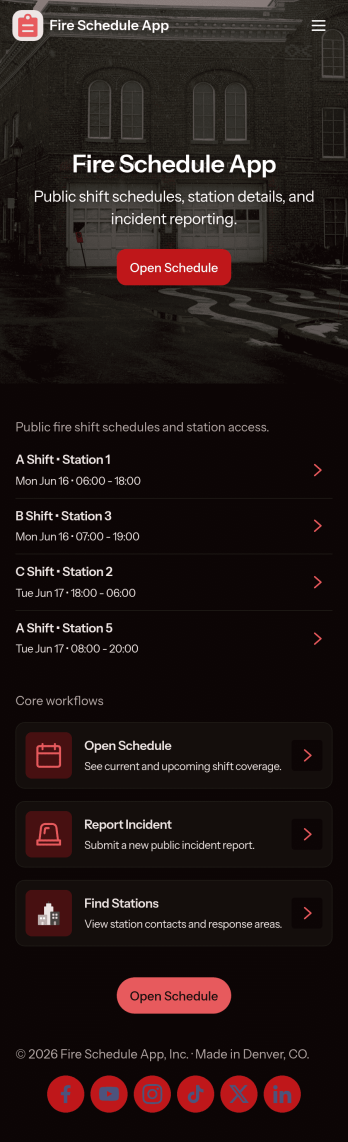
Fire Schedule App
Fire Schedule App helps fire departments and station leaders organize daily coverage, publish shift details, and keep crews aligned across stations. Use it to view today’s shifts at a glance, add new shifts when coverage changes, and provide a consistent place where firefighters can check assignments before they report in. It also includes an incident log area for capturing key incident details, making it easier to track what happened and maintain operational awareness during busy rotations.Built with Jotform, this app template can be customized with a no-code app builder and a drag-and-drop interface, so you can match the app to your station’s workflow without technical overhead. Connect shift creation and edits to a form for consistent data collection, keep schedule records organized, and share the app as a self-service link for crews, supervisors, or admin staff to reference in the field or at the station.
Go to Category:Scheduling Apps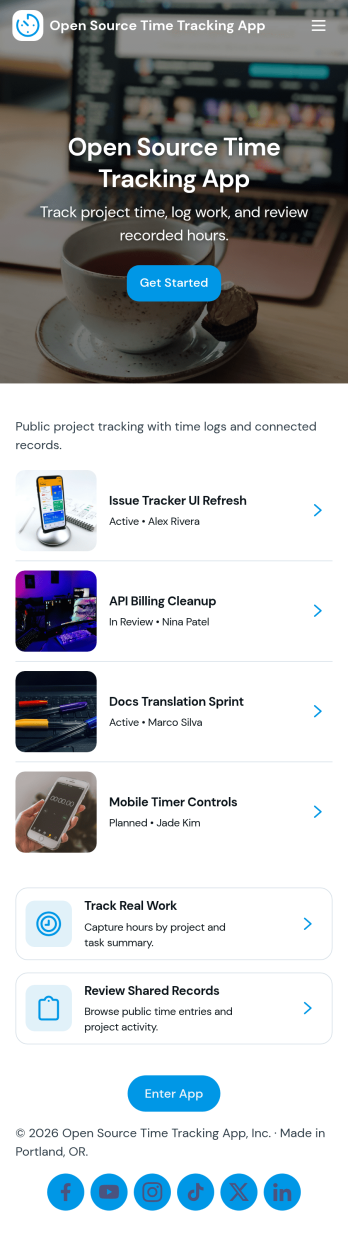
Open Source Time Tracking App
Open Source Time Tracking App helps teams record work hours across projects and issues, then review activity in a clear reporting view. It’s a practical fit for software teams, IT departments, agencies, and nonprofits that need a transparent way to log time, keep issue-level notes organized, and stay consistent with internal processes. With simple navigation cards for tracking time and reviewing reports, plus lists for browsing projects, issues, and personal time entries, the app supports everyday time logging without making the process feel heavy.Jotform makes it easy to turn this use case into a shareable, mobile-friendly experience using App Templates and a no-code app builder. Customize pages with a drag-and-drop interface, connect buttons to your time log form for fast data collection, and keep your workflow moving with organized tables and views for projects, issues, and entries. You can also tailor the app’s look and structure to match your team’s terminology, making time tracking simpler to adopt across roles.
Go to Category:Activity Tracking Apps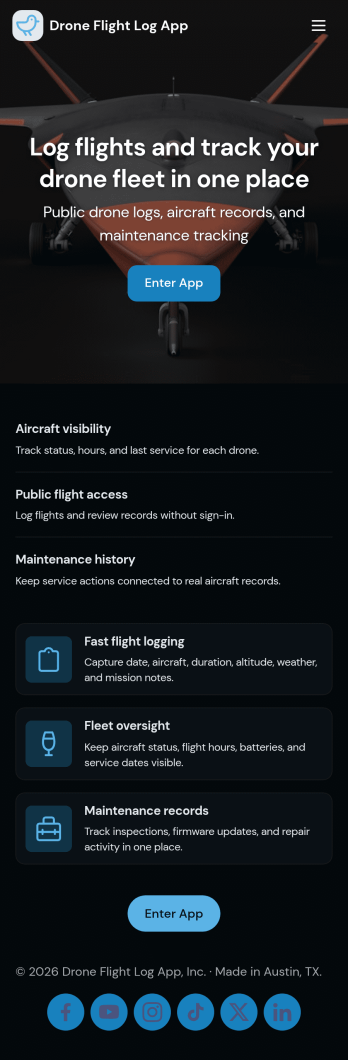
Drone Flight Log App
A drone flight log app helps pilots and teams record flights in one place, review past activity, and keep aircraft details organized for day-to-day operations. Use it to capture flight dates and aircraft IDs, browse a running list of flight entries, and open a simple flight summary when you need quick context before the next job. It’s a practical fit for solo drone operators, photography and surveying crews, inspection businesses, and training programs that want consistent flight records without relying on scattered notes.Jotform makes it easy to turn this Drone Flight Log App into a branded, shareable experience using a no-code app builder and a drag-and-drop interface. Connect the app to forms for fast data collection, route updates into connected tables, and keep your workflow moving with clear navigation between logging a flight, reviewing entries, and managing an aircraft registry. Share the app by link or QR code so your crew can log flights from the field on any device.
Go to Category:Log Apps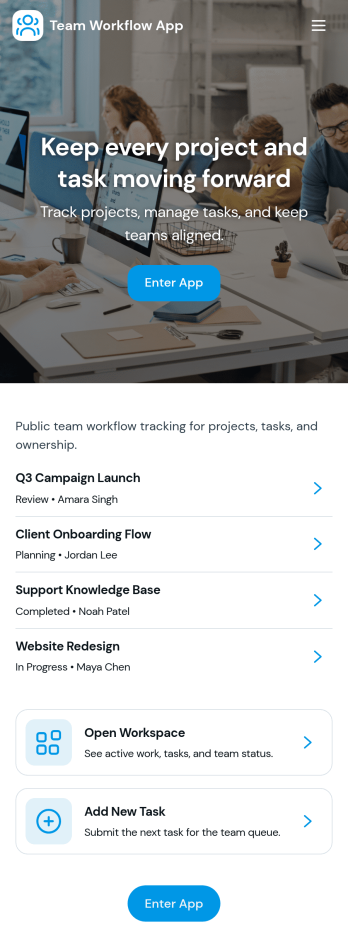
Team Workflow App
Team Workflow App brings task intake, progress tracking, and activity history into one place so teams can keep work moving without losing context. Use it to create tasks from a central intake area, monitor a live task queue, and record updates as work changes hands. It fits project teams, operations groups, IT and service desks, agencies, and cross-functional departments that need a clear view of what’s happening, what’s next, and what’s already been done.With Jotform App Templates, you can turn your process into a mobile-friendly, self-service experience using a no-code app builder and a drag-and-drop interface. Connect buttons and pages to forms and tables for consistent data collection, keep workflows organized with simple navigation, and publish a shareable app your team can use daily. As needs evolve, you can quickly adjust fields, pages, and routing without rebuilding your workflow from scratch.
Go to Category:Company Portal Apps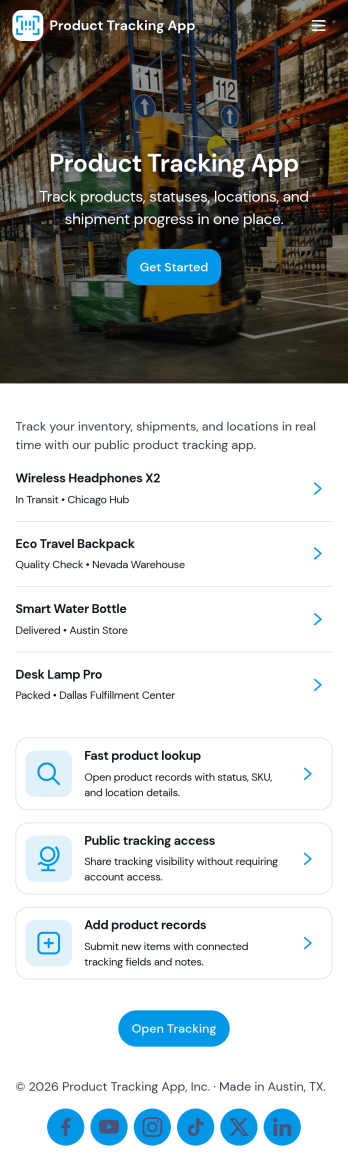
Product Tracking App
Product Tracking App helps teams capture product details in one place, browse a simple catalog, and review key updates over time. It’s a practical fit for small retailers, warehouse staff, ecommerce operators, and operations teams that need a clear view of what products are being added and how the product list is evolving. With an add product flow, an easy-to-open catalog, and an insights area for quick visibility, this app supports consistent product recordkeeping without relying on scattered spreadsheets or long message threads.Built with Jotform App Templates, this app template is easy to tailor for your workflow using Jotform’s no-code app builder and drag-and-drop interface. Connect the app to your form and table data collection so product entries stay organized, searchable, and accessible to the right people. Share the finished app by link for self-service updates, keep your catalog current, and use connected workflows to standardize how product information is submitted and reviewed.
Go to Category:Inventory Apps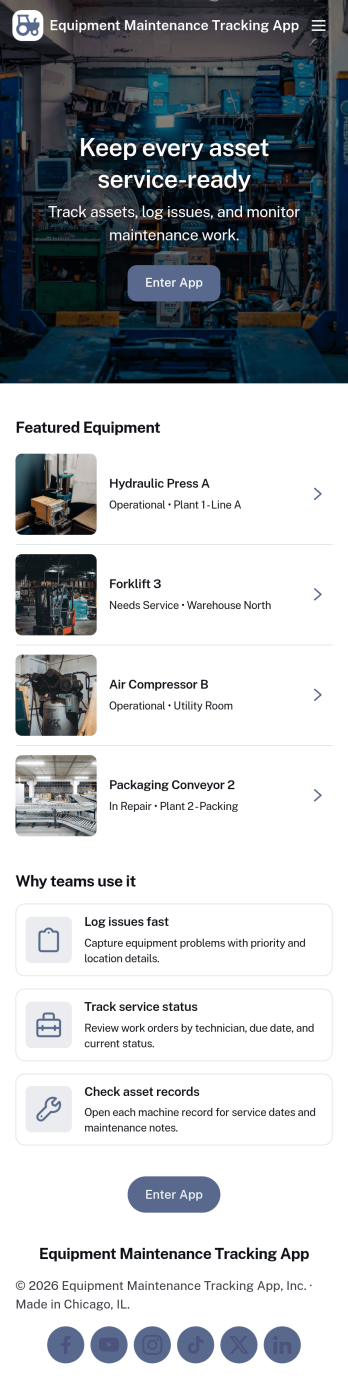
Equipment Maintenance Tracking App
Equipment Maintenance Tracking App helps teams keep a clear, up-to-date record of assets, inspections, and maintenance work orders in one place. It’s built for facility managers, operations teams, maintenance technicians, and growing businesses that need a practical way to view assets, log inspections, and create work orders without relying on scattered spreadsheets or long email threads. Use it to stay on top of routine checks, document findings, and make sure maintenance requests are tied to the right equipment for faster follow-through.With Jotform, you can customize this app template using a drag-and-drop interface, then connect it to forms and data collection workflows that match how your team works. Publish the app for self-service access, share it by link, and keep maintenance records organized so the right people can review updates and take action. As needs evolve, you can adjust pages, buttons, and records views to support new equipment, new locations, or new internal processes.
Go to Category:Equipment Maintenance Software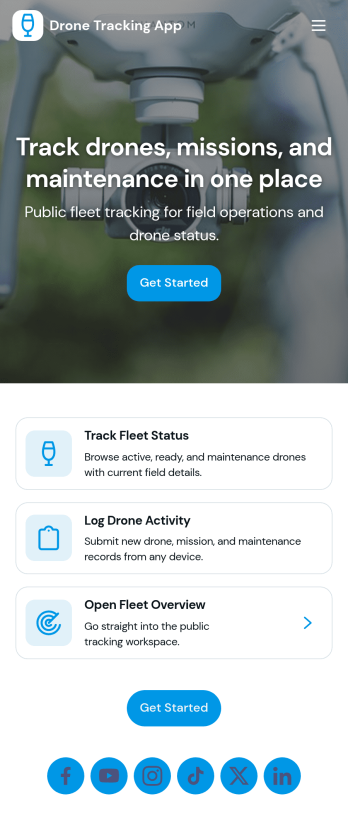
Drone Tracking App
Drone Tracking App helps teams oversee drone fleets by keeping key details, flight activity, and maintenance history in one place. It’s a practical fit for operations managers, field teams, inspection services, public safety units, construction crews, and any organization coordinating multiple drones across sites. With quick access to fleet status, mission logs, and service records, the app supports day-to-day visibility without forcing people to hunt through spreadsheets or scattered messages.Built with Jotform, this app template can be tailored with a no-code app builder and a drag-and-drop interface, so you can adjust pages, labels, and the navigation to match your workflow. Connect action buttons to forms for mission requests and reporting, then keep flight information organized in connected tables for easy follow-up. When you’re ready, share the app through a link or QR code to support self-service updates from the field while your team stays aligned on what’s flying, what’s logged, and what needs service next.
Go to Category:Tracker Apps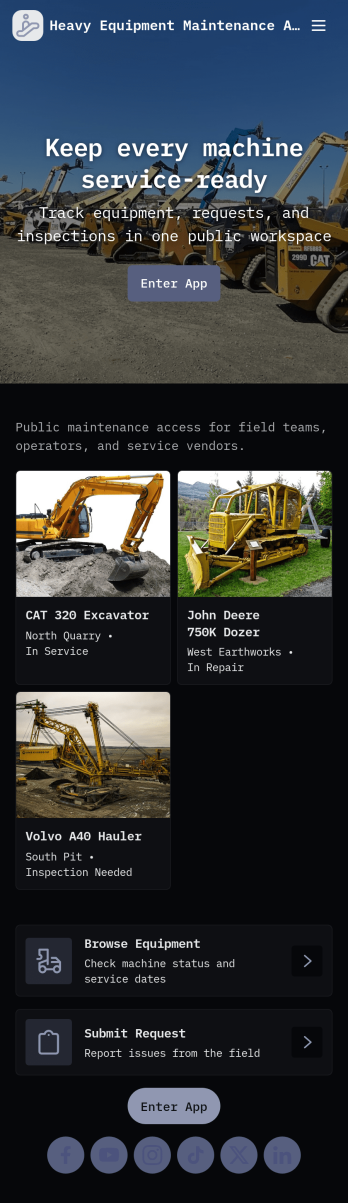
Heavy Equipment Maintenance App
Heavy Equipment Maintenance App helps teams keep critical machines running by organizing maintenance history, routine inspection checks, and parts availability in one place. Use it to log service work as it happens, launch equipment inspections from the field, and review parts inventory signals like critical spares and low stock alerts before downtime gets expensive. It’s a practical fit for construction companies, fleet and yard managers, plant operations, rental businesses, and maintenance crews who need clear visibility across multiple assets without chasing paper checklists or scattered notes.With Jotform, you can turn this app template into a mobile-friendly self-service workflow for technicians and supervisors. Customize pages, cards, and buttons with a drag-and-drop interface, connect forms for fast data collection, and keep records organized for easier follow-ups. Share the app by link or QR code, guide users to the right action with simple navigation, and keep your maintenance workflow consistent across crews and job sites.
Go to Category:Equipment Maintenance Software
Handheld Inventory App
Handheld Inventory App helps teams manage stock right where the work happens on the shop floor, in the stockroom, in a vehicle, or at a job site. Use it to browse items, add new inventory records, log adjustments when counts change, flag low-stock items for replenishment, and review history for quick audits. It’s a practical fit for retail stores, warehouses, field service crews, schools, nonprofits, and growing operations that need a simple way to keep inventory accurate without relying on spreadsheets or chasing updates across multiple channels.Jotform makes it easy to tailor this app template to your process with a drag-and-drop interface and a no-code app builder. Connect your inventory data to forms and tables, guide staff with clear navigation, and keep records consistent as updates come in. Share the app with a link or QR code so your team can access it from mobile devices, and customize branding, buttons, and pages to match how you track items, adjustments, and reorder needs.
Go to Category:Inventory Apps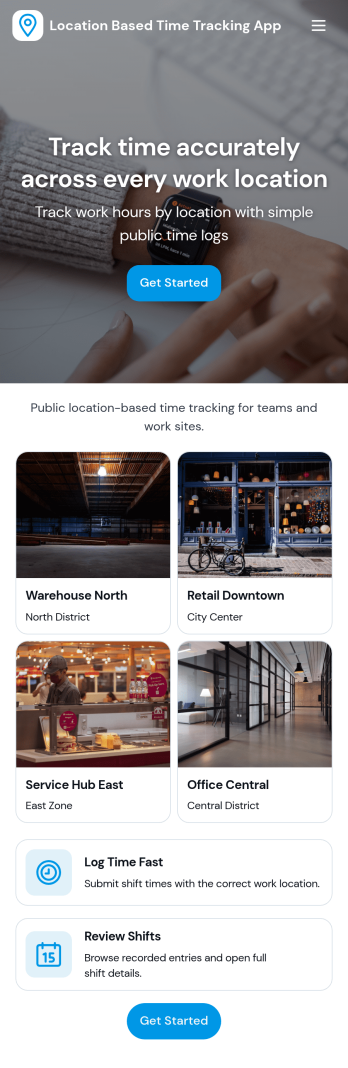
Location Based Time Tracking App
Location Based Time Tracking App helps teams record work time with added location awareness so you can confirm where clock-ins happen. It’s a practical fit for field service crews, construction teams, mobile healthcare staff, delivery and transportation providers, or any operation that rotates between job sites. With quick clock in access, a location tracker for clock-ins, and an easy way to review history, managers can reduce time disputes, tighten payroll inputs, and keep multi-site work organized without slowing employees down.Jotform makes it simple to turn this use case into a branded, mobile-friendly experience using customizable app templates and a no-code app builder. Use a drag-and-drop interface to adjust pages, add navigation buttons for work sites and approved sites, and connect your time records to Jotform workflows for reviews, notifications, and ongoing data collection. Share the app by link or QR code so staff can clock in on the go and supervisors can stay on top of activity.
Go to Category:Activity Tracking Apps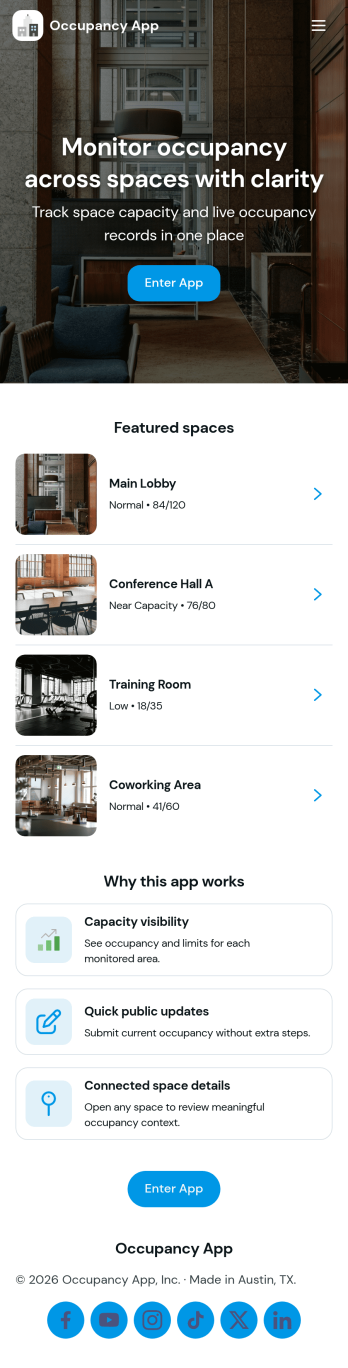
Occupancy App
Occupancy App helps teams track how many people are in a space across multiple locations, so staff can respond quickly and plan with confidence. Use it to manage day-to-day traffic in offices, gyms, clinics, warehouses, coworking spaces, or event venues where capacity awareness matters. With dedicated areas for locations, occupancy logging, and insights, it’s easy for coordinators and frontline staff to record counts, review capacity at a glance, and keep stakeholders aligned without relying on scattered notes or spreadsheets.Jotform makes it simple to turn this experience into a polished, shareable tool using ready-to-use app templates and a no-code app builder. Customize pages in a drag-and-drop interface, connect the app to forms for fast data collection, and keep information organized for self-service access. As your workflow evolves, you can adjust fields, update navigation, and share the app by link so teams can log updates and view insights from wherever they work.
Go to Category:Operations & Logistics Portal Apps
Inventory Planner App
An inventory planner app helps you organize products, monitor stock levels, and plan reorders before items run out. This template is useful for retail teams, warehouses, e-commerce operations, restaurants, and small businesses that need a clear way to keep inventory accurate without juggling spreadsheets. With simple navigation to Products, Stock, Reorder, and Activity, it supports day-to-day inventory planning, including adding new items, viewing current stock, and submitting reorder requests when thresholds are met.Jotform makes it easy to turn this Inventory Planner App into a tailored workflow with a no-code app builder and a drag-and-drop interface. Connect buttons to your forms for data collection, keep records organized for ongoing inventory workflow, and share a self-service experience with staff across locations. Customize pages, branding, and access as your catalog grows, then publish and update the app anytime without writing code.
Go to Category:E-commerce Apps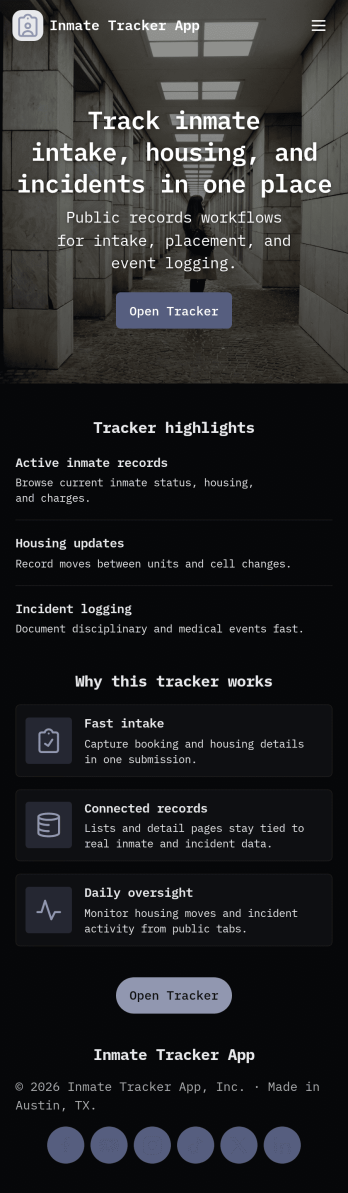
Inmate Tracker App
Inmate Tracker App helps corrections teams organize intake details, maintain an up-to-date roster, and document incidents in one place. With quick navigation between Intake and Roster, staff can add new intake records, review prior entries, and open individual profiles to see key information without hunting through paperwork. It’s a practical fit for facilities and programs that need clearer visibility into who is currently in custody, what’s been recorded, and which actions still need follow-up.Jotform makes it easy to turn this app template into a working tool for your team using a no-code app builder and a drag-and-drop interface. Connect the app to your forms and tables for reliable data collection, keep records consistent across shifts, and support a smoother workflow with mobile-friendly self-service access for authorized staff. Update pages, buttons, and lists as your process evolves, then share the app securely through a link or QR code so everyone works from the same source of truth.
Go to Category:Tracker Apps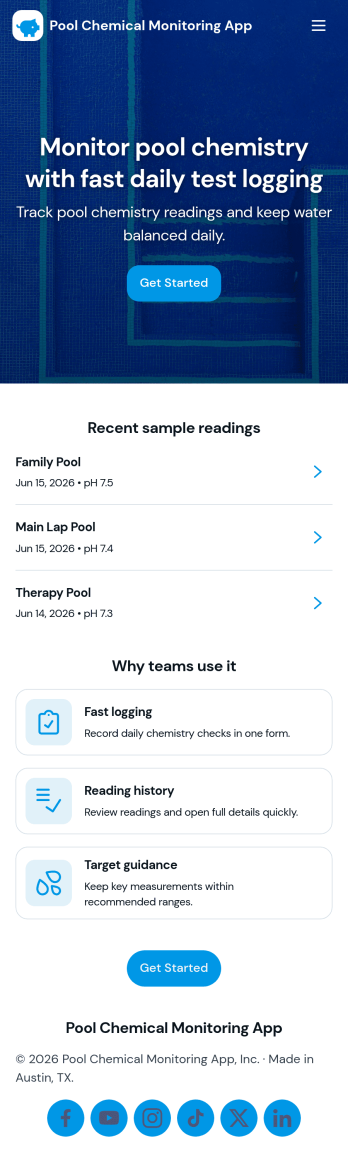
Pool Chemical Monitoring App
Pool Chemical Monitoring App helps pool operators capture water test readings, review ongoing monitoring, and stay on top of issues before they affect swimmers or equipment. It’s a practical fit for hotels, gyms, schools, HOAs, water parks, and pool service teams that need a consistent way to log new readings across multiple pools, view history by pool name, and act quickly when something looks off. With dedicated areas for monitoring, alerts, and supplies, the app keeps day-to-day checks organized so staff can follow the same routine every time.Jotform makes it easy to turn this use case into a mobile-ready experience using App Templates and a no-code app builder. Customize pages with a drag-and-drop interface, connect the app to forms for reliable data collection, and share it with your team using a link or QR code for fast self-service access. As your workflow evolves, you can adjust what’s tracked, add approval steps, and keep records centralized so monitoring stays consistent across locations and shifts.
Go to Category:Tracker Apps