

Operations & Logistics Portal Apps

Facilities Maintenance App
Facilities Maintenance App supports day-to-day building upkeep by giving teams a single place to capture maintenance requests, manage work orders, and document inspections and assets across one or multiple locations. It fits facilities managers, property teams, school administrators, hospitality operators, and office managers who need clear visibility into what’s broken, what’s in progress, and what’s been completed. With quick navigation to requests, work orders, inspections, asset details, and history, the app helps reduce missed tasks, improve response times, and keep records consistent for everyone involved.Built with Jotform App Templates, this app template can be tailored with Jotform’s no-code app builder and drag-and-drop interface so you can match your existing maintenance workflow without engineering help. Connect the app to your Jotform forms and data collection processes to centralize updates, keep a searchable log of activity, and share a self-service experience with staff or internal stakeholders using a simple link or QR code.
Go to Category:Equipment Maintenance Software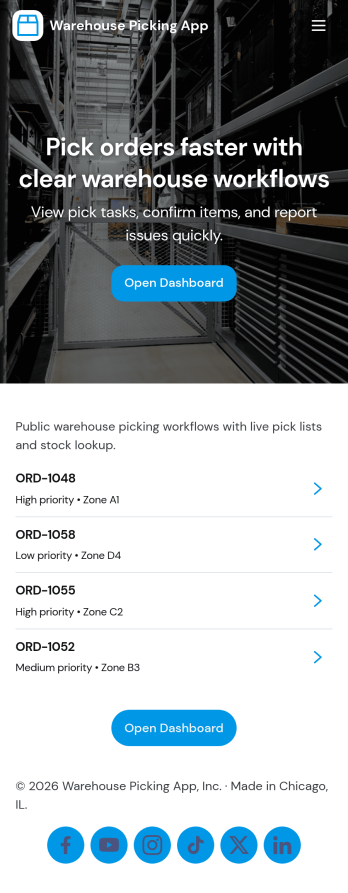
Warehouse Picking App
Warehouse Picking App brings day-to-day fulfillment work into one mobile-friendly place so pickers and warehouse leads can move faster and miss fewer items. Use it to keep a clear picking queue, jump into waves like Wave A and Wave B, and open each pick to see what to grab before marking the task complete. It also supports quick stock visibility through Stock View and highlights Low Stock items, helping teams reduce delays caused by surprise shortages.Built with Jotform, this app template turns your picking workflow into a shareable self-service experience without coding. Use the no-code app builder and drag-and-drop interface to tailor pages for your operation, connect actions like Mark Complete to your data collection forms, and route completions into connected tables for reporting. Share the app with a link or QR code, keep your picking workflow organized in real time, and give supervisors a clearer view of what’s done, what’s next, and what needs attention.
Go to Category:Operations & Logistics Portal Apps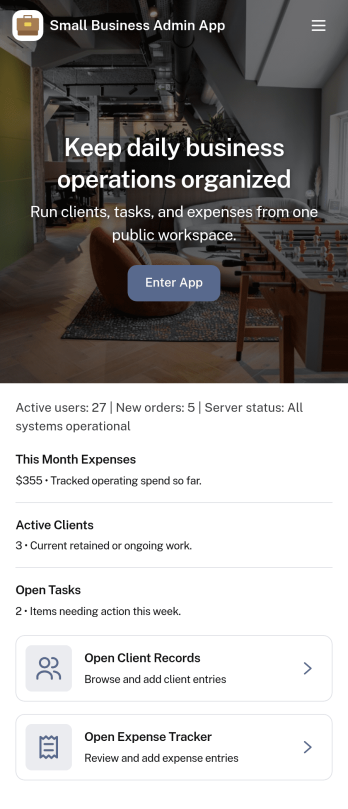
Small Business Admin App
Small Business Admin App helps owners and operations teams keep everyday admin work in one place, from monitoring key activity to organizing orders and staff visibility. It works well for retail, service, and delivery-oriented businesses that need a simple home base for checking a dashboard, reviewing pending items, and jumping into order management without hunting through multiple tools.Built with Jotform, this app template can be tailored with a drag-and-drop interface and connected to your existing data collection and workflow needs. Link buttons to the right forms for adding new orders, surface live lists from your tables for quick status checks, and share a self-service experience with your team through a single app they can open on desktop or mobile.
Go to Category:Company Portal Apps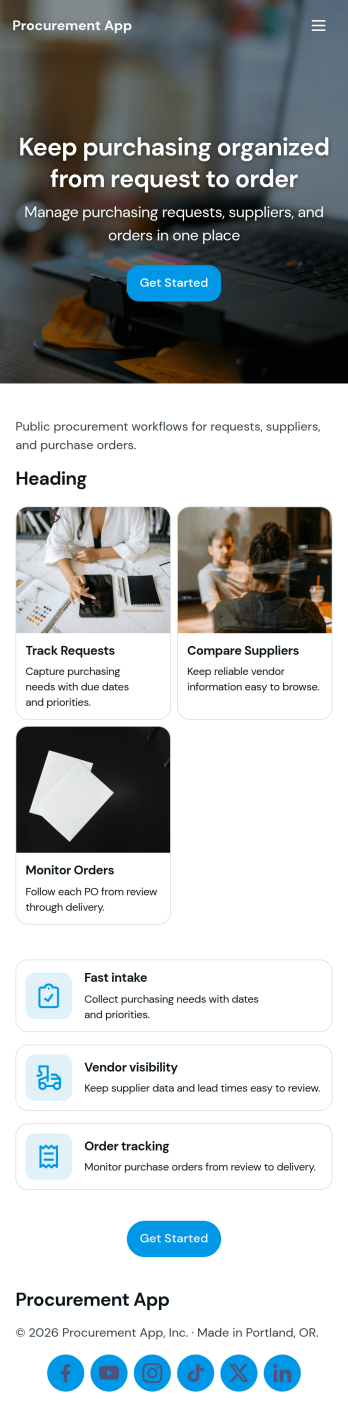
Procurement App
Procurement App brings purchasing activity into one place so teams can collect purchase requests, manage vendor information, track orders, and review high-level insights without relying on scattered emails or spreadsheets. It fits operations, finance, and administrative teams that handle recurring buys, new supplier onboarding, or internal order coordination across departments. With dedicated areas for requests, orders, vendors, and insights, the app supports a clearer intake process, easier status visibility, and faster handoffs from request to order.Jotform makes it easy to publish this kind of self-service experience using a no-code app builder and a drag-and-drop interface. Connect the app to forms for data collection, route updates through simple workflow steps, and keep purchasing records organized for day-to-day follow-up. Share your Jotform app through a link or QR code so stakeholders can submit requests, review order progress, and access vendor details from any device.
Go to Category:Operations & Logistics Portal Apps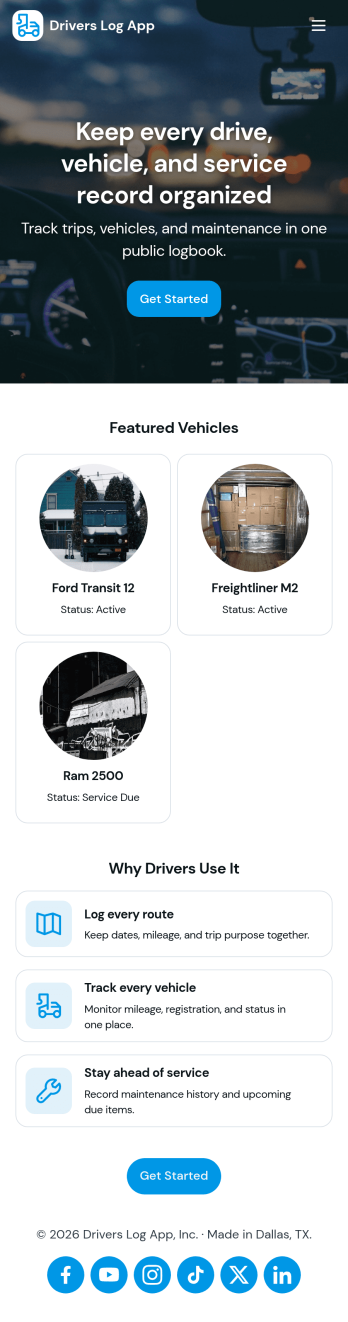
Drivers Log App
Drivers Log App helps drivers and fleet teams record trips, keep vehicle checks organized, and review log history in one place. Use it to capture new trip details, document routine pre-trip inspections, and quickly pull up prior entries when questions come up. It’s a practical fit for delivery services, field technicians, small fleets, school transport teams, and owner-operators who want a consistent way to track driving activity across vehicles and drivers without relying on scattered notes.Built with Jotform, this app template pairs a clean, mobile-friendly layout with connected data collection and simple navigation between key sections like New Trip, Vehicle Checks, Log History, and Summary. Customize pages, buttons, and branding with a no-code app builder and a drag-and-drop interface, then share the app for self-service logging so teams can submit updates from the road while you keep records organized for day-to-day operations.
Go to Category:Transportation Apps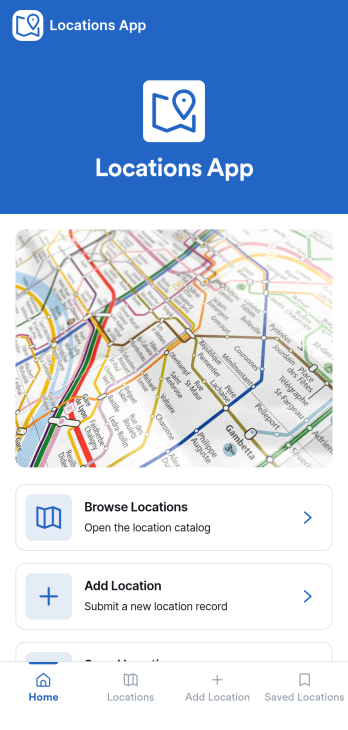
Locations App
Locations App brings all your location information into one easy-to-browse space, so teams and customers can quickly find the right place, view key details, and take action. Use it to publish a simple location directory for retail stores, offices, warehouses, service areas, pop-up sites, or community resources. With a browseable list, a dedicated location details view, and options to add a new location or submit an update, it supports day-to-day upkeep without turning location info into a messy spreadsheet. It’s especially useful for operations teams, franchise managers, real estate coordinators, and any organization that needs a clear source of truth for multiple sites.Jotform makes it simple to turn this Locations App app template into a branded self-service experience using a no-code app builder and a drag-and-drop interface. Connect buttons to forms and data sources, guide users to “add location” or “submit update” flows, and keep data collection consistent across your workflow. Share the app with a link or QR code, collaborate on changes with your team, and keep your location directory current as your business grows.
Go to Category:Customer Portal Apps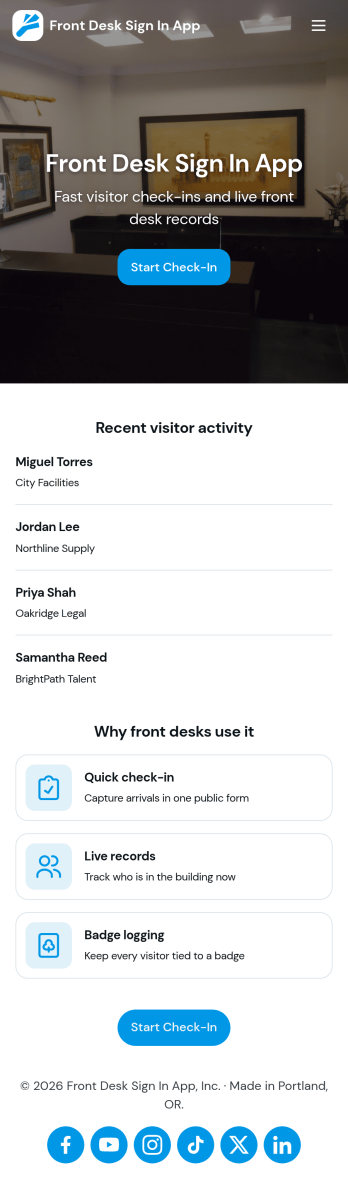
Front Desk Sign in App
Front Desk Sign in App gives reception teams a simple way to welcome visitors and record check-ins without paper logs. Use it in offices, clinics, schools, coworking spaces, and event venues to capture visitor names, keep a running list of arrivals, and help staff quickly look up recent activity from the front desk. With a clear sign-in action, an all-visitors view, and a personal view for individual staff or repeat visitors, it supports smoother guest flow during busy periods and reduces missed or incomplete entries.Built with Jotform, this app template can be tailored with a no-code app builder and a drag-and-drop interface so you can match your front desk process and branding. Connect the sign-in form to organized records, share the app by link or QR code, and keep data collection consistent across locations. As your workflow evolves, you can adjust pages, update fields, and route information to the right people, turning everyday visitor check-ins into a more reliable self-service experience.
Go to Category:Sign In Apps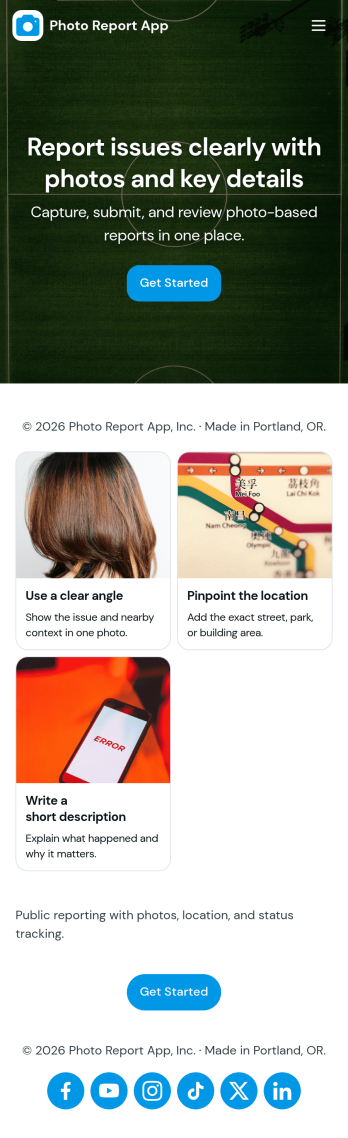
Photo Report App
Photo Report App helps teams capture and share visual updates in a consistent format, making it easier to document progress, issues, and on-site conditions without digging through scattered messages. Use it to start a new report, attach photos, and add supporting notes, then keep everything organized in one place for quick reference. It fits day-to-day needs across field operations, construction, property management, maintenance crews, event teams, and any group that needs reliable photo-based documentation for clients or internal stakeholders.Built with Jotform App Templates, this app template can be customized in Jotform’s no-code app builder using a drag-and-drop interface to match your workflow and reporting standards. Link the app to a connected form for data collection, publish it as a self-service experience for staff or partners, and keep recent reports easy to find through a simple list view. As your process evolves, you can update pages, adjust navigation, and expand the workflow so everyone stays aligned from report creation to review.
Go to Category:Report Apps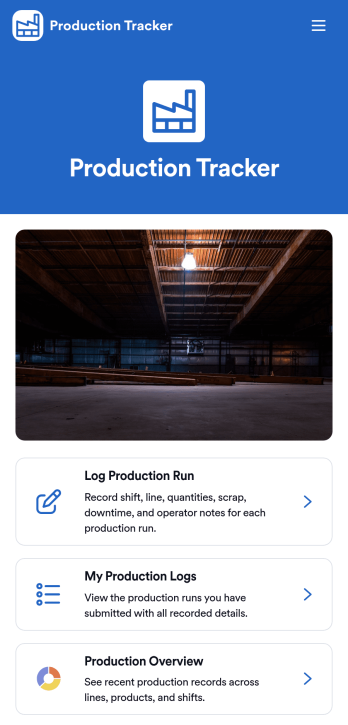
Production Tracker App
Production Tracker App helps manufacturing and operations teams record production runs, review personal log history, and monitor recent production records from a single place. It’s built for shift leads, line supervisors, and operators who need a quick way to log what was produced, when it happened, and which production line it ran on, then reference those entries later without digging through spreadsheets or messages. With clear navigation to log a run, open My Production Logs, and check a high-level Production Overview, the app supports consistent reporting across shifts and makes daily shop-floor updates easier to track.Jotform makes it simple to turn production reporting into a mobile-friendly workflow using its no-code app builder and drag-and-drop interface. Connect pages to your existing forms and data, publish the app in minutes, and share it with the right team members so everyone follows the same process. With Jotform App Templates, you can quickly customize the layout, add branding, and keep production data collection organized as your operation scales.
Go to Category:Operations & Logistics Portal Apps
Laundry Tracking App
The Laundry Tracking App is an organized recordkeeping template for laundromats, laundry service providers, hotel housekeeping teams, residential facilities, and organizations that process recurring loads. Staff can record laundry by service type and date, monitor item counts and current status, and review previous records from one convenient location. This clearer view of active and completed work helps teams reduce misplaced details, answer status questions, coordinate handoffs, and maintain consistent service during busy periods. Notes can also provide useful context when a load requires special handling or follow-up.Jotform makes this app template easy to adapt to the way your team manages laundry operations. Use the no-code App Builder and drag-and-drop interface to update pages, navigation, colors, fonts, and branding without writing code. The Laundry Tracking App can connect data collection with tables, notifications, approvals, and other workflow steps, creating a practical self-service resource for staff. Jotform App Templates are mobile-friendly and can be shared through a direct link, QR code, or embedded experience, helping teams access current laundry information from phones, tablets, or computers.
Go to Category:Tracker Apps
IP Address Management App
IP Address Management App gives IT teams, network administrators, managed service providers, and growing organizations a central workspace for organizing address allocations and subnet information. Teams can browse an IP directory, distinguish available addresses from allocated ones, and review associated network, hostname, and assignee details. They can also maintain subnet records and submit change requests with supporting context, helping reduce duplicate assignments, scattered spreadsheets, and unclear ownership. The template is useful for routine network administration, infrastructure planning, office expansions, device deployments, and internal audits where accurate records support faster decisions.Jotform makes this app template easy to adapt with a no-code app builder and a flexible drag-and-drop interface. Customize pages, navigation, colors, typography, and branding to match existing IT processes, then connect forms and tables to support data collection and organized workflows. Teams can add approval steps, trigger notifications, and provide controlled self-service access for staff who need to request network changes. Publish the finished app with a direct link, share it by QR code, or embed it in an internal resource center for convenient access across desktop and mobile devices.
Go to Category:Information Technology Apps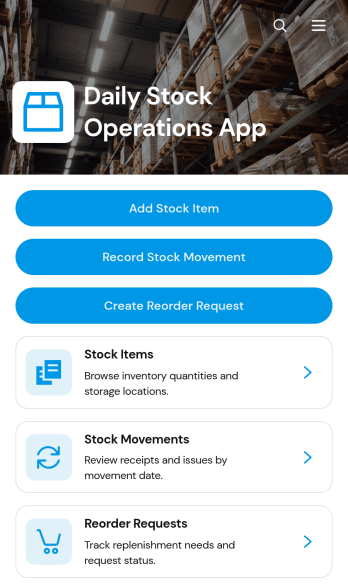
Daily Stock Operations App
Daily Stock Operations App gives inventory teams a central place to manage routine stock activity across warehouses, storerooms, retail locations, restaurants, and other supply environments. Staff can add stock items, record incoming or outgoing movements, review current quantities and reorder levels, and create reorder requests when supplies run low. Inventory coordinators, warehouse personnel, purchasing teams, and operations managers can use this app template to replace scattered records with a consistent daily workflow. Clear item and movement views help teams investigate changes, maintain more accurate records, and make timely replenishment decisions.With Jotform Apps, organizations can adapt the Daily Stock Operations App without writing code. The drag-and-drop app builder makes it easy to update pages, navigation, buttons, visual branding, and connected forms while keeping stock resources accessible in one mobile-friendly experience. Teams can connect data collection to Jotform Tables, approvals, notifications, and other workflows as their processes evolve. Publish the finished app using a direct link or QR code so authorized staff can access operational tools from a phone, tablet, or computer. Starting from one of Jotform’s ready-to-use App Templates also reduces setup time while leaving room to tailor the experience to each location or team.
Go to Category:Inventory Management Apps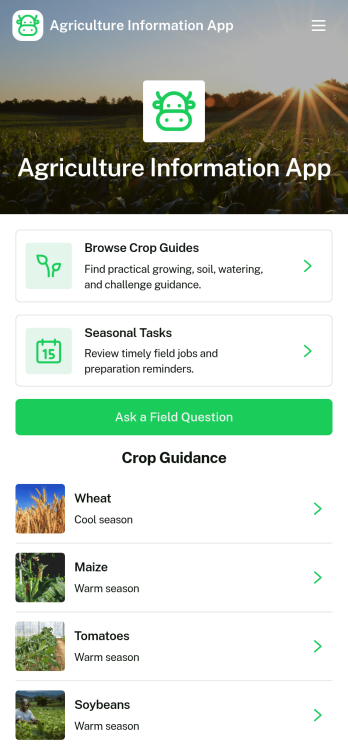
Agriculture Information App
The Agriculture Information App is a mobile-friendly resource for farmers, growers, agricultural advisers, extension teams, cooperatives, and educational programs that need to share practical crop and field knowledge. Users can browse crop guides, review seasonal tasks, and submit questions about crops or fieldwork from one central location. Guidance on watering, soil, common challenges, recommended tools, and safe task practices supports everyday decisions without scattering information across documents and messages. This app template can serve farms, community agriculture projects, training programs, and rural support organizations seeking clearer resource navigation and easier self-service.Jotform makes the Agriculture Information App easy to adapt with a no-code app builder and an intuitive drag-and-drop interface. Add branded pages, update guidance, reorganize navigation, or connect forms and tables as operational needs change. Linked forms support data collection for field questions, while connected workflows can route requests and notify the appropriate team members. Jotform App Templates also make publishing simple, so organizations can share their finished resource through a direct link or QR code for convenient access on phones, tablets, and computers.
Go to Category:Resource & Learning Portal Apps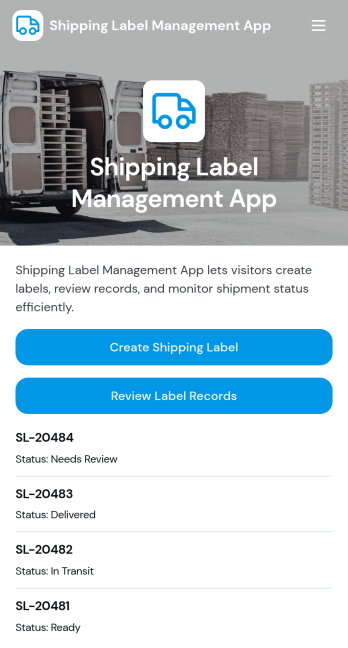
Shipping Label Management App
Shipping Label Management App helps teams create, organize, and review shipping labels in one place, especially when you handle frequent outbound orders. Use it to generate a new label, capture key shipment details like sender, recipient, package, weight, and tracking number, and keep a clear history of label records for future reference. It fits e-commerce brands, warehouse and fulfillment teams, small manufacturers, and office admins who ship products, samples, or returns and need a reliable way to find a label fast when a customer asks for tracking.With Jotform App Templates, you can publish this experience as a shareable, mobile-friendly hub connected to your data collection workflow. Customize pages with a drag-and-drop interface, guide staff with clear navigation buttons, and keep label records organized as your volume grows. Jotform’s no-code app builder makes it easy to update fields, adjust the layout, and connect the app to the rest of your shipping process without adding complexity.
Go to Category:Order & Shipping Portal Apps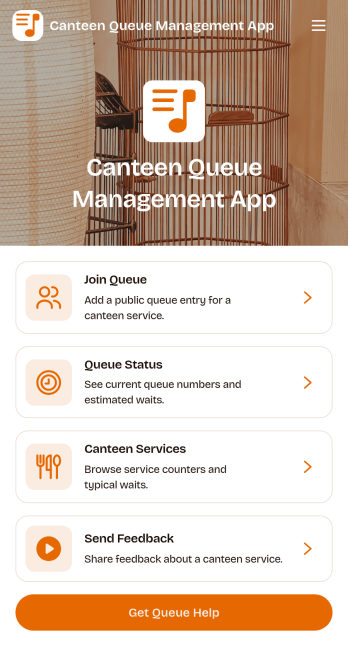
Canteen Queue Management App
Canteen Queue Management App helps canteens and food service teams organize waiting lines in a simple, visible way. Guests can join the queue from one place, staff can add a queue entry on behalf of walk-ups, and everyone can check waiting lines to understand their position before approaching the counter. It’s a practical fit for school canteens, workplace cafeterias, hospitals, event concessions, and any high-traffic food station that needs calmer peak hours and fewer line disputes.With Jotform, you can turn this app template into a branded self-service experience using a no-code app builder and a drag-and-drop interface. Connect the queue form and the live list to your workflow so updates stay consistent across devices, then share the app by link or QR code for fast access at the entrance. As needs change, you can adjust what you collect, refine the layout, and keep queue data organized for smoother daily operations.
Go to Category:Restaurant Management Apps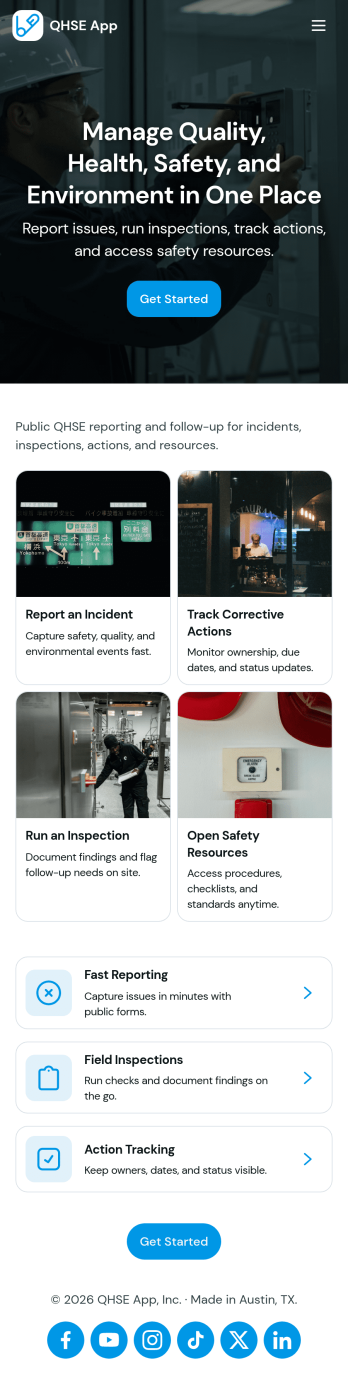
QHSE App
The QHSE app brings quality, health, safety, and environmental reporting into one place so teams can record incidents, run field inspections, and follow corrective actions from start to finish. It’s built for safety managers, operations leads, site supervisors, and contractors who need a practical way to capture what happened, document immediate actions, and keep visibility on severity, status, and follow-up needs across locations and shifts.With Jotform, you can turn this app template into a mobile-friendly workspace without coding, using a drag-and-drop interface to tailor pages, buttons, and navigation to your process. Connect forms to your workflow for consistent data collection, route updates to the right people, and share a self-service experience by link or QR code so reporting and inspections are easy to complete in the field.
Go to Category:Inspection Apps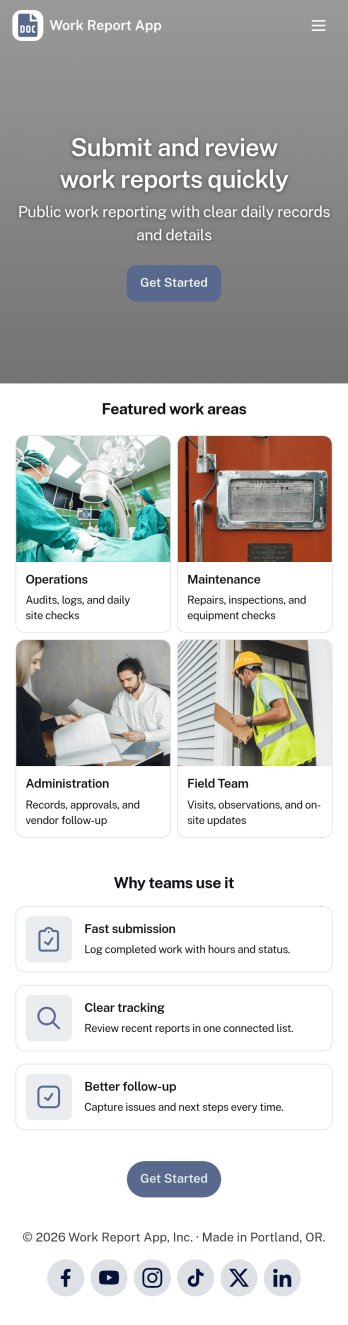
Work Report App
Work Report App brings your team’s updates into one place, making it easier to submit work reports, review activity, and keep a consistent record of what got done. Use it to collect daily or weekly summaries, job notes, progress updates, and status recaps from employees across departments, shifts, or locations. With simple navigation to view reports, open a report feed, and access an all-reports view, supervisors and operations teams can stay informed without chasing details through email or chat.Built with Jotform, this app template pairs an easy self-service experience with reliable data collection powered by connected forms and tables. Customize pages with a drag-and-drop interface, tailor the report fields to match your workflow, and share the app with a link so employees can report from any device. As reports come in, you can keep everything organized for faster follow-ups, clearer visibility, and smoother team coordination.
Go to Category:Report Apps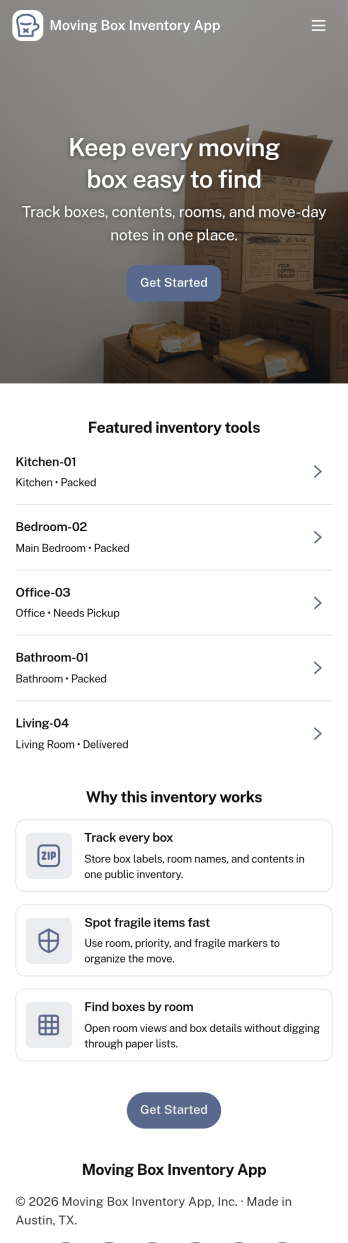
Moving Box Inventory App
Moving Box Inventory App helps you track what’s packed, where it’s going, and which box holds each item during a move. Use it to add new boxes as you pack, browse your full inventory, and quickly jump into room-based lists like Kitchen Boxes, Bedroom Boxes, and Living Room Boxes. It’s ideal for households, roommates, property managers, and small moving crews who want fewer lost items, clearer labeling, and an easier unpacking day.With Jotform, you can turn this app template into a simple self-service system for packing and organization using a no-code app builder and a drag-and-drop interface. Connect the app to your box-entry form for fast data collection, keep records organized, and update your workflow as plans change. Share the app by link so anyone helping can add boxes or look up what’s inside in seconds.
Go to Category:Inventory Apps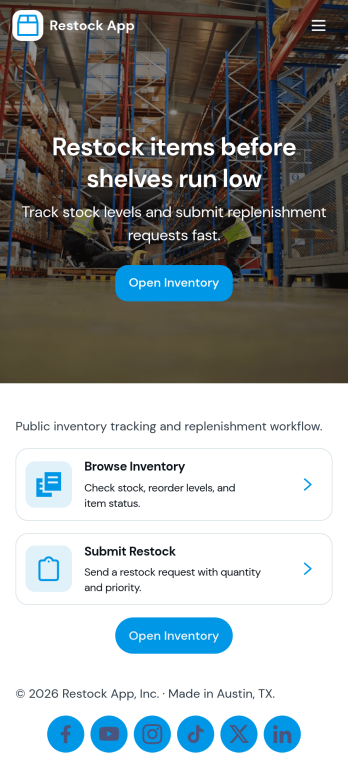
Restock App
Restock App helps teams keep shelves, storerooms, and supply closets replenished by centralizing item visibility, supplier contacts, and restock requests in one place. Use it to browse stock items, submit a new request when quantities run low, and review all requests so nothing gets missed during busy shifts. It fits retail back rooms, restaurants, warehouses, offices, and field teams managing consumables, parts, or packaging, especially when multiple people need a consistent process for asking, tracking, and following up.With Jotform, you can turn this restocking workflow into a shareable self-service experience using a no-code app builder and a drag-and-drop interface. Connect the app to your existing data collection and workflow needs by linking requests to tables, updating records as inventory changes, and keeping supplier details handy for faster outreach. Customize pages, buttons, and navigation to match how your team works, then share the app by link or QR code so staff can create requests and check status from anywhere.
Go to Category:Inventory Apps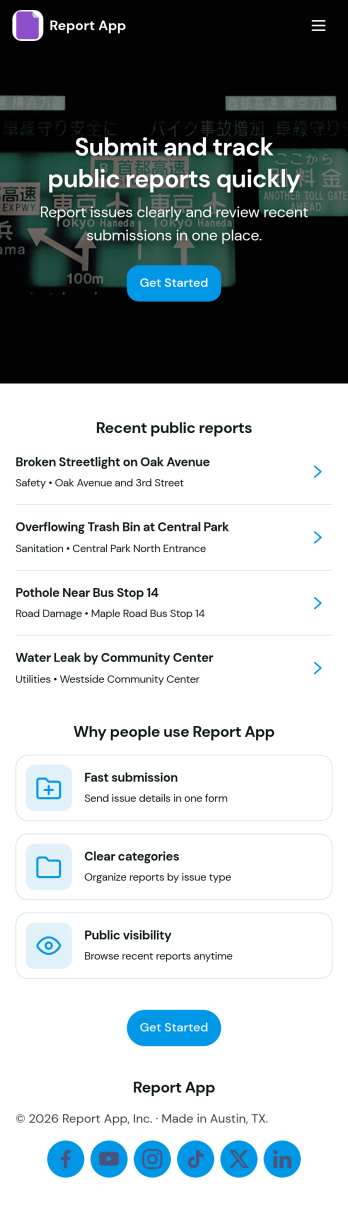
Report App
Report App helps teams collect new reports and browse existing reports in one place, so issues and updates don’t get lost across messages and spreadsheets. Use it to capture incident notes, field observations, project status updates, QA findings, or daily logs from staff, contractors, or volunteers. With clear navigation for submitting a report and viewing report lists, it supports faster follow-up, more consistent reporting, and an easy way for people to check what they’ve already sent through the My Reports view.Jotform makes it simple to publish this kind of self-service experience with App Templates built on a no-code app builder. Customize the pages with a drag-and-drop interface, connect your report form and data to the app, and share a single link for quick access on any device. As your workflow grows, you can update layouts, organize reporting activity, and keep everyone working from the same source of truth without writing code.
Go to Category:Report Apps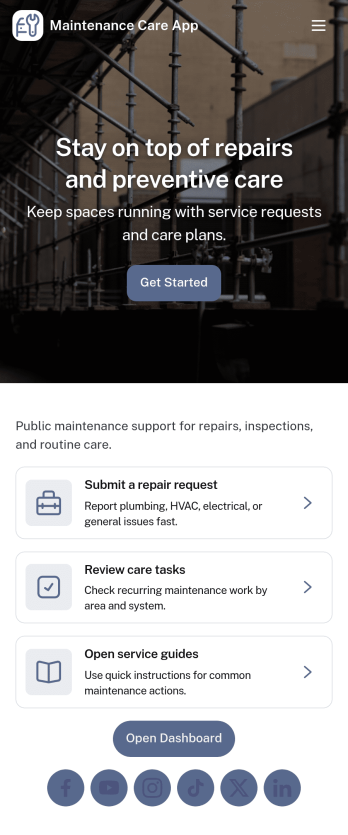
Maintenance Care App
Maintenance Care App brings your maintenance activity into one place so teams can keep assets running and respond to issues without losing track of work. Use it to browse equipment and property assets, collect issue reports from staff or tenants, and log job updates as work progresses. It fits facility managers, operations leads, property teams, and service providers who need a clear view of what needs attention, what’s in progress, and what’s been completed across multiple locations or asset types.With Jotform, you can turn this app template into a self-service experience for maintenance requests and internal workflows using a no-code app builder and a drag-and-drop interface. Connect buttons to forms for data collection, route information into connected tools and workflows, and share the app with a link so people can report problems and your team can track updates in real time. Customize pages, labels, and branding to match how your maintenance process already runs.
Go to Category:Equipment Maintenance Software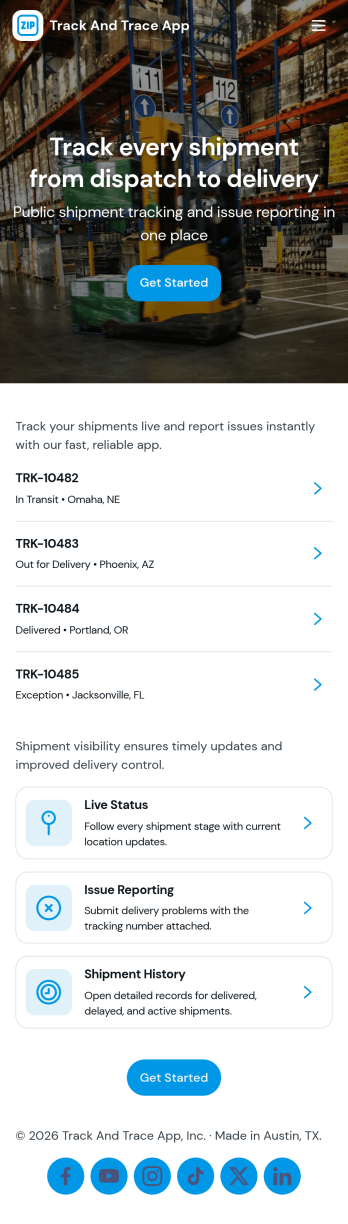
Track and Trace App
Track and Trace App brings shipment visibility into one place so teams can log new shipments, look up a tracking ID, and record trace updates as the delivery progresses. It’s a practical fit for operations and logistics teams, delivery coordinators, warehouse staff, and customer support groups that need quick answers on where an item is and what changed. Use it to reduce status-check chaos, keep internal notes consistent, and create a reliable history of updates that can be referenced when customers, partners, or drivers ask for the latest information.With Jotform, you can turn this app template into a branded self-service experience using a no-code app builder and a drag-and-drop interface. Connect the app to your data collection forms and workflows so shipment logs and trace updates stay organized, searchable, and easy to maintain. Publish in minutes, share by link or QR code, and keep your team aligned with a mobile-friendly app that’s simple to update as your process evolves.
Go to Category:Operations & Logistics Portal Apps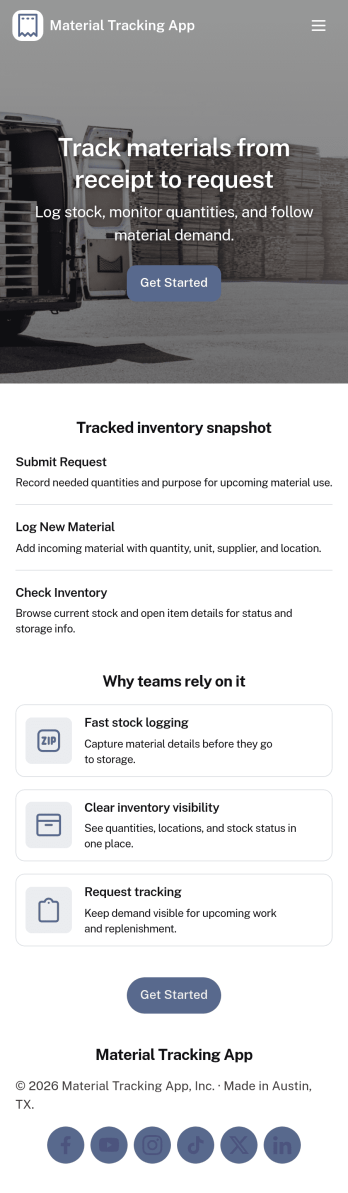
Material Tracking App
Material Tracking App helps teams record materials as they come in and go out, keep a clear view of current stock, and review activity over time. It’s a practical fit for construction crews, facilities teams, makerspaces, warehouses, and any operation that needs a simple way to log material usage and avoid surprises when supplies run low. With quick actions for logging material and adding new materials, plus dedicated areas for inventory and history, the app supports consistent updates across shifts and job sites.Built with Jotform, this app template makes it easy to launch a mobile-friendly self-service experience without coding. Use the drag-and-drop app builder to tailor pages, buttons, and navigation to your workflow, then connect your material log and inventory records to your existing data collection process. Share the app by link or QR code so staff can update stock in the moment, while managers get a clearer workflow for tracking materials and keeping inventory organized.
Go to Category:Inventory Apps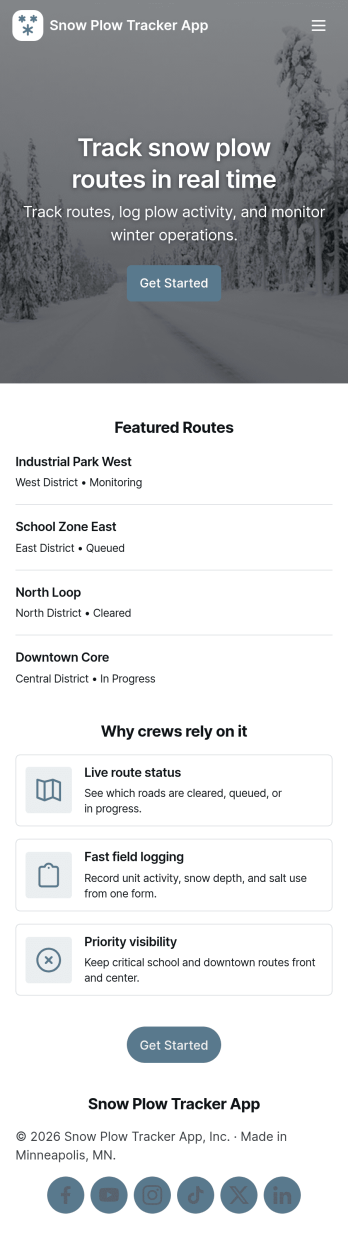
Snow Plow Tracker App
Snow Plow Tracker App helps snow removal teams keep route activity organized during storms by centralizing route navigation, fleet visibility, and route logging in one place. Use it to view routes, track active trucks, and capture route logs as work is completed, so supervisors and dispatchers can follow progress without chasing updates across calls and texts. It’s a practical fit for snow plow companies, municipalities, property managers, and contractors who need a consistent way to document work across multiple routes, drivers, and service areas.Built with Jotform, this app template turns everyday operations into a mobile-friendly self-service experience that’s easy to share with your crew. Customize pages with a drag-and-drop interface, connect route log forms to your workflow, and keep records organized in connected tables for quick review and reporting. With Jotform’s no-code app builder, you can publish a branded tracker that supports faster coordination, clearer documentation, and simpler end-of-shift reporting.
Go to Category:Transportation Apps