

School Management Apps

School Scholarship App
School Scholarship App brings scholarship opportunities and the application process into one place for students, families, and school staff. Use it to browse available scholarships, start an application from a shared device, and keep applicants informed as they move through each step. It fits high schools, districts, private schools, and counseling offices that need a clear way to publish opportunities and reduce confusion around deadlines, eligibility, and required materials.Built with Jotform, this app template pairs a simple, mobile-friendly experience with connected data collection and workflow. With a no-code app builder and a drag-and-drop interface, you can customize pages, update scholarship listings, and route applications into the right hands without rebuilding the process. Share the app through a link or QR code so students can self-service the details, apply quickly, and check their progress while your team stays organized in one consistent system.
Go to Category:Education Apps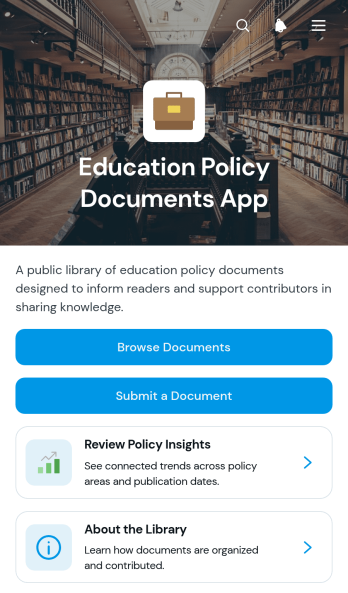
Education Policy Documents App
Education Policy Documents App is an app template for organizing, reviewing, and contributing education policy materials through one accessible digital library. Schools, universities, research groups, education nonprofits, administrators, and policy teams can use it to bring important documents together for staff, researchers, and community members. Users can browse document records, open original source files, and review concise policy context such as the policy area, issuing body, publication date, and summary. A document submission option also gives approved contributors a convenient way to recommend new resources. This centralized approach makes policy research easier, reduces scattered links and files, and helps audiences find relevant information without relying on repeated assistance.Jotform makes this Education Policy Documents App easy to adapt with a no-code app builder and a flexible drag-and-drop interface. Add pages, update branding, reorganize resource navigation, or connect forms and tables to support data collection and document workflows. The app can be shared through a direct link or QR code, giving users mobile-friendly self-service access wherever research or policy discussions take place. Starting with customizable App Templates also helps education teams publish a polished resource faster while retaining control over its content, structure, and visual presentation.
Go to Category:Resource & Learning Portal Apps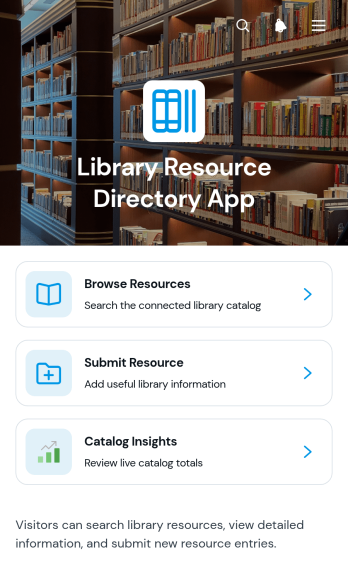
Library Resource Directory App
The Library Resource Directory App is a ready-to-use directory for libraries, schools, universities, community organizations, and research teams that need to make learning materials easier to find. Students, educators, staff, members, and visitors can browse resources, open individual catalog entries, and submit new materials for consideration. Staff can also review catalog insights to understand and maintain the collection. By bringing resource discovery and contributions into one accessible destination, this app template reduces scattered information, supports self-service, and helps users identify suitable materials without relying on repeated staff assistance.Jotform makes this Library Resource Directory App easy to adapt with a no-code app builder and an intuitive drag-and-drop interface. Add or rearrange pages, update directory content, adjust navigation, and apply your organization’s visual style without writing code. Connected forms support data collection, while tables, notifications, and approval steps can extend the resource submission workflow. Among Jotform’s App Templates, this option offers a flexible starting point for creating a mobile-friendly resource center that can be shared through a direct link, a scannable code, or an embedded experience.
Go to Category:Resource & Learning Portal Apps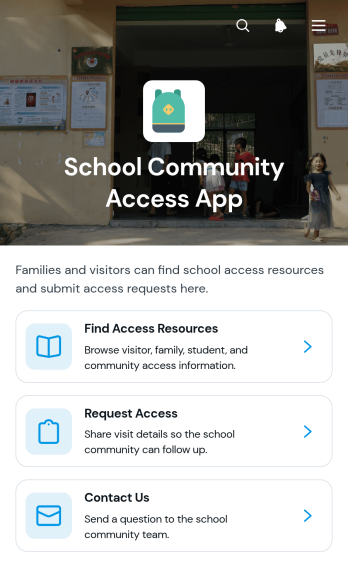
School Community Access App
The School Community Access App is a central resource for students, families, educators, staff, and community members who need clear information about school services and access options. It supports resource browsing, displays practical details such as location and availability, and provides forms for submitting access requests or contacting the appropriate team. Schools, districts, learning centers, and community education programs can use this app template to reduce confusion, make support easier to find, and create a consistent self-service experience for their communities.With Jotform, organizations can adapt App Templates to fit their communication and data collection needs without writing code. The no-code app builder features a drag-and-drop interface for updating pages, navigation cards, forms, and visual elements. Teams can connect requests to useful workflows, organize responses, and receive timely notifications when action is needed. Once the School Community Access App is ready, it can be shared by direct link or QR code for convenient mobile access, helping users reach essential resources wherever they are.
Go to Category:School Management Apps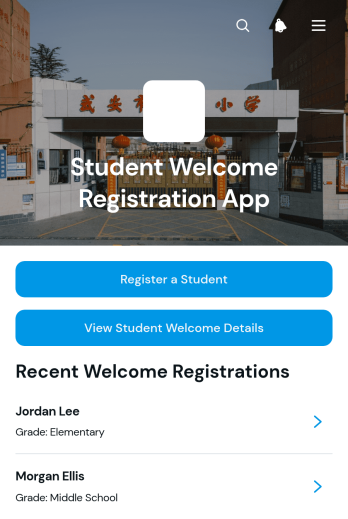
Student Welcome Registration App
Student Welcome Registration App is an app template for schools, colleges, tutoring programs, and other educational organizations that need a welcoming way to register incoming students and prepare them for orientation. Administrators, admissions teams, teachers, and student services staff can collect registration information, review student welcome details, and record orientation dates and welcome preferences in one accessible place. Students or their families can also submit a welcome question and update their preferences when plans change. This organized process reduces scattered communication, gives staff a clearer view of each student’s needs, and helps create a more personal arrival experience.With Jotform Apps, educational teams can adapt this Student Welcome Registration App using a no-code app builder and an intuitive drag-and-drop interface. Pages, navigation, forms, visual elements, and connected workflows can be updated to match the institution’s registration process and branding. Like other Jotform App Templates, this app template supports mobile-friendly data collection and self-service access without requiring programming knowledge. Teams can publish it through a direct link or QR code, connect collected information to Jotform Tables, and receive timely updates from linked processes. The result is a central welcome experience that supports coordination from initial registration through orientation.
Go to Category:School Management Apps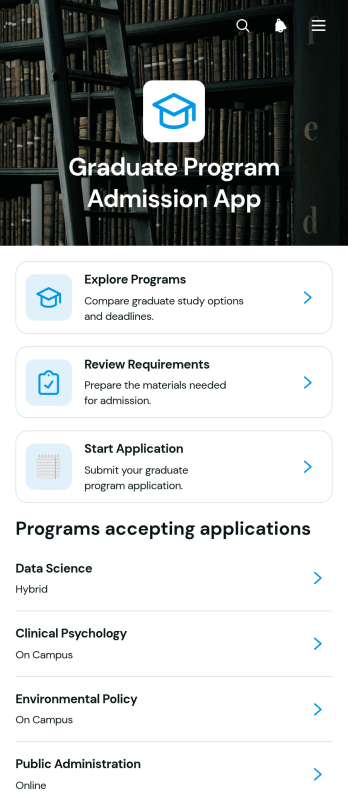
Graduate Program Admission App
The Graduate Program Admission App gives universities, colleges, academic departments, and admissions teams a central destination for guiding prospective graduate students through program discovery and application preparation. Applicants can explore available programs, review program overviews and deadlines, check key requirements such as academic records and supporting documents, and move directly into the application process. This app template helps institutions present essential admission information consistently while reducing uncertainty for candidates. It is especially useful for recruitment cycles, departmental admissions, postgraduate information campaigns, and international or domestic applicant outreach.Jotform Apps makes it easy to adapt this experience with a no-code app builder and an intuitive drag-and-drop interface. Teams can update pages, branding, navigation, and content without programming, then connect forms and data collection tools to the wider admissions workflow. The app can be shared through a direct link or QR code and accessed on mobile devices, giving applicants a convenient self-service resource wherever they are. Starting with customizable App Templates also helps admissions teams publish faster while maintaining an organized and welcoming application journey.
Go to Category:Education Apps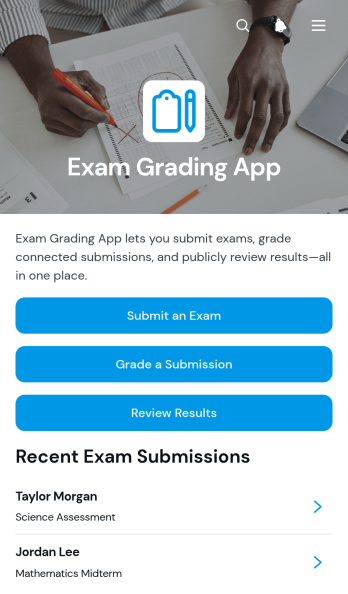
Exam Grading App
Exam Grading App is an app template for collecting completed exams, evaluating student responses, and publishing clear grading outcomes from one organized location. Teachers, tutors, training teams, academic departments, and educational programs can use it to manage assessments without relying on scattered files or separate communication channels. Students can submit an exam, graders can review answer summaries and record evaluations, and authorized users can review scores, grade status, and grader notes. This central experience helps educators maintain consistent assessment processes, reduce administrative work, and give learners a simpler way to access results.Jotform makes this Exam Grading App easy to adapt with a no-code app builder and an intuitive drag-and-drop interface. Add branded pages, adjust navigation, update content, and connect forms or tables to support data collection and grading workflows without writing code. This app template can be shared through a direct link or QR code for convenient mobile access. Whether used for classroom tests, tutoring assessments, employee training exams, or course evaluations, Jotform App Templates help teams create a practical self-service experience and keep important academic actions together.
Go to Category:Quiz Apps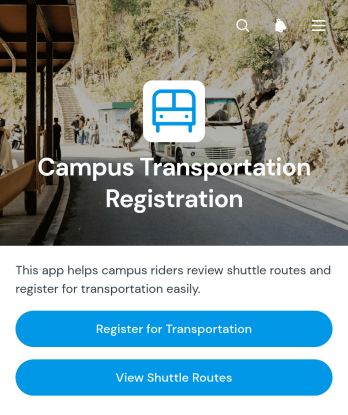
Campus Transportation Registration App
Campus Transportation Registration App gives colleges, universities, and other educational institutions a central place to coordinate campus shuttle access. Students, faculty, staff, transportation teams, and campus administrators can use this app template to submit transportation registrations, browse available shuttle routes, and review pickup points and operating hours. Keeping essential details in one accessible experience reduces uncertainty for riders, helps transportation teams gather accurate passenger information, and makes it easier to communicate service availability throughout the academic year.With Jotform Apps, institutions can adapt this Campus Transportation Registration App without writing code. The drag-and-drop interface makes it easy to update content, apply campus branding, and connect registration forms with data collection tools and related workflows. Jotform App Templates also support self-service access through mobile-friendly pages that can be shared by direct link or QR code. Teams can organize route resources, registration activity, and service information in one app while making ongoing changes through an intuitive app builder.
Go to Category:Transportation Apps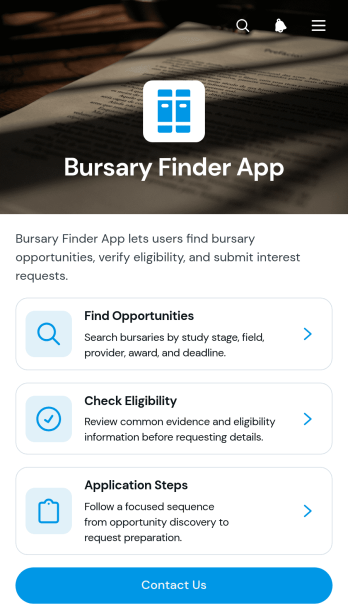
Bursary Finder App
Bursary Finder App is a centralized resource for students and prospective learners seeking financial support for education. Schools, colleges, training providers, nonprofits, and student support teams can use it to help applicants discover bursary opportunities, review eligibility expectations, and understand the main application steps. Clear guidance on enrollment evidence, financial circumstances, and personal statements helps users prepare before requesting further details. By bringing key information and contact access into one mobile-friendly experience, the app reduces confusion, encourages informed applications, and gives education teams a practical self-service resource to share with their communities.Jotform App Templates make it easy to adapt this app template without writing code. Using Jotform’s no-code app builder and drag-and-drop interface, organizations can update pages, navigation cards, buttons, visual branding, and guidance to match their bursary programs. Teams can connect forms for data collection, organize responses, trigger notifications, and support a smoother workflow from initial research to inquiry. Once published, the app can be shared through a direct link or QR code, giving students convenient access from phones, tablets, and computers while administrators maintain content from one place.
Go to Category:Education Apps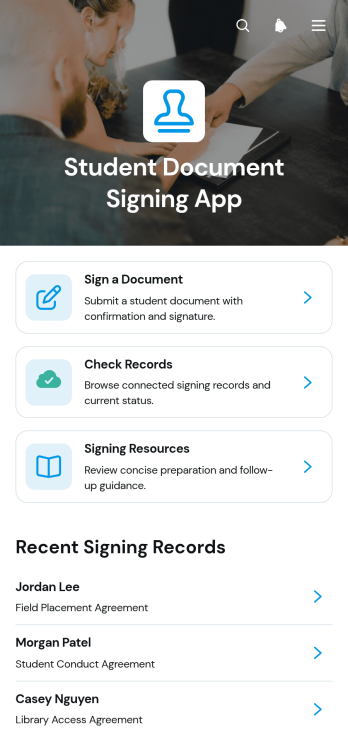
Student Document Signing App
The Student Document Signing App is an app template for schools, colleges, training providers, and education teams that need a central place for students to review and sign documents. Students can start a new signing, check records and status details, review document versions, and consult signing resources without searching through scattered messages or files. Administrators can use it for enrollment acknowledgments, course agreements, policy confirmations, program participation documents, and other routine signing processes. By keeping the signing context and student identifier connected to each record, the app supports clearer recordkeeping and gives staff a more organized way to manage recurring document requests.Jotform App Templates help organizations create mobile-friendly experiences without writing code. Using Jotform’s no-code app builder and drag-and-drop interface, teams can customize pages, navigation, colors, fonts, and branding to match their institution. The Student Document Signing App can connect forms and tables to support data collection, record review, and related workflow steps from one convenient location. Publish it through a direct link or QR code so students can access self-service signing resources from a phone, tablet, or computer, while staff maintain and update the experience as document requirements change.
Go to Category:Education Apps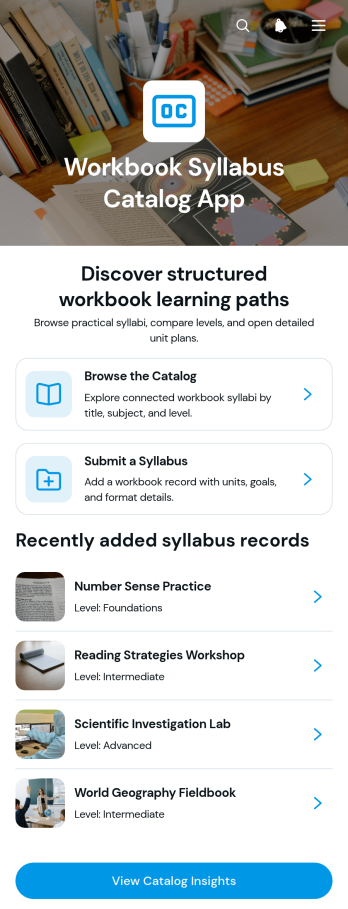
Workbook Syllabus Catalog App
Workbook Syllabus Catalog App is an educational resource app template for schools, training providers, curriculum teams, tutors, and learning program administrators that need one place to publish and review workbook-based syllabi. Users can browse a searchable catalog, open individual workbook records, and submit new syllabi for consideration. Learning paths can be grouped by foundation and advanced levels, while each catalog entry can present unit plans, learning context, goals, and syllabus insights. This organized experience helps educators compare materials, guide learners toward appropriate resources, and maintain a consistent overview of available coursework without scattering information across separate documents or channels.With Jotform, teams can adapt this app template through a no-code app builder and an intuitive drag-and-drop interface. Pages, cards, navigation, branding, and connected forms can be updated to match a school or training program. Jotform App Templates can also connect data collection with tables and workflows, making it easier to review syllabus submissions, keep catalog details current, and support self-service resource discovery. Once ready, the app can be published and shared by direct link or QR code, giving instructors, administrators, and learners mobile-friendly access wherever they work or study.
Go to Category:Resource & Learning Portal Apps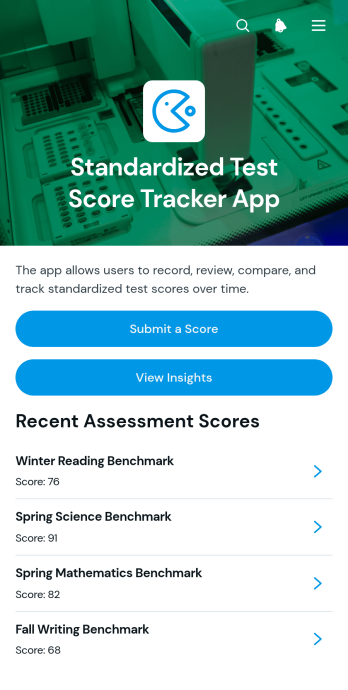
Standardized Test Score Tracker App
The Standardized Test Score Tracker App is an education app template for recording, reviewing, and interpreting student assessment results in one organized location. Schools, tutoring programs, academic support teams, teachers, counselors, and education administrators can use it to monitor performance across standardized assessments. Users can submit a score, browse assessment records, and view insights without relying on scattered spreadsheets or paper files. This gives educators a clearer view of individual results, supports consistent data collection, and helps teams identify progress or areas that may require additional instruction.Jotform Apps makes it easy to adapt this app template to an institution’s assessment workflow without writing code. With the no-code app builder and drag-and-drop interface, users can update pages, adjust navigation, add branded visual elements, and connect forms or tables that support score management. The finished app can be shared by direct link or QR code for convenient mobile-friendly access. Explore Jotform App Templates to create a focused resource that supports collaboration, organized reporting, and practical self-service for authorized educators and staff.
Go to Category:Tracker Apps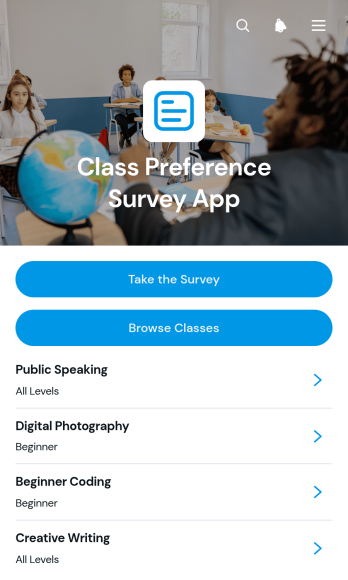
Class Preference Survey App
Class Preference Survey App helps schools, training providers, course coordinators, and instructors understand which classes learners want to attend. Participants can browse available classes, review key details such as schedules, formats, levels, and learning goals, then submit ranked preferences through a connected survey. Organizers can review responses by participant to identify popular options and alternative choices. This self-service experience supports course demand analysis, timetable planning, class capacity decisions, and curriculum development without relying on scattered emails or manually compiled questionnaires.With Jotform, this app template can be adapted using a no-code app builder and an intuitive drag-and-drop interface. Add branded pages, update class information, connect forms to data collection and workflow tools, or reorganize navigation without writing code. Jotform App Templates also make it easy to share the finished app through a direct link or QR code for convenient mobile access. Teams can bring class discovery and preference collection into one interactive experience while keeping information easier to update and responses ready for operational review.
Go to Category:Classroom Management Apps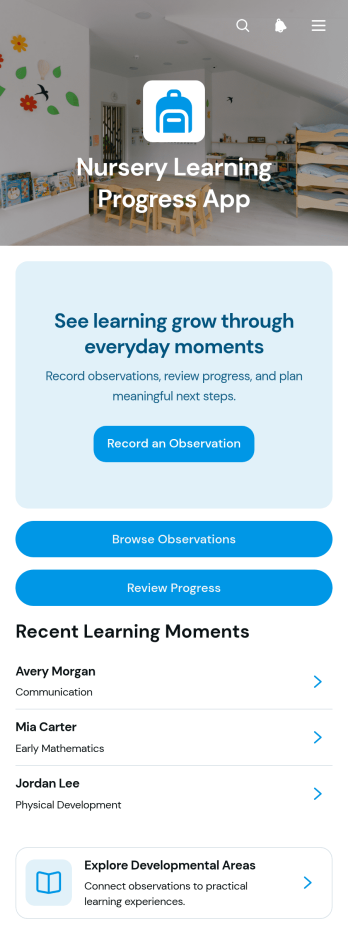
Nursery Learning Progress App
Nursery Learning Progress App gives nursery educators, early years teams, and childcare managers one organized place to document everyday learning and monitor each child’s development. Staff can record new observations, browse previous entries, review progress, and explore learning by developmental area without relying on scattered notes or separate files. This app template supports consistent recordkeeping during classroom activities, play sessions, and routine care, helping teams recognize growth over time and prepare more informed updates for caregivers. It is especially useful for nurseries, preschools, daycare centers, and independent early childhood educators seeking a clearer data collection workflow.Jotform makes this Nursery Learning Progress App easy to adapt with a no-code app builder and a flexible drag-and-drop interface. Teams can adjust pages, navigation, colors, fonts, and visual elements to suit their setting, then connect forms and tables to support observation capture and organized progress records. Ready-made App Templates reduce setup time while leaving room for tailored workflows and staff self-service. Once published, the app can be shared by link or QR code and accessed from phones, tablets, or computers, giving authorized team members a convenient way to add and review information wherever learning happens.
Go to Category:Education Apps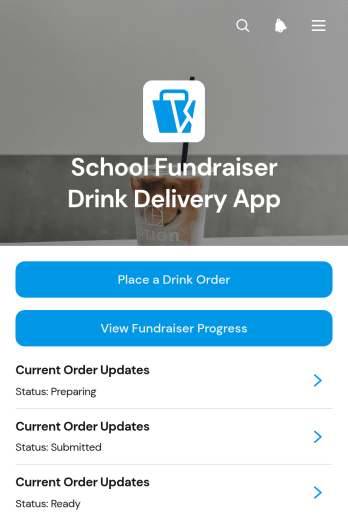
School Fundraiser Drink Delivery App
School Fundraiser Drink Delivery App gives schools, parent groups, student clubs, and fundraising volunteers one convenient place to coordinate beverage sales and delivery. Supporters can place drink orders, review current order updates, and check fundraiser progress without relying on scattered messages or paper records. Organizers can keep important details such as quantities, fundraiser groups, delivery windows, and delivery locations connected to each order. This app template is useful for campus campaigns, team fundraisers, club activities, and other school programs that sell drinks to raise money. It improves visibility for supporters while helping coordinators organize fulfillment, communicate delivery expectations, and monitor results throughout the campaign.Jotform makes it easy to adapt this app template with a no-code app builder and an intuitive drag-and-drop interface. Add or rearrange pages, update branding, connect order forms and tables, and create workflows that support data collection and timely notifications. Jotform App Templates can be customized for a single fundraiser or reused for recurring school campaigns. Once the app is ready, organizers can publish it through a direct link or QR code, giving families, staff, volunteers, and community supporters mobile-friendly self-service access from nearly any device.
Go to Category:School Management Apps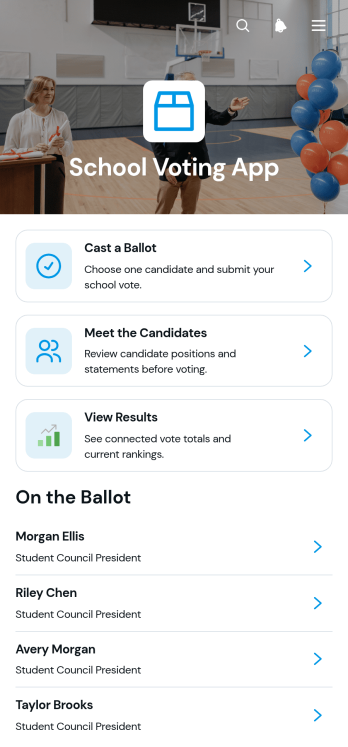
School Voting App
School Voting App provides schools with a central, mobile-friendly place to run student council elections, class representative votes, club elections, and other campus polls. Students can review candidate information, learn how the voting process works, cast a ballot, check ballot status, and view published results without navigating separate resources. Teachers, election committees, student activity coordinators, and school administrators can use this app template to organize election information and give eligible participants a clearer voting experience. It reduces confusion around candidate choices, voting steps, and result access while supporting student participation and easier election management.Jotform App Templates help schools turn connected forms, information, and workflows into accessible digital experiences. With Jotform’s no-code app builder and drag-and-drop interface, teams can customize the School Voting App with school colors, instructions, candidate profiles, navigation, and linked data collection forms. Administrators can organize election resources, collaborate on updates, connect responses with tables or approval workflows, and share the finished app using a direct link or QR code. No programming knowledge is needed, making it easier to create a branded self-service voting resource for phones, tablets, and computers.
Go to Category:School Management Apps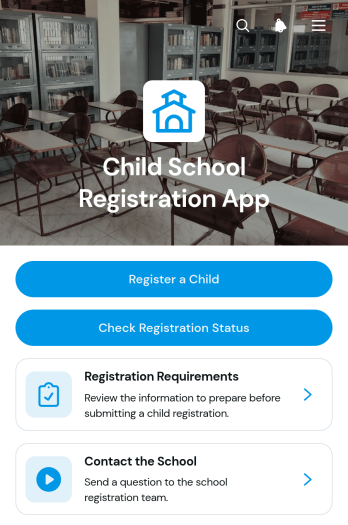
Child School Registration App
Child School Registration App gives schools a central, mobile-friendly place for families to register a child and follow the enrollment process. Created for school administrators, admissions teams, registrars, parents, and guardians, this app template provides direct access to the registration form, registration requirements, status information, and a school contact form. It can support enrollment periods, new student intake, preschool registration, transfer requests, and year-round admissions. By keeping essential actions and guidance together, schools can reduce incomplete applications, limit routine inquiries, and give families a clearer self-service experience from any device.Jotform makes it easy to adapt App Templates to the needs of a school without writing code. Use the no-code app builder and drag-and-drop interface to update pages, adjust navigation, apply school colors, and connect forms with tables, notifications, approvals, and other workflow steps. Administrators can organize data collection in one place while sharing the finished app through a direct link, QR code, or embedded experience. The Child School Registration App can be updated as enrollment policies, deadlines, or instructions change, creating a practical resource for both recurring registration cycles and daily admissions work.
Go to Category:School Management Apps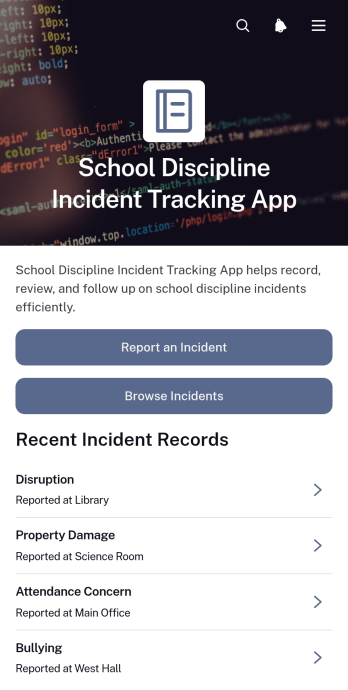
School Discipline Incident Tracking App
The School Discipline Incident Tracking App gives teachers, administrators, counselors, and student support teams a central place to document and review behavioral incidents across a school. Staff can submit a new incident report, browse recorded cases, and view essential context such as the incident type, reporter, date, location, and immediate action taken. Dedicated views help teams monitor disruptions and bullying reports while incident insights support the identification of recurring concerns. Schools can use this app template to replace scattered records, improve follow-up, and give authorized staff a more consistent understanding of disciplinary activity.Jotform App Templates make it easy to adapt this experience to a school’s processes without writing code. With Jotform’s no-code app builder and drag-and-drop interface, teams can update pages, navigation, visual styling, and connected forms from one workspace. Collected data can connect with tables, approval steps, notifications, and other workflow tools to support timely review and coordinated action. Once customized, the app can be shared through a direct link or QR code, giving staff mobile-friendly access wherever incidents need to be reported or reviewed.
Go to Category:School Management Apps
Teacher Leave Credit Management App
Teacher Leave Credit Management App gives schools, academic departments, and education administrators a central place to handle teacher leave requests and credit records. Teachers can submit a leave request, review previous requests, and check how requested days may affect their available credits. Administrators and human resources teams can monitor request status, access connected leave records, and open reports without relying on scattered emails or separate spreadsheets. This app template is especially useful for schools seeking clearer recordkeeping, faster access to leave information, and a more convenient self-service experience for faculty members.Jotform App Templates make it easy to adapt this experience to an institution’s existing workflow. Using Jotform’s no-code app builder and drag-and-drop interface, teams can update pages, navigation, colors, fonts, and branding without programming. Forms and tables can be connected to support data collection, record organization, notifications, and ongoing reporting. Once customized, the app can be shared through a direct link or QR code, giving teachers and authorized staff mobile-friendly access to the resources and actions they need.
Go to Category:School Management Apps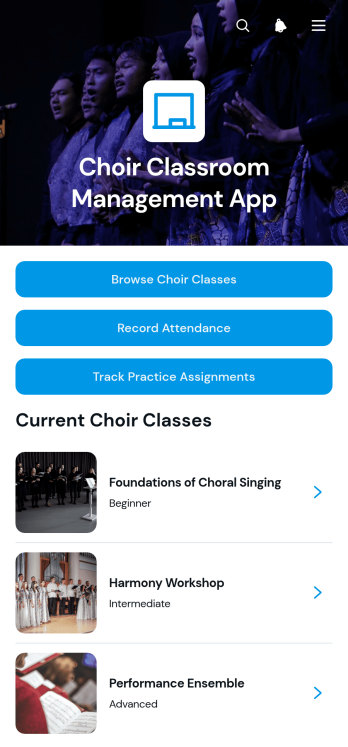
Choir Classroom Management App
The Choir Classroom Management App is an app template for choir directors, music teachers, teaching assistants, and school arts departments that need one organized place to manage ensemble classes. Users can browse choir classes, review room and class focus information, record student attendance, and track practice assignments. It also gives instructors quick access to class resources and individual student notes, helping them prepare rehearsals, monitor participation, and follow up on assigned practice. Whether used for a single ensemble or several choir groups, the app reduces scattered records and keeps recurring classroom tasks easier to find and manage.Jotform App Templates make it simple to adapt this experience to different grade levels, rehearsal formats, and teaching routines. With Jotform’s no-code app builder and drag-and-drop interface, educators can update pages, buttons, branding, and navigation without programming. Connected forms support data collection for attendance and assignments, while tables help organize records within the broader workflow. The finished app can be shared by link or QR code for convenient mobile access, giving staff a practical self-service resource for managing choir classroom activity from rehearsal spaces, offices, or classrooms.
Go to Category:Classroom Management Apps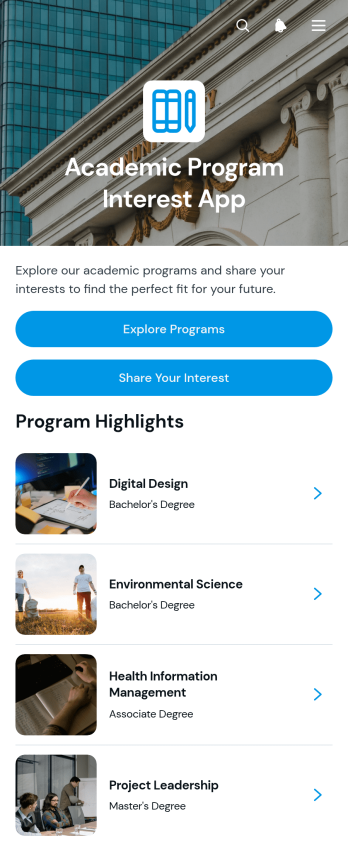
Academic Program Interest App
The Academic Program Interest App is an app template for colleges, universities, training providers, and academic advising teams that want to help prospective students research programs and express interest. Visitors can browse available programs, review program information and career outcomes, and submit questions or share their interest from one convenient experience. Admissions and recruitment teams can use it during enrollment campaigns, campus events, school visits, or ongoing outreach to guide prospective students toward suitable study options. By bringing program discovery and inquiry collection together, this template supports informed decisions, captures qualified interest, and gives staff a clearer path for timely follow-up.Jotform Apps makes it easy to adapt this Academic Program Interest App without coding. Use the drag-and-drop app builder to update pages, buttons, visual elements, and branding, then connect forms and tables to support data collection and admissions workflows. The mobile-friendly layout gives prospective students convenient self-service access from almost any device. Once the app is ready, teams can publish it through a direct link, custom app URL, QR code, or embedded experience, making Jotform App Templates useful for digital campaigns, advising resources, and recruitment events.
Go to Category:Education Apps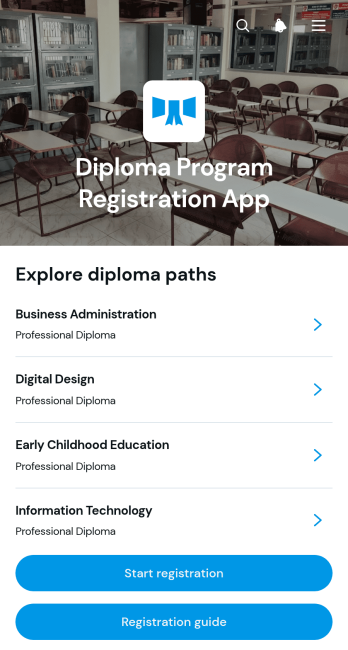
Diploma Program Registration App
Diploma Program Registration App is an app template for schools, training providers, academic departments, and continuing education teams that need a clear digital path from program discovery to enrollment. Prospective students can browse available diploma programs, review essential details such as duration and delivery method, consult a registration guide, and submit their information through a connected form. By bringing program selection and data collection into one accessible experience, the app reduces confusion, keeps applicants focused on the next step, and helps administrative teams manage interest across multiple diploma offerings.Jotform Apps makes it easy to adapt this app template with a no-code app builder and an intuitive drag-and-drop interface. Teams can update pages, cards, buttons, images, and navigation to reflect their programs and branding, then connect forms, tables, approvals, and notifications to support the registration workflow. The finished Diploma Program Registration App can be shared through a direct link or QR code for mobile-friendly self-service access, giving prospective students a convenient way to explore programs and register from nearly any device.
Go to Category:Course & Training Registration Apps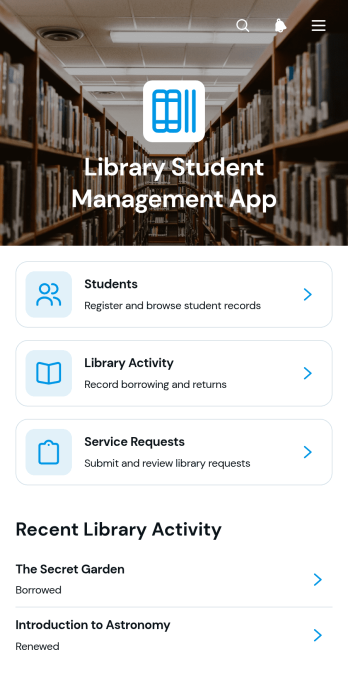
Library Student Management App
The Library Student Management App is a central workspace for school librarians, library assistants, administrators, and education teams managing student access to library services. It brings student registration, library activity records, return-date information, and service requests into one accessible experience. Staff can review student details and notes, record borrowing or other activity, monitor upcoming returns, and follow requests without relying on scattered documents. Schools, colleges, tutoring centers, and learning programs can use this app template to maintain clearer records, respond to student needs, and keep daily library operations organized.Jotform Apps helps teams turn connected forms, records, and resources into convenient digital experiences without writing code. Start with this Library Student Management App from Jotform’s App Templates, then adapt its pages, navigation, colors, and content through the no-code App Builder and drag-and-drop interface. Link data collection forms and supporting workflows so staff can manage information from a shared destination. Once ready, publish the app template with a direct link or QR code for mobile-friendly access, giving authorized users a practical self-service resource that can evolve with library procedures.
Go to Category:School Management Apps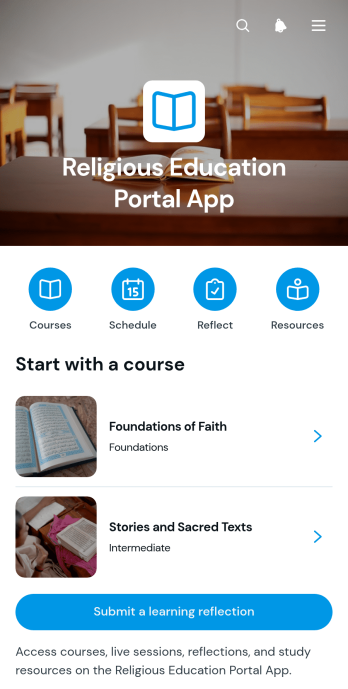
Religious Education Portal App
The Religious Education Portal App provides a central learning space where faith communities, religious schools, congregations, educators, and study groups can organize educational programs. Learners can browse available courses, follow weekly course paths, review upcoming sessions, open study resources, and submit learning reflections. By bringing these activities together, the portal makes lessons and supporting materials easier to find while helping educators encourage continued participation. It is well suited to recurring classes, youth education, adult study programs, community learning, and blended instruction delivered in person or remotely.With Jotform Apps, organizations can adapt this app template through a no-code app builder and an intuitive drag-and-drop interface. Teams can update pages, navigation, colors, fonts, images, and other visual elements to match their educational setting. Connected forms support data collection for reflections and other learning activities, while links and organized content enable convenient self-service access. The finished app can be shared by link or QR code and opened on phones, tablets, or computers, giving learners a consistent way to reach course information and supporting educators as programs evolve.
Go to Category:Resource & Learning Portal Apps