

HR Portal App Templates

Workplace Entry Screening App
Workplace Entry Screening App is a ready-to-use app template for organizations that need a consistent way to review employees, contractors, and visitors before workplace entry. Facility teams, human resources departments, office administrators, and site managers can use it to start screenings, present entry guidance, review screening records, and check an entrant’s current status. Keeping visit details, declarations, and outcomes within one accessible experience reduces fragmented paperwork, helps staff find relevant records, and supports an organized entry process across offices, worksites, and shared facilities.With Jotform Apps, teams can adapt this template to their procedures without writing code. The no-code app builder and drag-and-drop interface make it easy to update pages, branding, navigation, and instructions. Connect forms and tables to support data collection, notifications, and related workflows, then share the app through a direct link or QR code. Jotform App Templates also provide a practical starting point for creating mobile-friendly self-service experiences that can evolve as workplace needs change.
Go to Category:Safety and Compliance Apps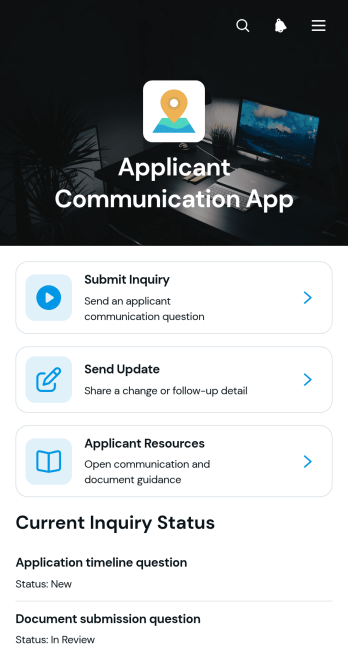
Applicant Communication App
The Applicant Communication App is a ready-to-use communication hub for recruitment teams, hiring managers, staffing coordinators, and organizations that need a consistent way to engage candidates. Applicants can submit inquiries, receive relevant updates, and browse helpful resources from one accessible location. Organized communication records give teams clearer visibility into questions, messages, and update types without relying on scattered email threads. This app template is useful throughout recruitment, enrollment, screening, and selection processes where timely information can improve the applicant experience and help staff maintain consistent communication.Jotform Apps makes it easy to turn this Applicant Communication App into a branded self-service experience without writing code. Use the no-code app builder and drag-and-drop interface to adjust pages, navigation, colors, fonts, and content to match your process. Connected forms support data collection, while organized records and automated notifications can strengthen the communication workflow. Like other customizable App Templates from Jotform, the app can be shared through a direct link or QR code and accessed from phones, tablets, or computers. Teams can publish updates, revise resources, and expand the experience as applicant needs evolve.
Go to Category:Job Apps
Superannuation Choice Form App
Superannuation Choice Form App gives employees a central place to submit a preferred fund choice while helping HR and payroll teams organize the information needed for contribution setup. Employers, workforce administrators, financial service teams, and contractors can use this app template during onboarding, after an employee changes funds, or when existing choice details need updating. Users can submit fund information, review recorded choices, and browse or compare fund references without relying on disconnected documents and email threads. This supports clearer data collection, easier record review, and a more convenient self-service experience for employees.Jotform Apps helps organizations turn processes like fund choice collection into accessible digital experiences without writing code. Start with this template from Jotform App Templates, then use the no-code app builder and drag-and-drop interface to adjust pages, navigation, colors, and branding. Forms, tables, notifications, approvals, and other workflow resources can be connected to keep information moving between employees and internal teams. Once the Superannuation Choice Form App is ready, publish it through a direct link or QR code so users can open it from a phone, tablet, or computer.
Go to Category:Employee Self Service Apps
Employee Intranet Portal App
Employee Intranet Portal App gives HR teams, operations leaders, managers, and growing organizations a central destination for internal communication and employee self-service. Staff can submit updates and requests, browse shared resources, and review published information without searching across disconnected channels. Dedicated lists and detail pages help organize content by category, display relevant attachments, and direct employees to useful resources. This app template is well suited to hybrid workplaces, distributed teams, and small to midsize businesses that want to make routine information easier to find while creating clearer paths for internal requests and team updates.Jotform Apps helps organizations turn everyday workplace processes into accessible app experiences without writing code. Start with Employee Intranet Portal App, then use the no-code app builder and drag-and-drop interface to adjust pages, navigation, colors, typography, and branding. Connect forms for data collection, link resources, and support workflows that keep employee activity organized. The finished portal can be shared through a direct link or QR code, giving staff convenient access from phones, tablets, or computers. Jotform app templates also make it easier to expand the portal as policies, resources, and operational needs change.
Go to Category:HR Portal Apps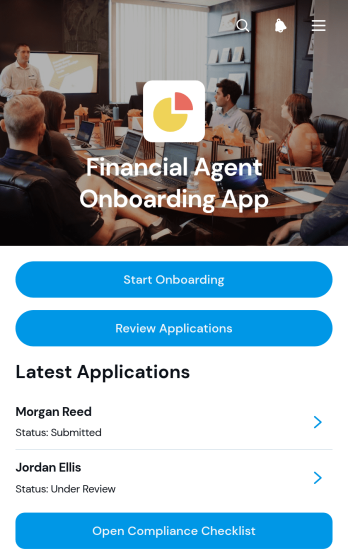
Financial Agent Onboarding App
Financial Agent Onboarding App is an app template for financial services firms, agency managers, recruiting teams, and operations staff who need a central place to bring new agents into their organization. It supports candidate intake, application review, profile browsing, and checklist tracking without scattering records across emails and separate documents. Reviewers can access professional background, contact details, service focus, license information, and internal notes while moving applicants through new, under-review, and follow-up stages. This organized experience helps teams maintain consistent onboarding procedures, understand each applicant’s progress, and give staff convenient access to the information needed for timely decisions.With Jotform Apps, teams can adapt this Financial Agent Onboarding App using a no-code app builder and an intuitive drag-and-drop interface. Pages, navigation, forms, guidance, and connected workflows can be updated to reflect internal processes and branding. Jotform App Templates also connect with forms, tables, approvals, and notifications, helping teams coordinate data collection and routine follow-up from one mobile-friendly location. Once ready, the app can be shared by a direct link, QR code, or embedded experience, giving recruiters and reviewers practical access wherever work takes place.
Go to Category:HR Portal Apps
Employee Promotion Request App
Employee Promotion Request App is an internal HR app template for managers, department leaders, and people operations teams that need a consistent way to propose and assess employee promotions. It brings promotion request submission, request browsing, and review guidance into one accessible experience, helping teams replace scattered emails and disconnected documents. Managers can present the promotion case, qualifications, department details, requested effective date, and supporting information, while reviewers can compare requests and monitor their status. The app is useful during review cycles, workforce planning, succession discussions, or individual advancement decisions. By keeping the process visible and organized, it supports clearer handoffs, more complete data collection, and dependable internal records.Jotform Apps lets HR teams adapt this Employee Promotion Request App without coding. Using the no-code app builder and drag-and-drop interface, you can update pages, navigation, colors, fonts, and branding, then connect forms, tables, approval steps, and notifications to match your workflow. Publish the finished app with a direct link, custom URL, or QR code so authorized managers and reviewers can reach it from a phone, tablet, or computer. Jotform App Templates provide a ready-made foundation for an employee self-service resource or focused management hub, reducing setup time while keeping promotion materials and actions easy to find.
Go to Category:Human Resources Apps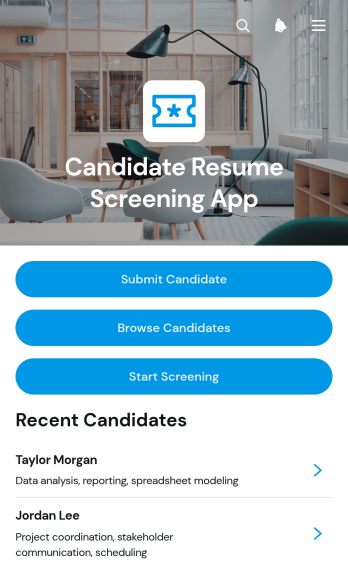
Candidate Resume Screening App
Candidate Resume Screening App gives recruiters, hiring managers, staffing teams, and growing businesses a central place to collect and review applicant information. Teams can submit candidates, browse candidate profiles, examine resumes, skills, contact details, and experience, then begin a screening process based on defined resume criteria. It is useful when several reviewers need consistent access to candidate records or when resumes are arriving through disconnected channels. By organizing candidate intake and initial evaluation in one accessible experience, the app helps reduce manual searching, clarify screening steps, and keep early hiring decisions focused on relevant qualifications.Jotform makes this app template easy to adapt without coding. Use the no-code app builder and drag-and-drop interface to update pages, navigation, colors, fonts, and screening resources for different roles or departments. Connected forms support structured data collection, while tables, notifications, approvals, and workflows can help teams manage candidate updates and internal review. Once customized, the Candidate Resume Screening App can be shared through a direct link or QR code for mobile-friendly access, giving authorized team members a convenient way to review applicants and complete screening tasks wherever hiring work takes place.
Go to Category:Human Resources Apps
Workplace Dispute Case App
The Workplace Dispute Case App provides employees, human resources teams, employee relations specialists, and managers with a central place to document and manage workplace concerns. It supports case submission, record review, guidance browsing, and follow-up communication without scattering information across separate channels. Organizations can use this app template for interpersonal conflicts, communication problems, disagreements about workplace practices, or other matters that require internal review. Clear case context, information about involved parties, requested resolutions, and related resources help reviewers understand each concern and determine appropriate next steps.With Jotform, teams can adapt this app using a no-code app builder and an intuitive drag-and-drop interface. Pages, cards, buttons, forms, and resource links can be updated to reflect internal terminology and processes. Connected forms support consistent data collection, while tables and workflows can help authorized teams organize case records and coordinate follow-ups. The app can be shared through a direct link or QR code for convenient mobile access, giving employees a practical self-service route for submitting concerns and finding guidance. Start with this app template, apply organization branding, and publish a focused experience without writing code.
Go to Category:HR Portal Apps
Flexible Work Opportunities App
Flexible Work Opportunities App is an app template for organizations that want to present remote, hybrid, part-time, contract, or flexible-schedule roles in one accessible destination. HR teams, recruiters, staffing groups, nonprofits, and growing businesses can use its focused single-page layout as a starting point for opportunity browsing, interest collection, and resource navigation. It helps potential applicants understand available work arrangements and find a suitable next step without searching across disconnected channels. Teams can tailor the content for internal mobility programs, return-to-work initiatives, project-based assignments, seasonal hiring, or public job outreach.Jotform makes it easy to turn this starting layout into a branded experience with a no-code app builder and drag-and-drop interface. Add pages, cards, buttons, forms, approval steps, and connected workflows as needs evolve, then organize data collection and follow-up from one place. This app template can support self-service access while reducing repetitive inquiries for hiring teams. Like other App Templates from Jotform, it can be customized without programming and shared through a direct link, QR code, or embedded experience for convenient access on computers and mobile devices.
Go to Category:Job Apps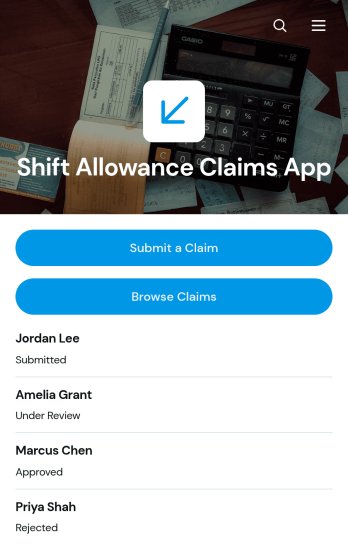
Shift Allowance Claims App
Shift Allowance Claims App is an app template for employees who need to submit allowance requests for eligible shifts and for HR, payroll, finance, and operations teams that review those claims. Staff can submit a claim, browse previous claims, and view key details such as shift dates, hours worked, allowance types, claimed amounts, and current status. It is well suited to businesses with evening, overnight, weekend, holiday, or other qualifying shifts, including hospitality, healthcare, manufacturing, transport, security, and field service organizations. By keeping records in one accessible location, the app reduces scattered paperwork, improves claim visibility, and helps teams prepare accurate information for internal review and payroll processing.Jotform Apps makes this Shift Allowance Claims App easy to adapt without coding. Use the drag-and-drop app builder to update pages, buttons, colors, fonts, and branding, then connect forms, tables, approvals, notifications, and other workflow steps. The mobile-friendly experience gives employees convenient self-service access from any device, while administrators can organize collected data and monitor requests centrally. Start with this ready-to-use app template, tailor it to your allowance policy and review process, and share it through a direct link, QR code, or embedded experience.
Go to Category:Employee Self Service Apps
Employee Wellbeing Pulse App
The Employee Wellbeing Pulse App gives HR teams, people managers, and growing organizations a practical way to gather recurring employee wellbeing updates and identify where support may be needed. Employees can submit a pulse covering overall wellbeing, energy level, support needs, and optional comments. Authorized users can review pulse insights, while employees can browse relevant wellbeing resources from the same mobile-friendly destination. This app template is useful for regular check-ins, distributed teams, workplace wellness initiatives, and periods of organizational change when leaders need timely feedback to guide thoughtful action.Jotform makes the Employee Wellbeing Pulse App easy to tailor with a no-code app builder and an intuitive drag-and-drop interface. Organizations can update pages, branding, questions, navigation, and resource links to reflect their workforce and internal processes. Connected forms support data collection, while tables, notifications, approvals, and other workflow tools can help teams organize responses and coordinate follow-up. Publish the app with a shareable link or QR code to create a convenient self-service experience without building software from scratch.
Go to Category:HR Portal Apps
Employee Group Management App
The Employee Group Management App gives HR teams, department leaders, office managers, and growing businesses a central place to organize employee records, workplace groups, and assignments. Users can browse an employee directory with contact, job title, and location details, create groups with coordinator and meeting information, and access open assignments. It is well suited to companies managing committees, project teams, regional staff, working groups, or cross-functional initiatives. By keeping people and group information together, this app template reduces scattered records, clarifies team membership, and helps coordinators find the details they need for day-to-day planning.Jotform makes this Employee Group Management App easy to adapt without coding. Use the drag-and-drop app builder to update pages, cards, buttons, colors, and branding, then connect forms and tables to support data collection and related workflows. The mobile-friendly interface gives employees and managers convenient self-service access from nearly any device. Once the app is ready, publish it with a direct link, custom app URL, or QR code so authorized staff can reach shared resources wherever work happens. Jotform App Templates also provide a practical starting point that can grow alongside changing teams and responsibilities.
Go to Category:HR Portal Apps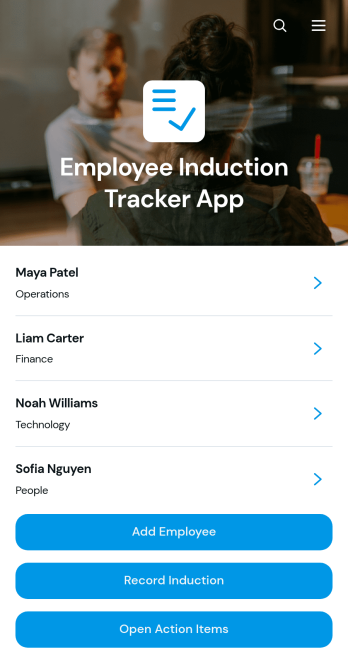
Employee Induction Tracker App
Employee Induction Tracker App gives HR teams, managers, and growing organizations a central place to coordinate new employee inductions from initial setup through follow-up. Teams can maintain employee records, record completed induction activities, and monitor open action items without relying on scattered documents or email threads. It is well suited to businesses onboarding multiple employees, distributed workplaces, contractors entering new environments, and departments that need a clear view of induction progress. Accessible resources also help employees and supervisors find relevant materials during the process, while organized records make it easier to identify outstanding work and keep each induction moving.With Jotform, this app template can be adapted to match an organization’s induction workflow, branding, roles, and internal terminology. The no-code app builder and drag-and-drop interface make it easy to update pages, buttons, resource links, and connected forms without programming. Teams can connect data collection, approvals, tables, and automated processes to create a practical employee self-service experience. Once customized, the app can be shared by a direct link or QR code for convenient mobile access, giving HR staff and managers one interactive location for induction records, resources, and follow-up tasks.
Go to Category:Human Resources Apps
Employee Request And Recognition App
The Employee Request And Recognition App gives employees, managers, and HR teams a shared space for handling workplace requests and celebrating staff contributions. Employees can submit a request, review its details and status, recognize a colleague, and browse recognition shared across the organization. It is well suited to growing businesses, distributed teams, and HR departments that want to make employee self-service more accessible while keeping requests visible and appreciation part of everyday work. By bringing these activities together, the app reduces scattered messages, supports clearer follow-up, and encourages a positive workplace culture.With Jotform Apps, organizations can adapt this app template to their internal processes without writing code. The no-code app builder and drag-and-drop interface make it easy to update pages, navigation, forms, colors, fonts, and branding. Teams can connect data collection forms with tables, notifications, approvals, and other workflow steps to support timely action. Once ready, the Employee Request And Recognition App can be shared through a direct link or QR code, giving staff convenient access from phones, tablets, and computers.
Go to Category:Employee Self Service Apps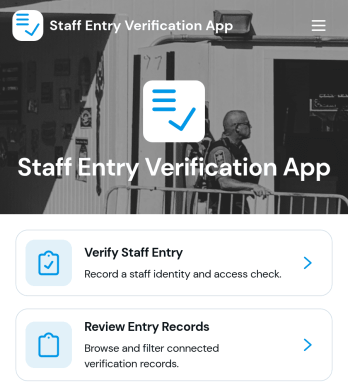
Staff Entry Verification App
The Staff Entry Verification App is an app template for confirming employee arrivals and maintaining reliable entry records across offices, warehouses, job sites, campuses, and other controlled workplaces. Security personnel, reception teams, facilities managers, HR departments, and operations leaders can use it to verify staff entry, add verification records, and review past activity from one organized experience. Staff details such as identification, department, work location, entry point, date, and time give authorized teams useful context when checking arrivals. This reduces reliance on paper logs, supports consistent recordkeeping, and helps teams find entry information when operational questions arise.Jotform Apps makes this Staff Entry Verification App easy to adapt with a no-code app builder and a flexible drag-and-drop interface. Organizations can update pages, navigation, branding, and connected forms without programming, then link collected data to tables, notifications, approvals, and other workflow steps. Like other Jotform App Templates, it supports mobile-friendly data collection and can be shared through a direct link, QR code, or embedded experience. Teams can turn the app template into a practical self-service resource that fits existing entry procedures and remains easy to update as locations or staffing needs change.
Go to Category:Sign In Apps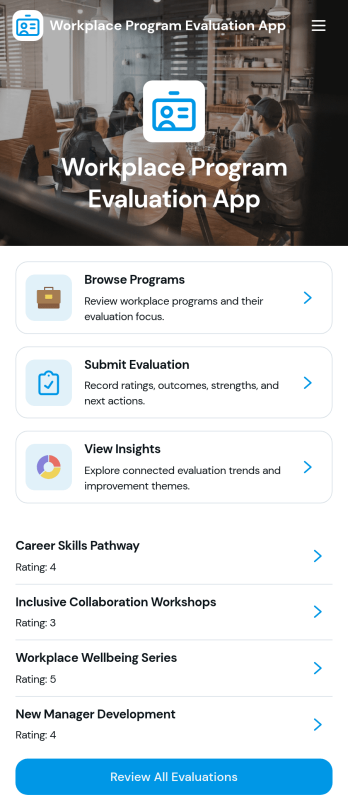
Workplace Program Evaluation App
Workplace Program Evaluation App provides HR teams, program managers, department leaders, and organizational development professionals with a central place to assess internal initiatives. Employees and evaluators can browse available workplace programs, review their focus, submit evaluations, and view collected insights without relying on scattered documents or email threads. It is well suited to training programs, wellness initiatives, employee engagement activities, leadership development, and other internal efforts that require consistent feedback. By bringing program information and evaluation activity together, the app helps organizations identify strengths, uncover improvement opportunities, and support informed planning.With Jotform Apps, teams can adapt this app template through a no-code app builder and an intuitive drag-and-drop interface. Pages, navigation, forms, visual elements, and connected workflows can be updated to reflect evaluation goals and company branding. Evaluation data can connect with Jotform Tables and related processes for organized review, while notifications help relevant stakeholders stay informed. Publish the finished Workplace Program Evaluation App by direct link, QR code, or embedded experience to provide convenient mobile-friendly access and encourage employee self-service.
Go to Category:Human Resources Apps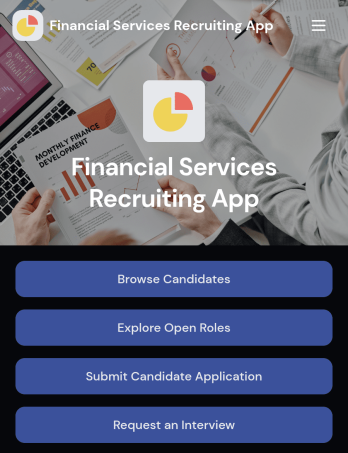
Financial Services Recruiting App
Financial Services Recruiting App brings candidate discovery, role promotion, and interview requests into one accessible recruiting experience for banks, investment firms, insurance agencies, accounting teams, staffing companies, and financial technology employers. Recruiters and hiring managers can browse candidate profiles, publish open financial services roles, and collect applications or interview requests without sending users across disconnected channels. It is especially useful when filling positions that require specific experience or specialties, giving teams a clearer way to connect qualified applicants with relevant opportunities. Candidates also gain a convenient self-service destination where they can explore vacancies, apply for roles, and access preparation resources.Jotform Apps helps organizations turn recruiting processes into polished, mobile-friendly app experiences without coding. Start with this app template, then use the drag-and-drop app builder to adjust pages, navigation, colors, fonts, and branding. Connected forms support data collection, while tables, approvals, notifications, and other workflow tools help teams organize hiring activity and follow up on requests. Jotform App Templates can be shared through a direct link or QR code, making the finished app easy to distribute among recruiters, hiring managers, candidates, and referral partners.
Go to Category:Job Apps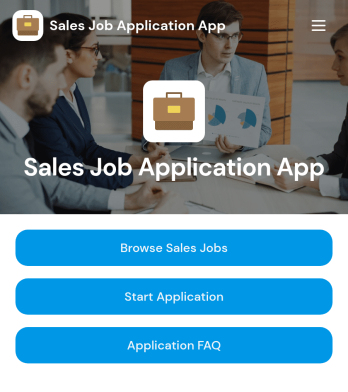
Sales Job Application App
Sales Job Application App provides a dedicated recruitment experience where candidates can browse available sales jobs, review individual role information, and submit an application for the position that suits them. It is useful for sales departments, recruiters, hiring managers, staffing agencies, and growing businesses that need a clear path from job discovery to candidate intake. Centralizing vacancies, application access, and common applicant questions helps reduce repetitive inquiries while giving prospective hires a convenient self-service resource. Organizations can use it for ongoing sales recruitment, seasonal hiring, regional expansion, or campaigns focused on specific sales roles.Jotform Apps makes it easy to adapt this app template without writing code. Using the drag-and-drop app builder, teams can update the layout, add branded content, revise job resources, and connect forms to their recruitment workflow. The app can be shared through a direct link or QR code, giving candidates mobile-friendly access wherever they discover the opportunity. Jotform App Templates also help hiring teams organize data collection in one interactive experience, publish updates quickly, and create a polished candidate journey that reflects their employer brand.
Go to Category:Job Apps
Employee Reskilling Portal App
Employee Reskilling Portal App is a centralized learning experience for organizations that want to help employees develop new capabilities and prepare for changing roles. HR departments, learning and development teams, managers, and growing businesses can use it to make reskilling opportunities easier to discover and manage. Employees can explore learning paths and course details, assess their current skills, and enroll in training or request relevant resources. They can also add learning records as they complete development activities. By bringing these actions into one accessible portal, the template supports career mobility, closes knowledge gaps, and gives staff a clearer route from skill assessment to practical learning.Jotform App Templates make it easy to adapt this app template to an organization’s training strategy without writing code. Using Jotform’s no-code app builder and drag-and-drop interface, teams can update pages, branding, navigation, and learning content while connecting forms and data collection processes to a broader workflow. The finished portal can be shared by a direct link or QR code and accessed on mobile devices, giving employees a convenient self-service resource wherever they work. Organizations can publish updates quickly and keep development opportunities organized as workforce needs evolve.
Go to Category:Resource & Learning Portal Apps
Team Duty Roster App
Team Duty Roster App helps supervisors and team leads publish duty assignments, keep a clear list of team members, and give everyone a reliable place to check who is on duty and when. It’s a practical fit for operations teams, front-desk coverage, on-call rotations, event staff, facilities crews, and any group that needs dependable shift visibility. With built-in navigation to view team members, open the duty schedule, and add duty assignments, the app supports day-to-day scheduling without relying on scattered messages or outdated spreadsheets.Jotform makes it easy to turn this use case into a branded, shareable experience using App Templates and a no-code app builder. Customize pages with a drag-and-drop interface, connect your roster and schedule to your data collection workflows, and keep information current as roles and availability change. Share the app with a simple link so staff can self-service the details they need, while managers stay in control of updates and internal organization.
Go to Category:Scheduling and Planning Apps
QR Time Tracking App
QR Time Tracking App helps teams capture accurate clock-ins and clock-outs using QR access and a simple time entry flow. Employees can quickly record a time entry from a central button, then review details tied to their name for clarity and accountability. It also supports day-to-day oversight by letting managers and supervisors browse clock-in records and clock-out records in one place, which is useful for shift-based operations, multi-location sites, and field teams that need a fast, consistent way to log hours.With Jotform, you can turn this app template into a branded self-service experience using a no-code app builder and a drag-and-drop interface. Connect the time entry button to your data collection form, organize records in connected tables, and keep your workflow moving with sharing options and notifications. Update pages, layout, and access as your staffing needs change, then publish the app for mobile-friendly use through a link or QR code.
Go to Category:Activity Tracking Apps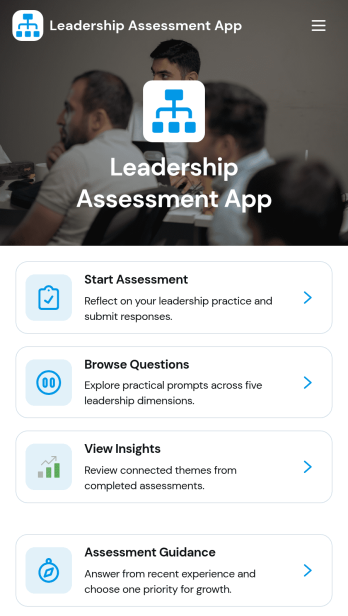
Leadership Assessment App
Leadership Assessment App helps HR teams, people managers, and leadership development programs run structured leadership assessments in one place. Use it to launch an assessment, guide participants through the process, and support thoughtful reflection with prompts and curated question browsing. It works well for internal leadership cohorts, manager readiness reviews, coaching engagements, and ongoing development cycles where consistency and clarity matter.Jotform makes it easy to publish this kind of experience using App Templates and a no-code app builder with a drag-and-drop interface. Connect the app to forms for data collection, keep records organized, and turn responses into a repeatable workflow your team can run each quarter or after key milestones. Share the app with a simple link so leaders and reviewers can complete assessments and revisit insights without hunting for documents.
Go to Category:Human Resources Apps
HR Benefits Management App
HR Benefits Management App brings your employee benefits experience into one place so people can compare plan options, submit benefit requests, and track request progress without relying on scattered emails or documents. It works well for HR teams that manage multiple benefit categories and providers, as well as growing companies that need a clearer way to communicate eligibility rules and enrollment windows. Employees get a simple path to browse benefits resources and ask questions, while HR reduces repetitive inquiries and keeps benefit-related requests consistent from intake to follow-up.Built with Jotform, this app template can be tailored with a no-code app builder and a drag-and-drop interface to match how your organization handles benefits. Connect request forms and resource lists to support self-service, keep workflows organized across teams, and centralize data collection for benefit changes, enrollment needs, and general support. Share the app with a link or QR code, update content anytime, and give employees a mobile-friendly destination for benefits information and help.
Go to Category:Human Resources Apps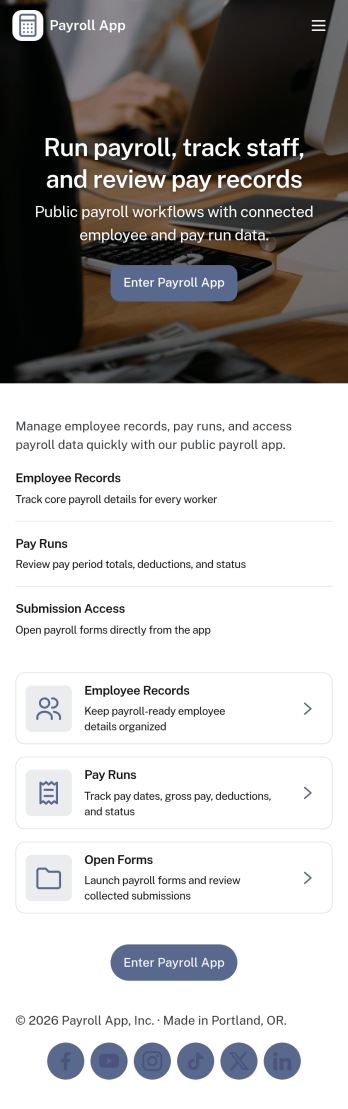
Payroll App
Payroll App helps HR and operations teams organize employee pay details in one place, so payroll work is easier to review, update, and reference from anywhere. Use it to browse employee profiles, add payroll entries as pay periods close, and keep payslips accessible for quick lookups. It fits small businesses, agencies, and growing teams that want a clear routine for tracking pay history and reducing confusion when questions come up about rates, deductions, or prior entries.With Jotform, you can turn this payroll app template into a tailored self-service experience using a no-code app builder and a drag-and-drop interface. Connect pages to your forms and tables for reliable data collection, route updates through simple workflow steps, and keep records consistent as your team grows. Share the app by link or QR code, adjust branding, and maintain a single source of truth for payroll records without juggling scattered spreadsheets.
Go to Category:Human Resources Apps